Slides / 1 of 9
Talk slides
MK Bruteforce: a special edition for the tenth MFD
Valeria Vakhrushina · MKO Systems
Day 1 — Thursday, 3 September 2026 · Scheduled 10:15–10:40 · In the recording 00:05:06–00:16:49
These slides are an English translation of the Russian deck shown in the recording; the Russian original is on the RU version of this page. Under each slide its text is set out — for word search and for machine reading. It is recognised automatically from the same image shown above: small text inside screenshots is not always recognised, so check anything doubtful against the slide itself.
Page 100:07:12 Slide text
MK BRUTEFORCE: SPECIAL EDITION
FOR THE 10TH MFD
MKO›
SYSTEMS
Page 200:07:14 Slide text
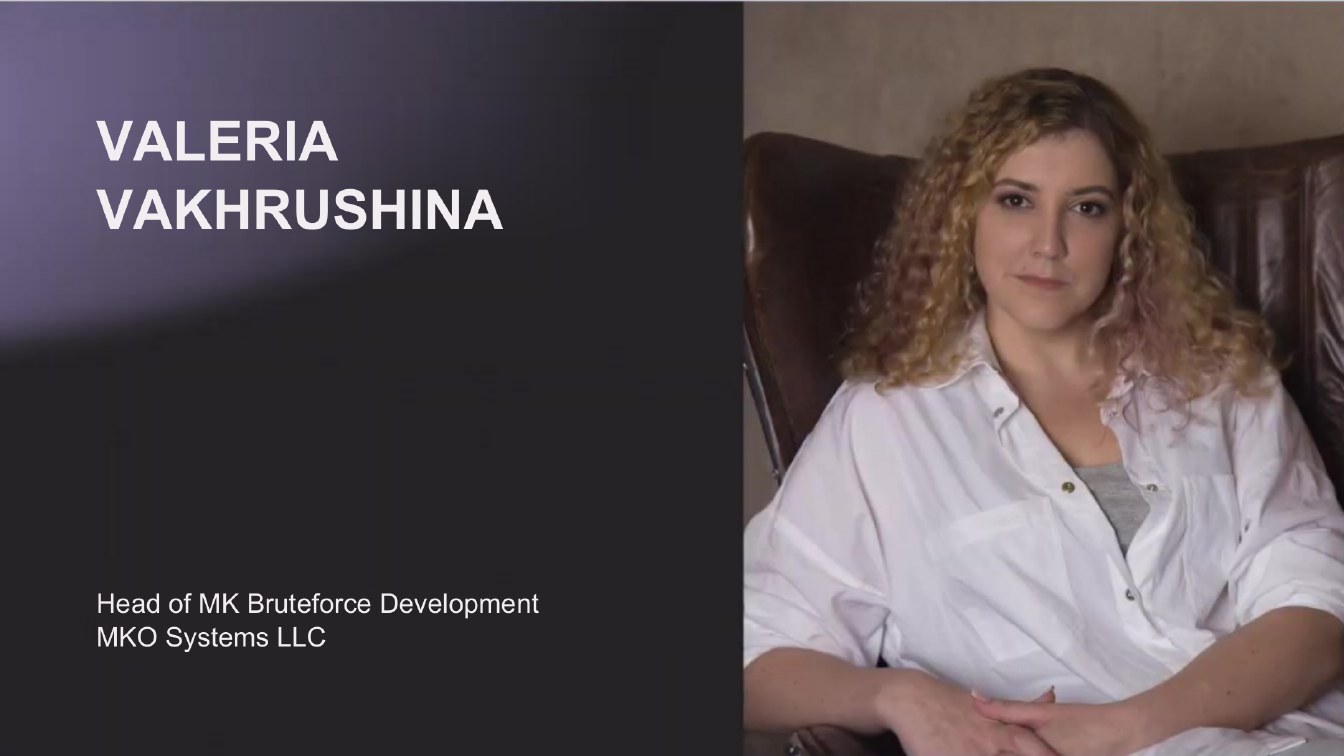
VALERIA
VAKHRUSHINA
Head of MK Bruteforce Development MKO Systems LLC
Page 300:07:16 Slide text
100X0 0I0X QWe
MK BRUTEFORCE
Page 400:07:22 Slide text
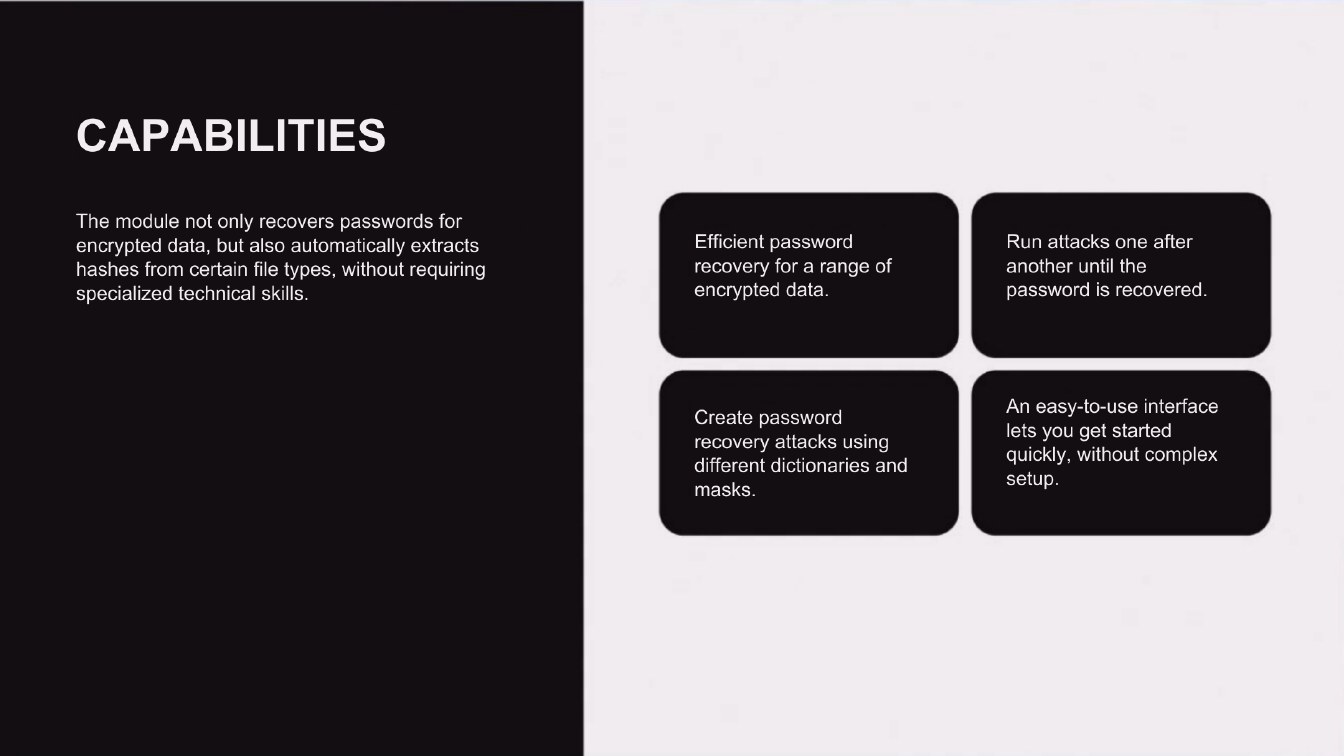
CAPABILITIES
The module not only recovers passwords for encrypted data, but also automatically extracts hashes from certain file types, without requiring specialized technical skills.
Efficient password recovery for a range of encrypted data.
Run attacks one after another until the password is recovered.
Create password recovery attacks using different dictionaries and masks.
An easy-to-use interface lets you get started quickly, without complex setup.
Page 500:07:43 Slide text
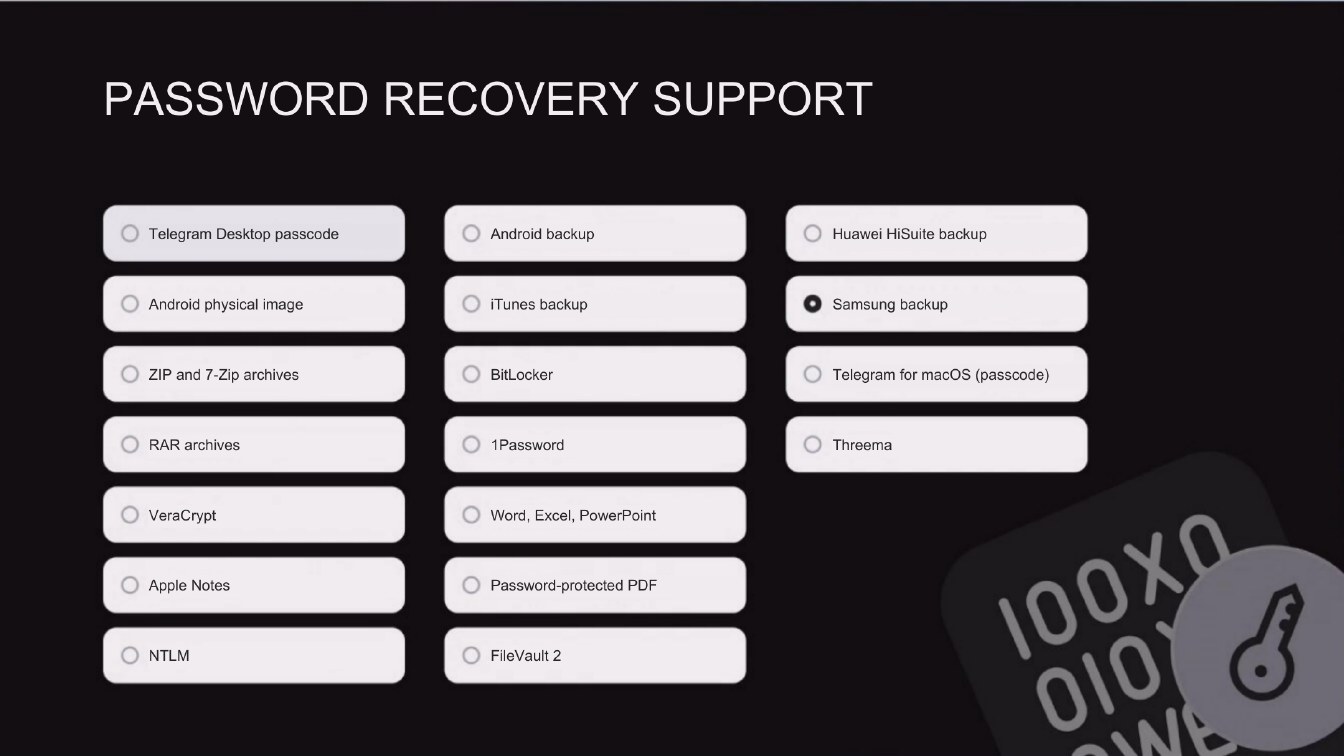
PASSWORD RECOVERY SUPPORT
• Telegram Desktop passcode
Android backup
Huawei HiSuite backup
Android physical image
iTunes backup
• Samsung backup
ZIP and 7-Zip archives
BitLocker
Telegram for macOS (passcode)
RAR archives
1Password
Threema
VeraCrypt
Apple Notes
NTLM
Word, Excel, PowerPoint
Password-protected PDF
File Vault 2
100X0
Page 600:08:22 Slide text
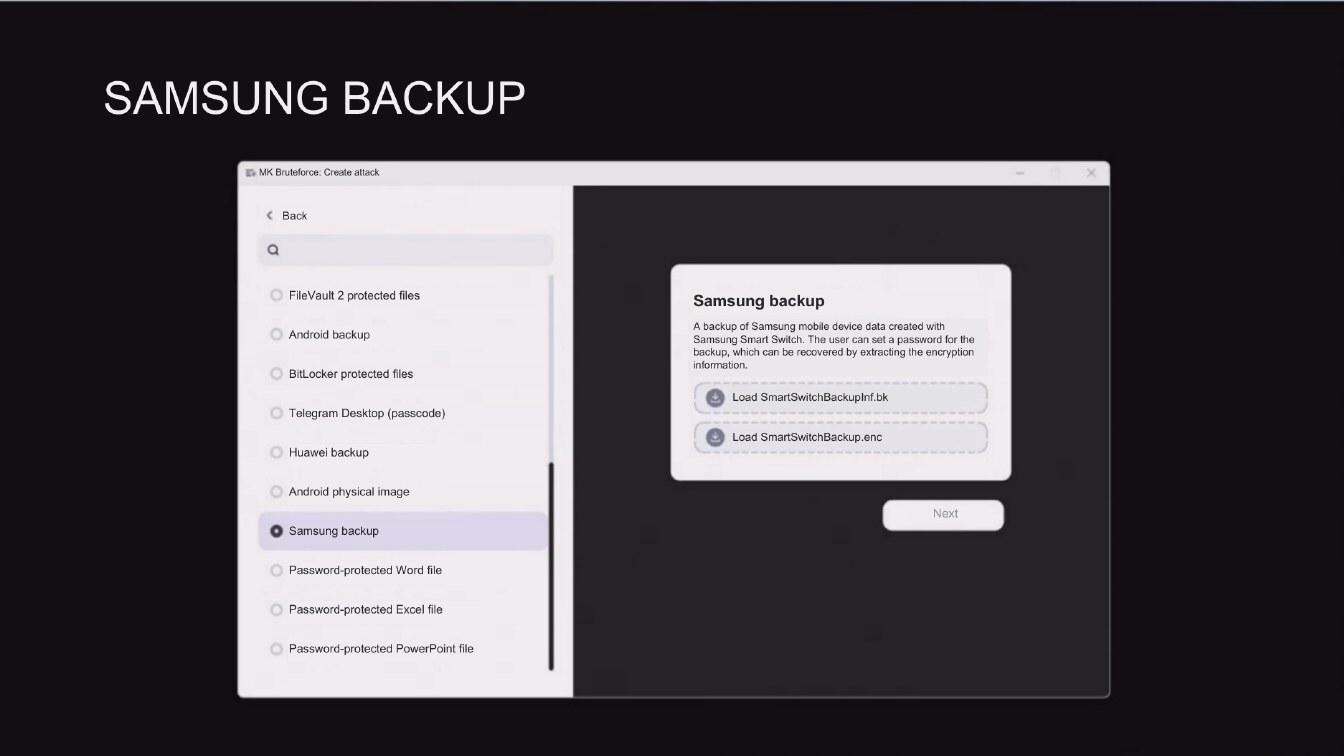
SAMSUNG BACKUP
# MK Bruteforce: Create attack
< Back
FileVault 2 protected files
Android backup
BitLocker protected files
Telegram Desktop (passcode)
Huawei backup
Samsung backup
A backup of Samsung mobile device data created with Samsung Smart Switch. The user can set a password for the backup, which can be recovered by extracting the encryption information.
Load SmartSwitchBackupInf.bk
Load SmartSwitchBackup.enc
Android physical image
• Samsung backup
Next
Password-protected Word file
Password-protected Excel file
Password-protected PowerPoint file
Page 700:08:44 Slide text
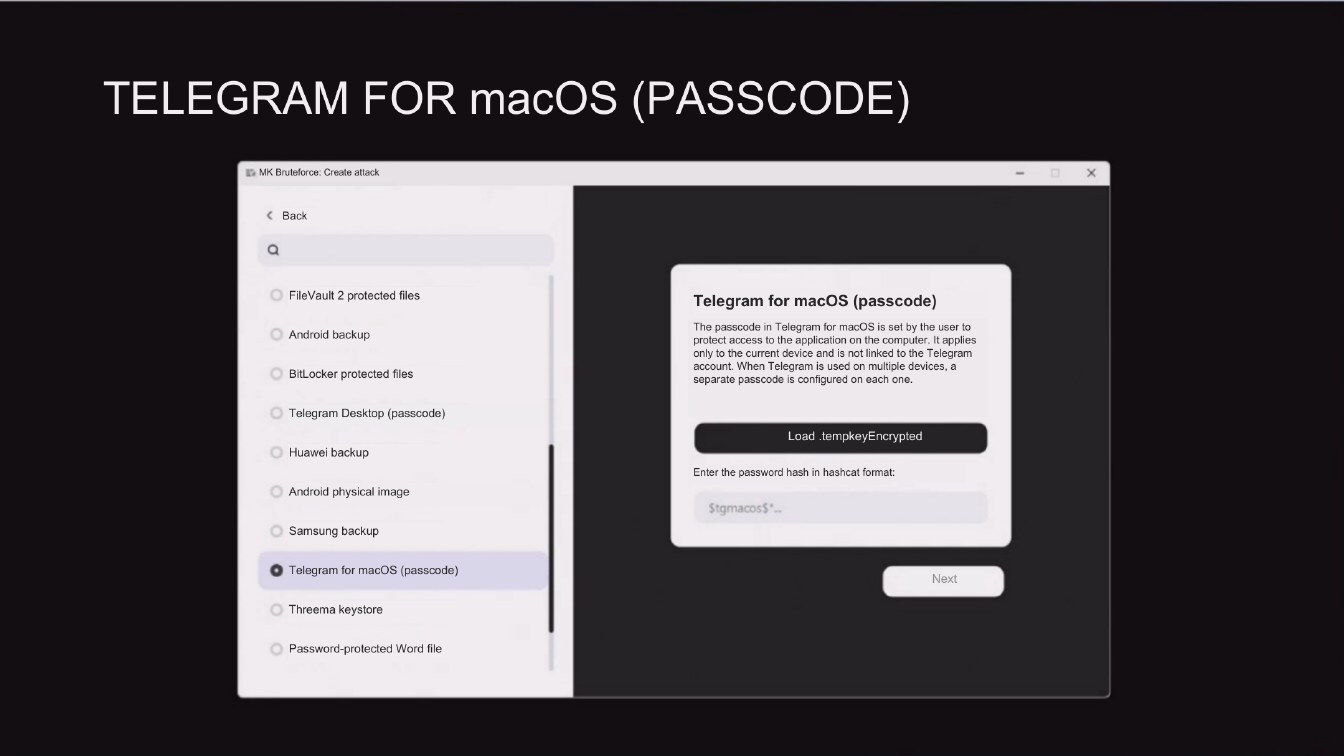
TELEGRAM FOR macOS (PASSCODE)
ID MK Bruteforce: Create attack
< Back
FileVault 2 protected files
• Android backup
BitLocker protected files
Telegram for macOS (passcode)
The passcode in Telegram for macOS is set by the user to protect access to the application on the computer. It applies only to the current device and is not linked to the Telegram account. When Telegram is used on multiple devices, a separate passcode is configured on each one.
Telegram Desktop (passcode)
Huawei backup
Android physical image
Samsung backup
Load tempkeyEncrypted
Enter the password hash in hashcat format:
StgmacosS:
• Telegram for macOS (passcode)
Next
Threema keystore
Password-protected Word file
Page 800:08:49 Slide text
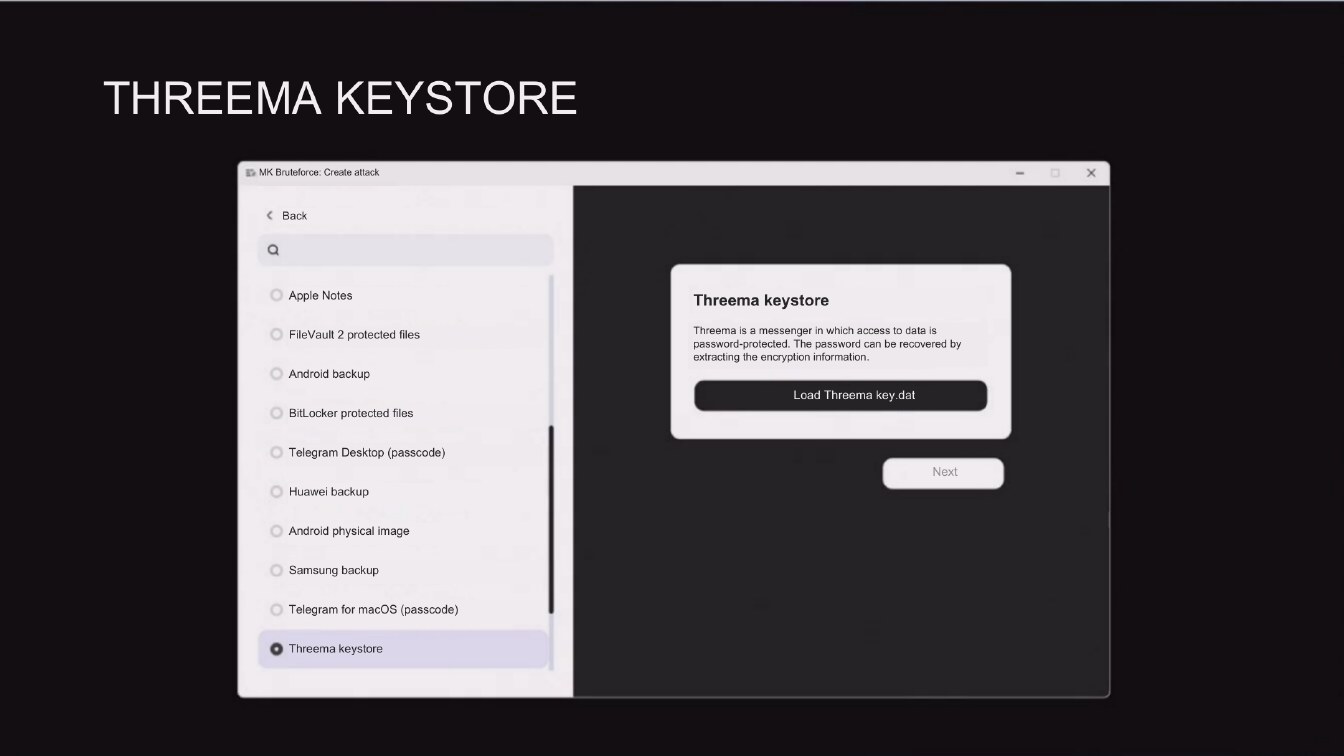
THREEMA KEYSTORE
I MK Bruteforce: Create attack
< Back
• Apple Notes
© FileVault 2 protected files
Android backup
BitLocker protected files
Threema keystore
Threema is a messenger in which access to data is ssword-protected. The password can be recovered tracting the encryption informatic
Load Threema key.dat
© Telegram Desktop (passcode)
Huawei backup
Next
Android physical image
Samsung backup
Telegram for macOS (passcode)
• Threema keystore
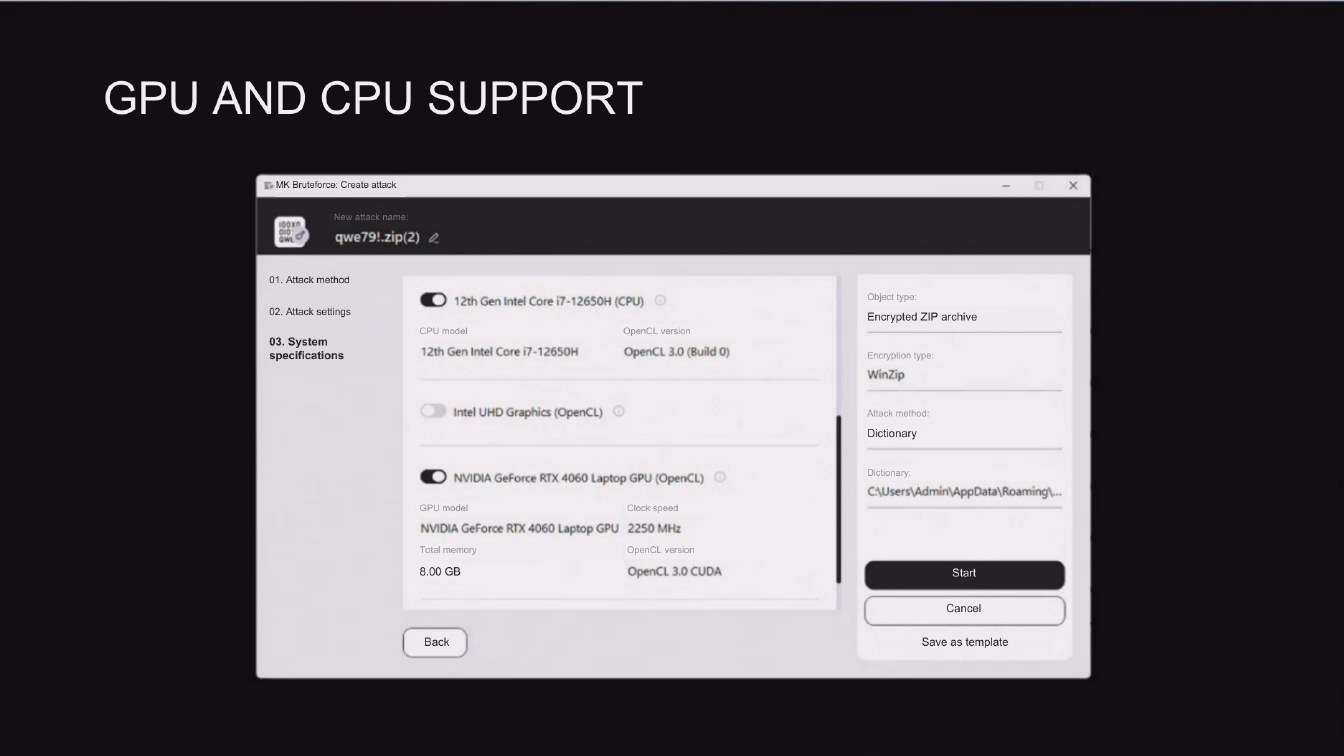
Page 900:09:42 Slide text
GPU AND CPU SUPPORT
I MK Bruteforce: Create attack
New attack name:
qwe791.zip(2) &
01. Attack method
02. Attack settings
03. System specifications
• 12th Gen Intel Core 17-12650H (CPU) O
CPU model
12th Gen Intel Core i7-12650H
OpenCL version
OpenCL 3.0 (Build O)
Object type:
Encrypted ZIP archive
Encryption type:
WinZip
Intel UHD Graphics (OpenCL) ®
Attack method:
Dictionary
• NVIDIA GeForce RTX 4060 Laptop GPU (OpenCL) 0
GPU model
Clock speed
NVIDIA GeForce RTX 4060 Laptop GPU 2250 MHz
OpenCL version
Total memory
8.00 GB
OpenCL 3.0 CUDA
Dictionary:
C\Users\Admin\AppData\Roaming....
Start
Cancel
Back
Save as template
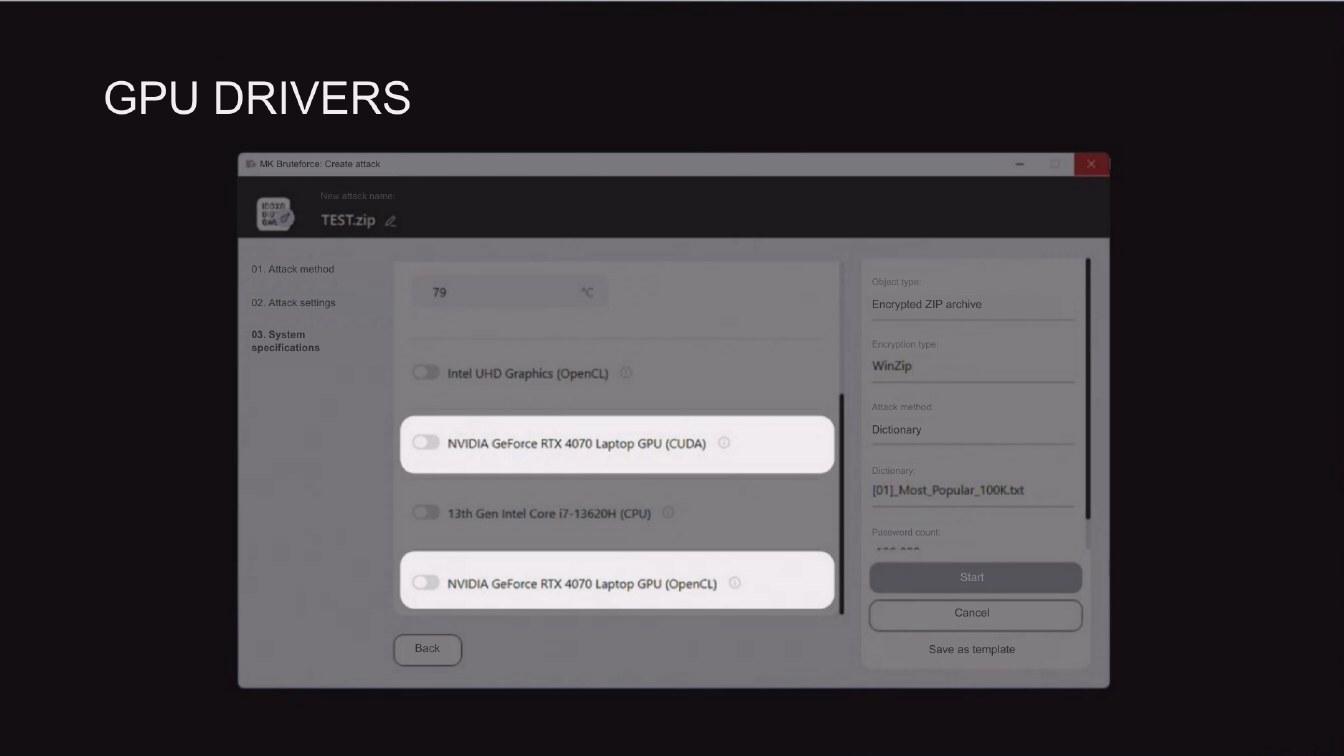
Page 1000:09:49 Slide text
GPU DRIVERS
TEST.zip 2
01. Attack method
02. Attack settings
79
Object type:
Encrypted ZIP archive
03. System specifications
Intel UHD Graphics (OpenCL) 0)
Encryption type
WinZip
NVIDIA GeForce RTX 4070 Laptop GPU (CUDA) ©
Attack method:
Dictionary
13th Gen Intel Core i7-13620H (CPU) @
Dictionary,
[01]_ Most_Popular_100K.txt
Password count:
NVIDIA GeForce RTX 4070 Laptop GPU (OpenCL) ©
Start
Cancel
Back
Save as template
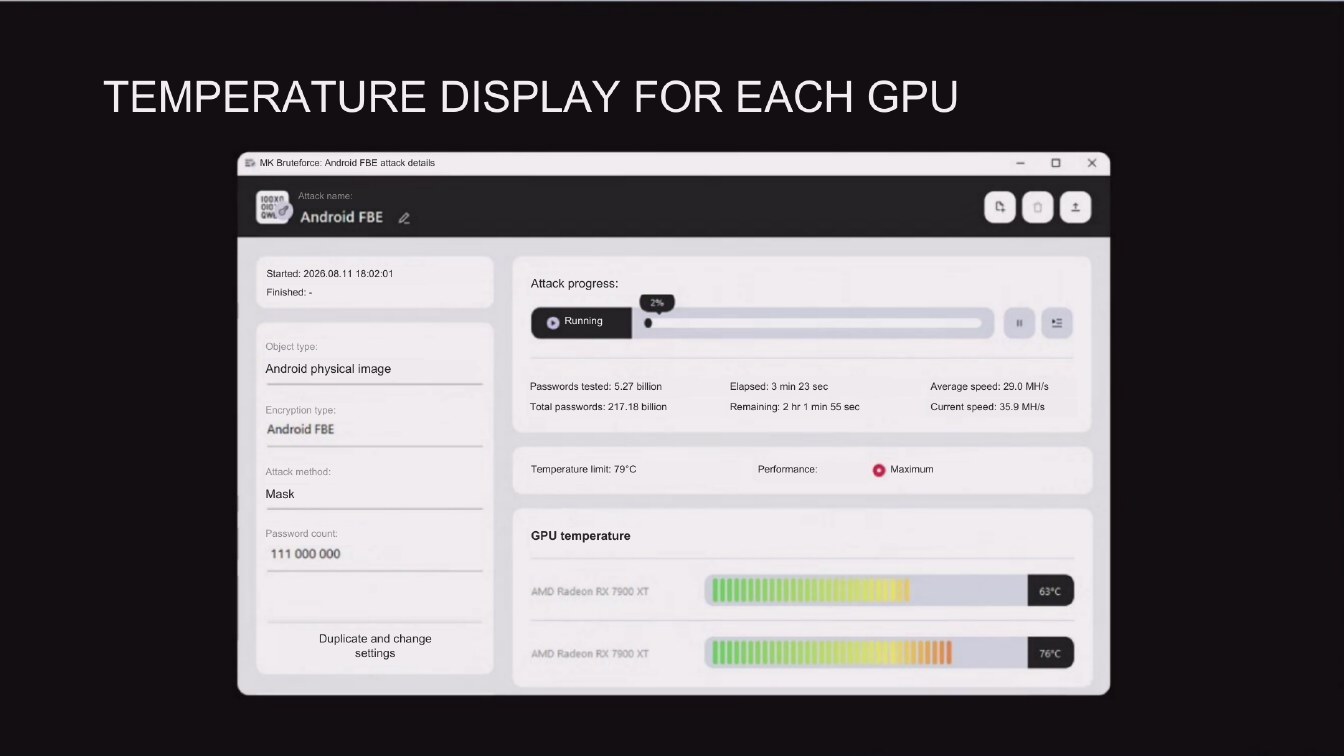
Page 1100:10:26 Slide text
TEMPERATURE DISPLAY FOR EACH GPU
E> MK Bruteforce: Android FBE attack details
Attack name:
Android FBE 0
Started: 2026.08.11 18:02:01
Finished: -
Attack progress:
Object type:
Android physical image
Encryption type:
Android FBE
• Running
Passwords tested: 5.27 billion
Total passwords: 217.18 billion
Elapsed: 3 min 23 sec
Remaining: 2 hr 1 min 55 sec
Average speed: 29.0 MH/S
Current speed: 35.9 MH/s
Attack method:
Mask
Temperature limit: 79°C
Performance:
• Maximum
Password count:
111 000 000
GPU temperature
AMD Radeon RX 7900 XT
63°C
Duplicate and change
settings
AMD Radeon RX 7900 XT
76°C
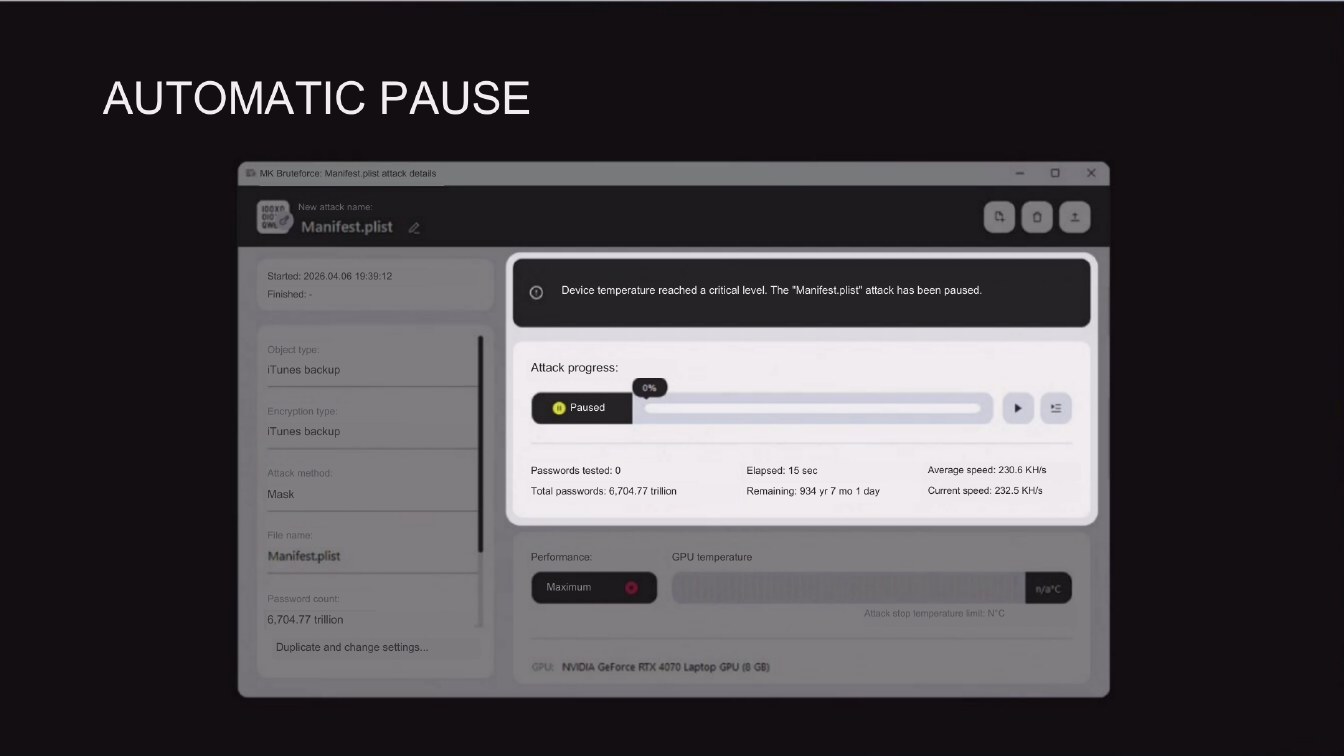
Page 1200:10:39 Slide text
AUTOMATIC PAUSE
L MK Bruteforce: Manifest pist attack details
New attack name:
Manifest.plist
Started: 2026.04.06 19:39:12
Finished:
Device temperature reached a critical level. The "Manifest.plist" attack has been paused.
Object type:
iTunes backup
Attack progress:
Encryption type:
iTunes backup
Paused
Attack method:
Mask
Passwords tested: 0
Total passwords: 6,704.77 trillion
Elapsed: 15 sec
Remaining: 934yr 7 mo 1 day
Average speed: 230.6 KH/s
Current speed: 232.5 KH/s
File name:
Manifest plist
Performance:
GPU temperature
Password count:
6.704.77 trillion
Maximum
Attack stop temperature imit N'C
Duplicate and change settings...
GPU: INVIDIA GeForce RTX 4070 Laptop GPU (8 GB)
Page 1300:10:54 Slide text
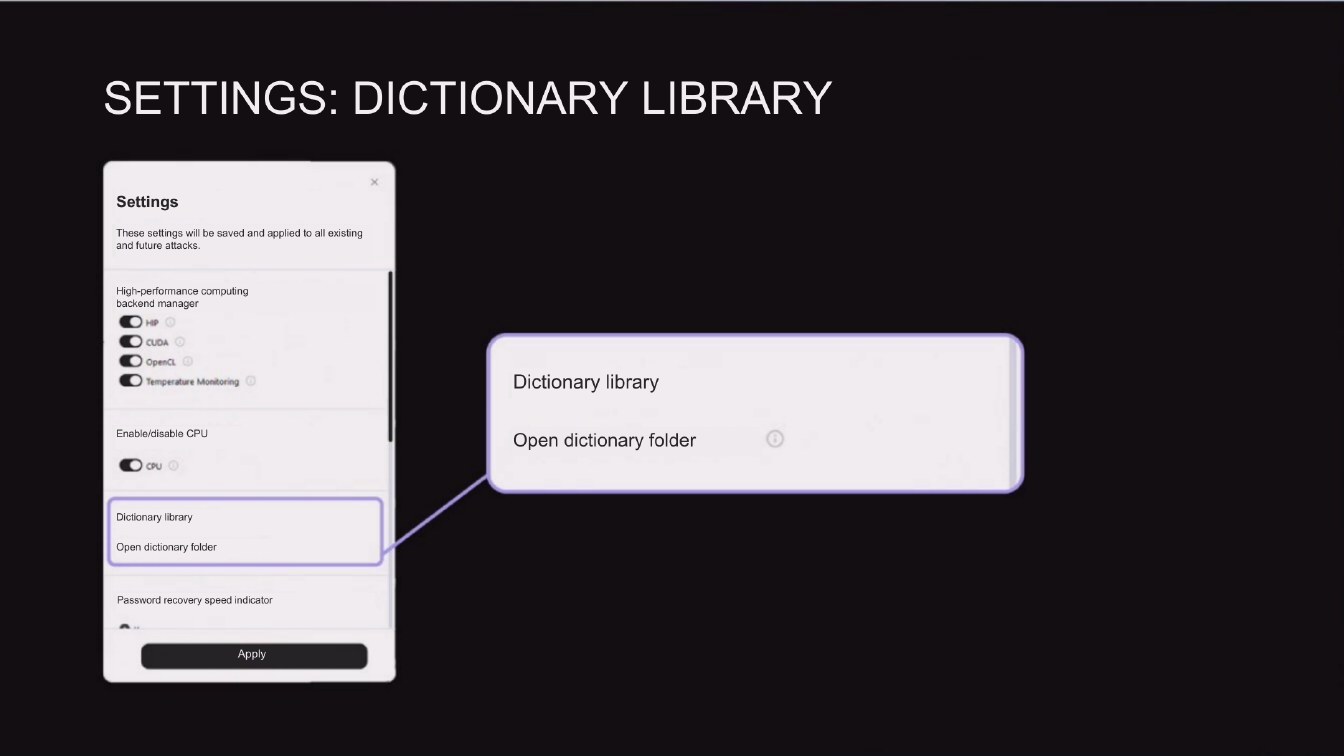
SETTINGS: DICTIONARY LIBRARY
Settings
These settings will be saved and applied to all existing and future attacks.
High-performance computing backend manager O HP
Openct O Temperature Monitoring C
Dictionary library
Enable/disable CPU
Open dictionary folder
Dictionary library
Open dictionary folder
Password recovery speed indicator
Apply
Page 1400:11:02 Slide text
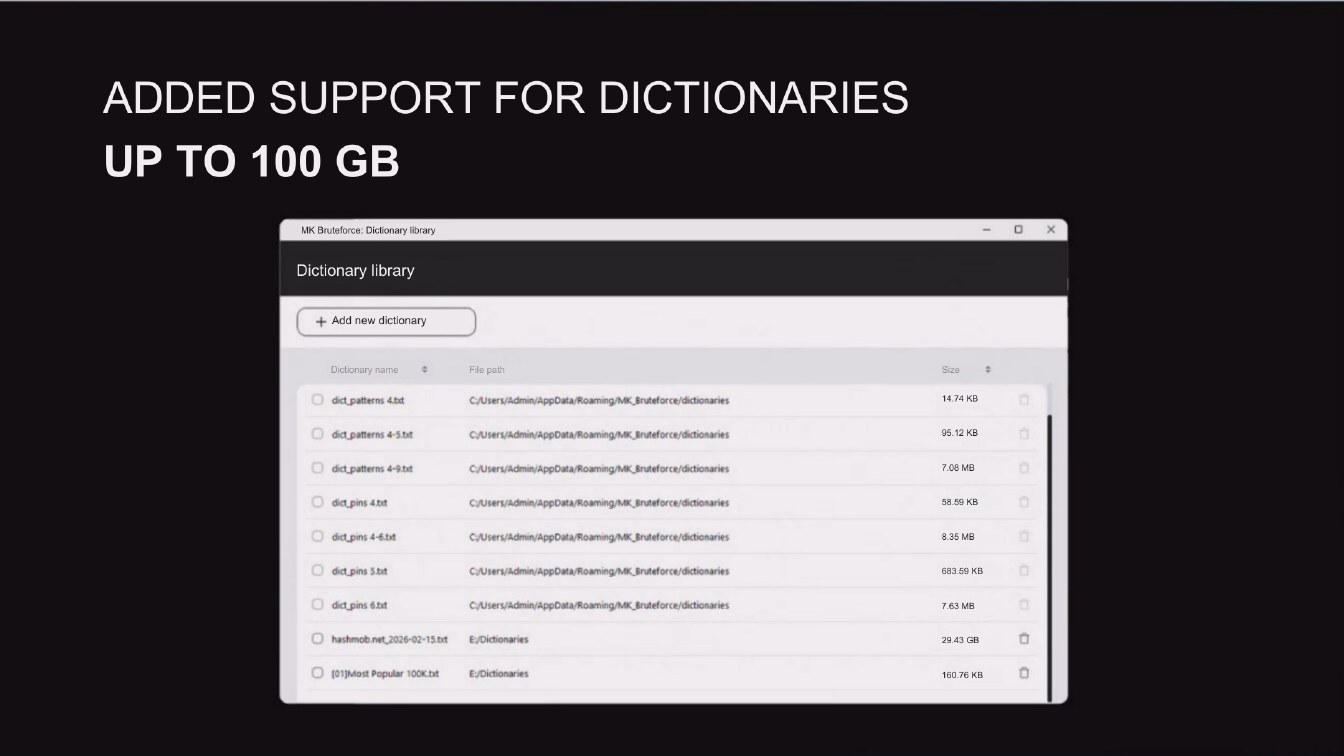
ADDED SUPPORT FOR DICTIONARIES
UP TO 100 GB
MK Bruteforce: Dictionary library
Dictionary library
+ Add new dictionary
Dictionary name
File path
Size
• dict patterns 4.bt
C:/Users/Admin/AppData/Roaming/MK_Bruteforce/dictionaries
14.74 KB
• dict patterns 4-5.bt
C/Users/Admin/AppData/Roaming/MK_Bruteforce/dictionaries
95.12 KB
• dict_patterns 4-9.be
C/Users/Admin/AppData/Roaming/MK_Bruteforce/dictionaries
• diet pins 4.0t
C:/Users/Admin/AppData/Roaming/MK_Bruteforce/dictionaries
• dict._pins 4-6.bt
C/Users/Admin/AppData/Roaming/MK_Bruteforce/dictionaries
8.35 MB
• dict._pins 5.bt
C//Users/Admin/AppData/Roaming/MK_Bruteforce/dictionaries
683.59 KB
• did pins 6.bt
C/Users/Admin/AppData/Roaming/MK_Bruteforce/dictionaries
hashmob.net_2026-02-15.bt
E:/Dictionaries
• (01]Most Popular 100K.bt
E:/Dictionaries
160.76 KB

Page 1500:11:49 Slide text
PLANS FOR THE
FUTURE
Page 1600:12:33 Slide text
100X0 010' QWE
1.
MK BRUTEFORCE
FREE
Page 1700:13:21 Slide text
QUESTIONS?