Slides / 5 of 9
Talk slides
Media forensics: improving photo, video and sound
Dmitry Boroshchuk · Beholderishere.Consulting
Day 1 — Thursday, 3 September 2026 · Scheduled 13:05–13:35 · In the recording 01:52:11–02:20:07
These slides are an English translation of the Russian deck shown in the recording; the Russian original is on the RU version of this page. Under each slide its text is set out — for word search and for machine reading. This deck carries a real text layer, so the text is taken from the PDF itself and matches the slides exactly.
Page 101:52:30 Slide text
MOSCOW
FORENSICS
DAY ’26
DMITRY BOROSHCHUK
MEDIA FORENSICS: ENHANCING PHOTOS, VIDEO AND AUDIO
BEHOLDERISHERE
Page 201:56:50 Slide text
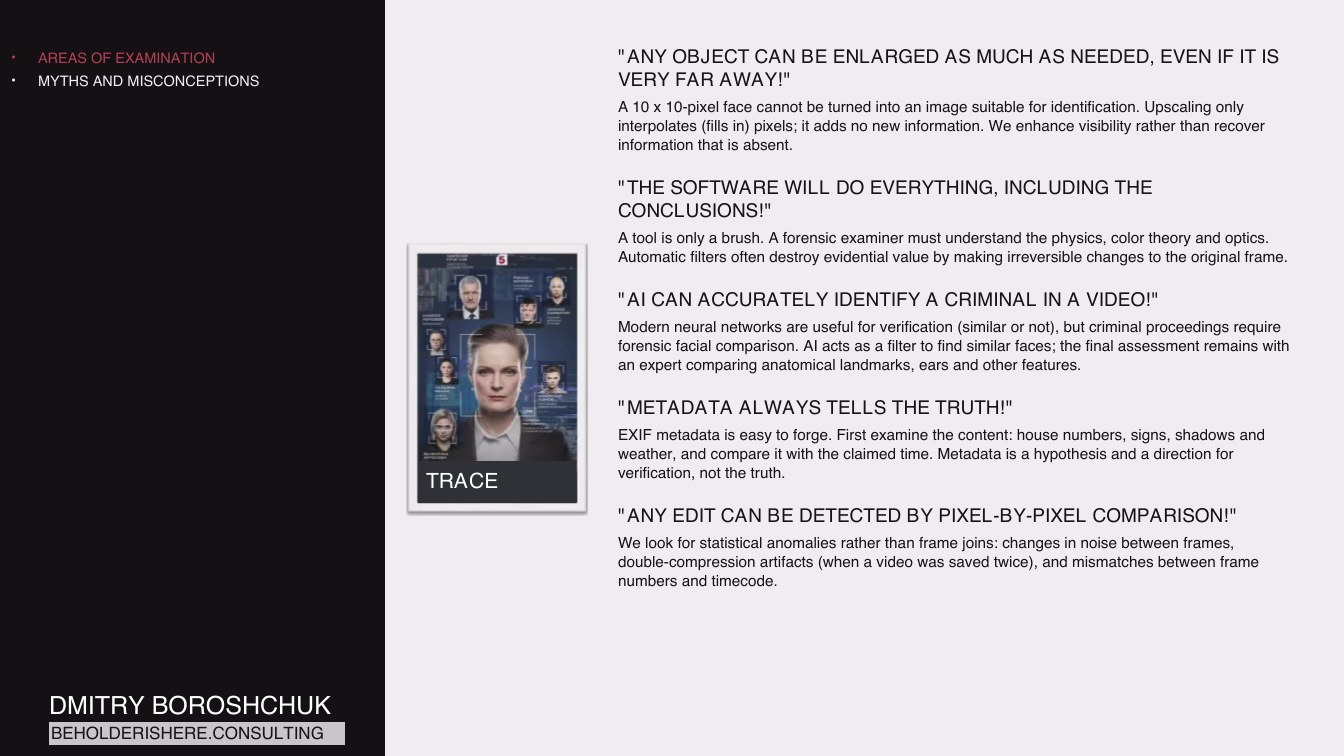
AREAS OF EXAMINATION
MYTHS AND MISCONCEPTIONS
"ANY OBJECT CAN BE ENLARGED AS MUCH AS NEEDED, EVEN IF IT IS VERY FAR AWAY!"
A 10 x 10-pixel face cannot be turned into an image suitable for identification. Upscaling only interpolates (fills in) pixels; it adds no new information. We enhance visibility rather than recover information that is absent.
"THE SOFTWARE WILL DO EVERYTHING, INCLUDING THE CONCLUSIONS!"
A tool is only a brush. A forensic examiner must understand the physics, color theory and optics. Automatic filters often destroy evidential value by making irreversible changes to the original frame.
"AI CAN ACCURATELY IDENTIFY A CRIMINAL IN A VIDEO!"
Modern neural networks are useful for verification (similar or not), but criminal proceedings require forensic facial comparison. AI acts as a filter to find similar faces; the final assessment remains with an expert comparing anatomical landmarks, ears and other features.
TRACE
"METADATA ALWAYS TELLS THE TRUTH!"
EXIF metadata is easy to forge. First examine the content: house numbers, signs, shadows and weather, and compare it with the claimed time. Metadata is a hypothesis and a direction for verification, not the truth.
"ANY EDIT CAN BE DETECTED BY PIXEL-BY-PIXEL COMPARISON!"
We look for statistical anomalies rather than frame joins: changes in noise between frames, double-compression artifacts (when a video was saved twice), and mismatches between frame numbers and timecode.
DMITRY BOROSHCHUK
BEHOLDERISHERE.CONSULTING
Page 301:57:29 Slide text
AREAS OF EXAMINATION
MYTHS AND MISCONCEPTIONS
TECHNICAL ASPECTS
CODECS
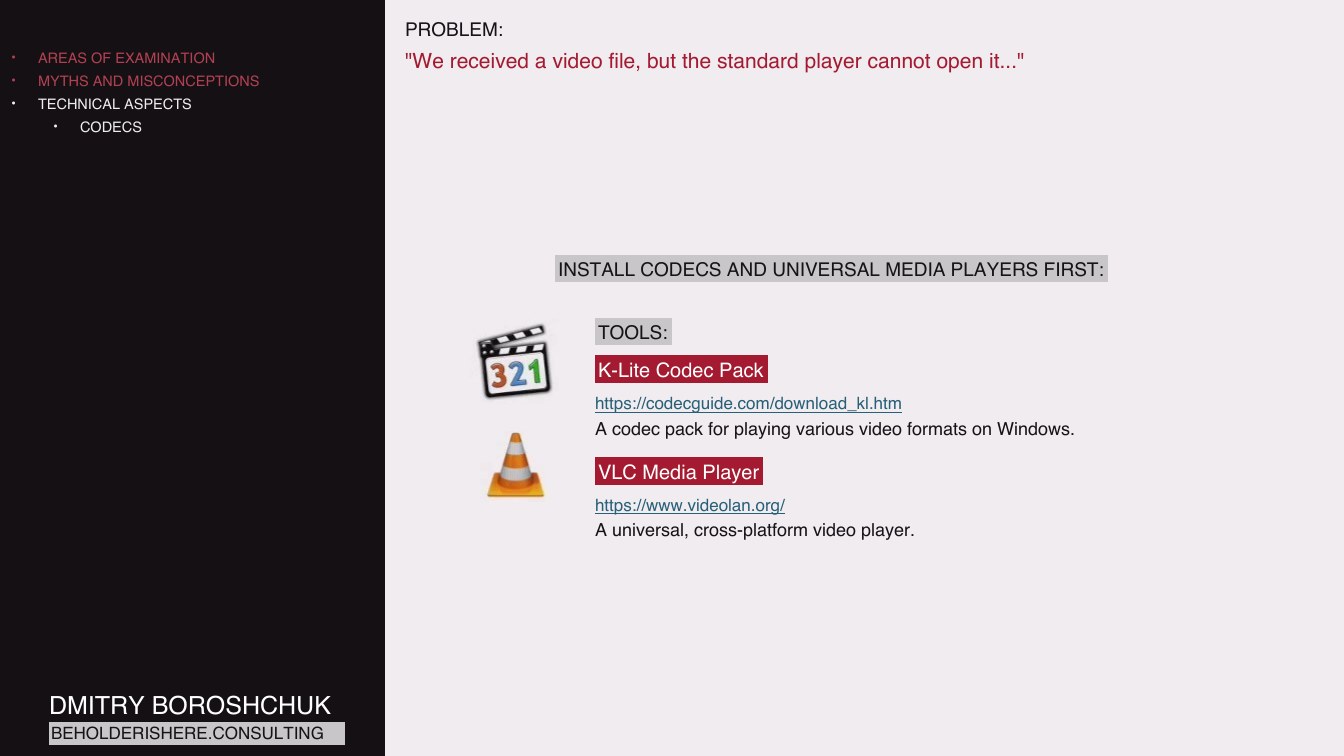
PROBLEM:
"We received a video file, but the standard player cannot open it..."
INSTALL CODECS AND UNIVERSAL MEDIA PLAYERS FIRST:
TOOLS:
K-Lite Codec Pack
https://codecguide.com/download_kl.htm
A codec pack for playing various video formats on Windows.
VLC Media Player
https://www.videolan.org/
A universal, cross-platform video player.
DMITRY BOROSHCHUK
BEHOLDERISHERE.CONSULTING
Page 401:58:21 Slide text
AREAS OF EXAMINATION
MYTHS AND MISCONCEPTIONS
TECHNICAL ASPECTS
CODECS
CONVERSION
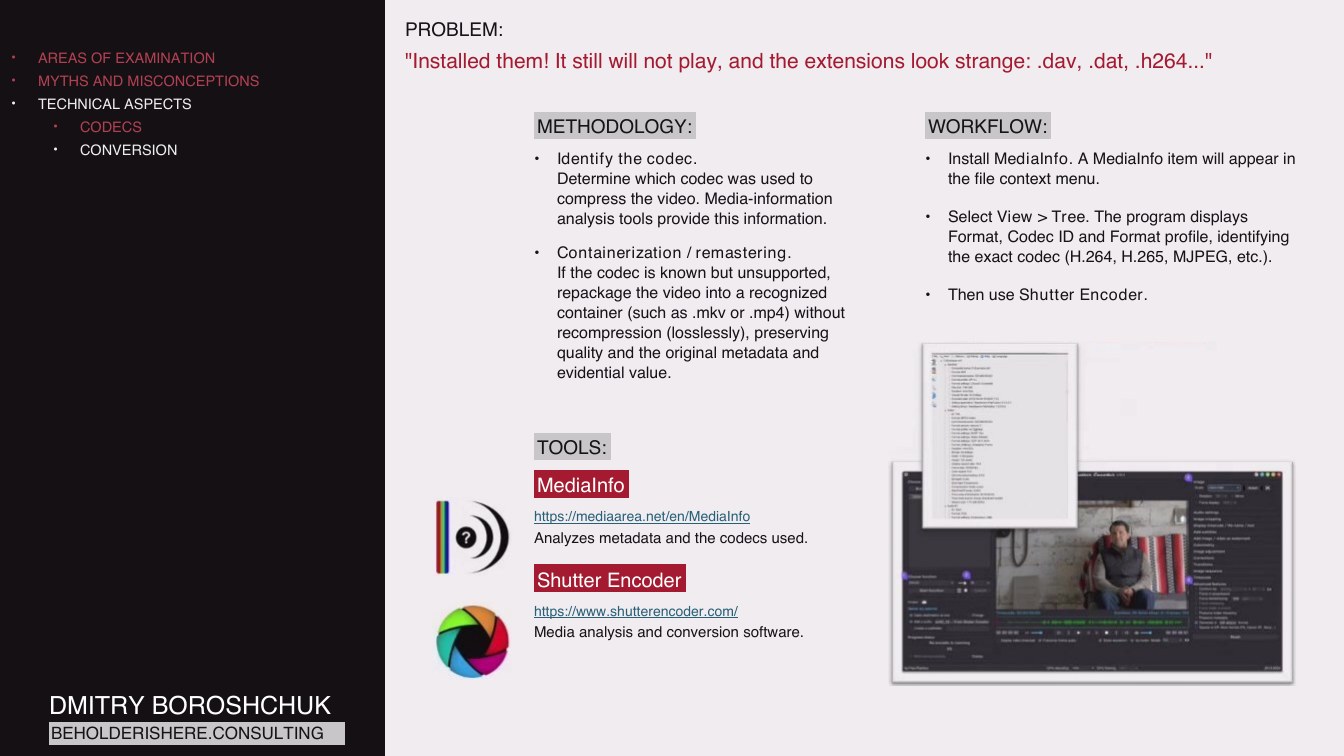
PROBLEM:
"Installed them! It still will not play, and the extensions look strange: .dav, .dat, .h264..."
METHODOLOGY:
WORKFLOW:
Identify the codec. Determine which codec was used to compress the video. Media-information analysis tools provide this information.
Containerization / remastering. If the codec is known but unsupported, repackage the video into a recognized container (such as .mkv or .mp4) without recompression (losslessly), preserving quality and the original metadata and evidential value.
Install MediaInfo. A MediaInfo item will appear in the file context menu.
Select View > Tree. The program displays Format, Codec ID and Format profile, identifying the exact codec (H.264, H.265, MJPEG, etc.).
Then use Shutter Encoder.
TOOLS:
MediaInfo
https://mediaarea.net/en/MediaInfo
Analyzes metadata and the codecs used.
Shutter Encoder
https://www.shutterencoder.com/
Media analysis and conversion software.
DMITRY BOROSHCHUK
BEHOLDERISHERE.CONSULTING
Page 501:59:49 Slide text
AREAS OF EXAMINATION
MYTHS AND MISCONCEPTIONS
TECHNICAL ASPECTS
CODECS
CONVERSION
PROBLEM:
"We need to make the video playable without lossy compression destroying fine details, such as license plates or facial expressions."
METHODOLOGY:
WORKFLOW:
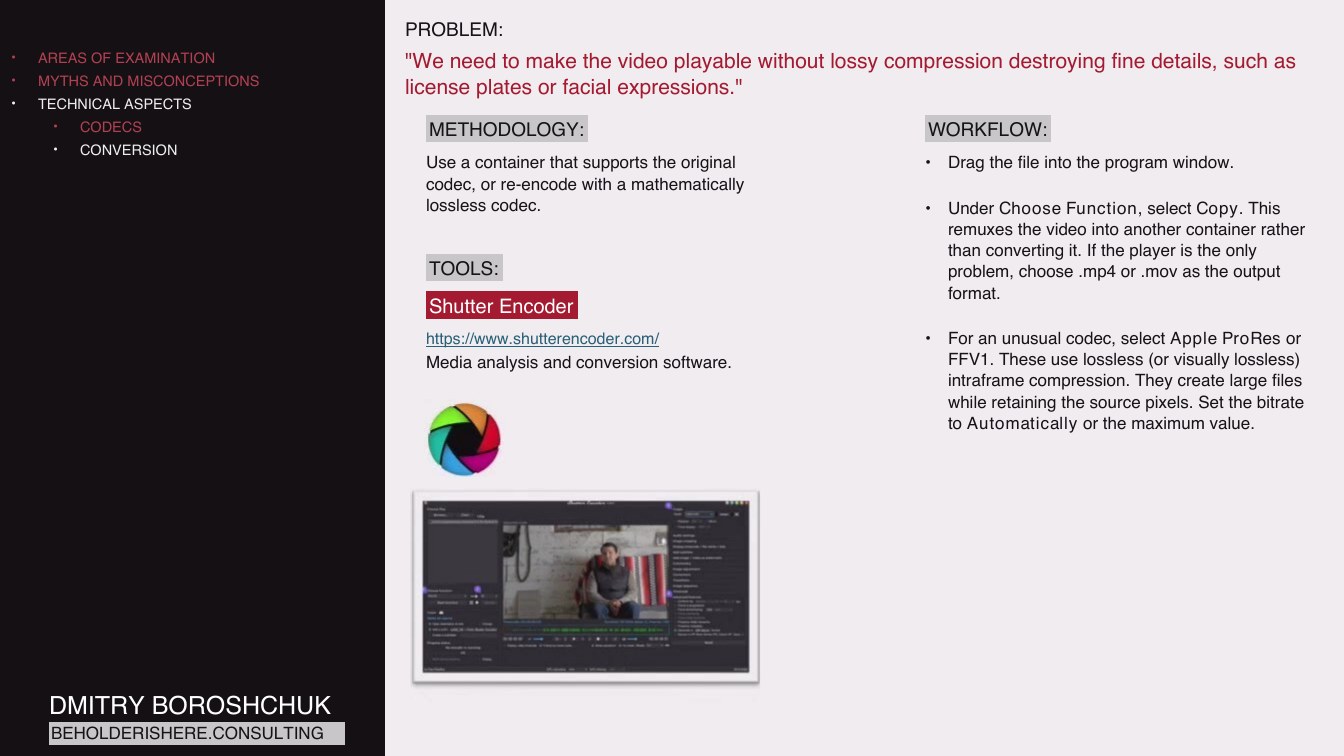
Use a container that supports the original codec, or re-encode with a mathematically lossless codec.
TOOLS:
Shutter Encoder
Drag the file into the program window.
Under Choose Function, select Copy. This remuxes the video into another container rather than converting it. If the player is the only problem, choose .mp4 or .mov as the output format.
https://www.shutterencoder.com/
Media analysis and conversion software.
For an unusual codec, select Apple ProRes or FFV1. These use lossless (or visually lossless) intraframe compression. They create large files while retaining the source pixels. Set the bitrate to Automatically or the maximum value.
DMITRY BOROSHCHUK
BEHOLDERISHERE.CONSULTING
Page 602:00:05 Slide text
AREAS OF EXAMINATION
MYTHS AND MISCONCEPTIONS
TECHNICAL ASPECTS
CODECS
CONVERSION
METADATA
PROBLEM:
"The defense has supplied a phone video. We need to establish which device it came from."
METHODOLOGY:
WORKFLOW:
Check whether the video bitrate is consistent with the claimed device.
Analyze metadata.
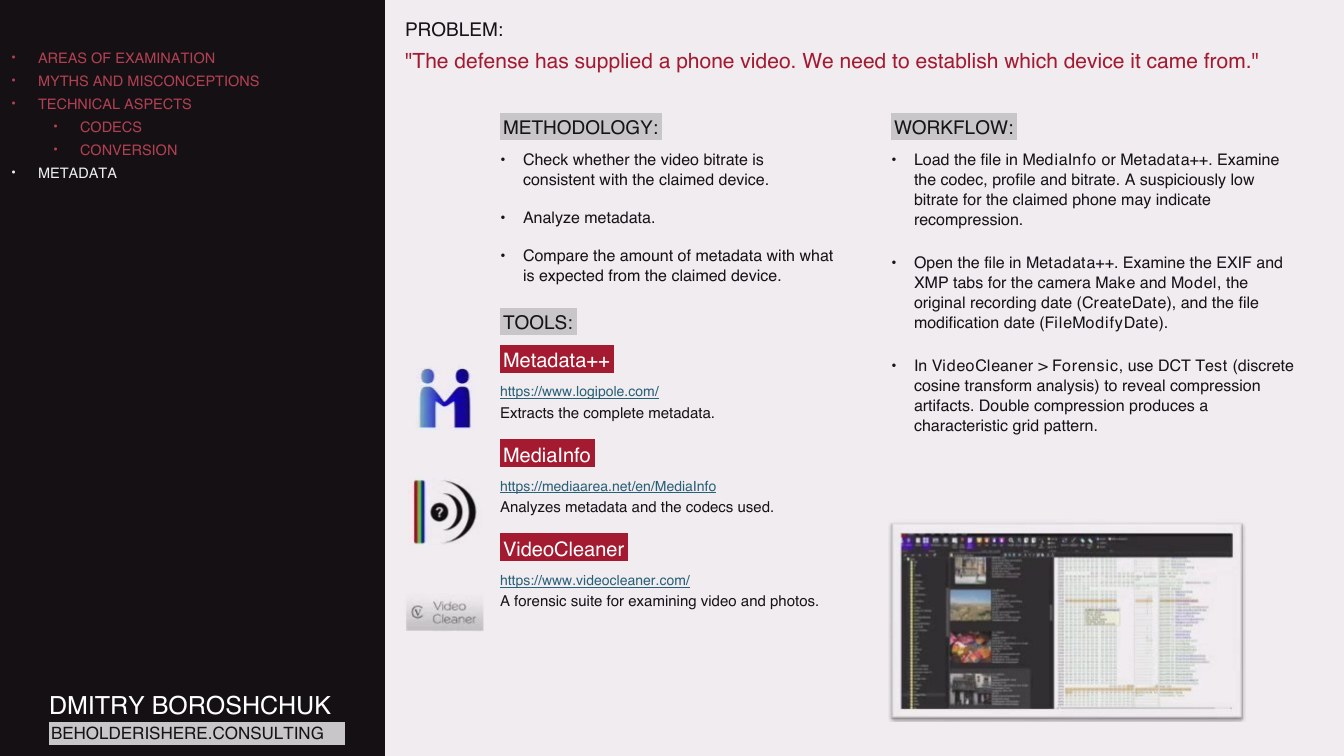
Load the file in MediaInfo or Metadata++. Examine the codec, profile and bitrate. A suspiciously low bitrate for the claimed phone may indicate recompression.
Compare the amount of metadata with what is expected from the claimed device.
TOOLS:
Open the file in Metadata++. Examine the EXIF and XMP tabs for the camera Make and Model, the original recording date (CreateDate), and the file modification date (FileModifyDate).
Metadata++
https://www.logipole.com/
Extracts the complete metadata.
MediaInfo
In VideoCleaner > Forensic, use DCT Test (discrete cosine transform analysis) to reveal compression artifacts. Double compression produces a characteristic grid pattern.
https://mediaarea.net/en/MediaInfo
Analyzes metadata and the codecs used.
VideoCleaner
https://www.videocleaner.com/
A forensic suite for examining video and photos.
DMITRY BOROSHCHUK
BEHOLDERISHERE.CONSULTING
Page 702:00:52 Slide text
AREAS OF EXAMINATION
MYTHS AND MISCONCEPTIONS
TECHNICAL ASPECTS
CODECS
CONVERSION
METADATA
IMAGE ENHANCEMENT
BRIGHTENING AND DENOISING
PROBLEM:
"The dashcam recorded at night. The image is so dark that almost nothing is visible. How can we brighten it without losing detail?"
METHODOLOGY:
WORKFLOW:
Simply increasing brightness makes the image gray and amplifies noise. Work with Curves and Levels in a professional color-grading tool. Expand the dynamic range to bring information out of the shadows without overexposing already visible areas.
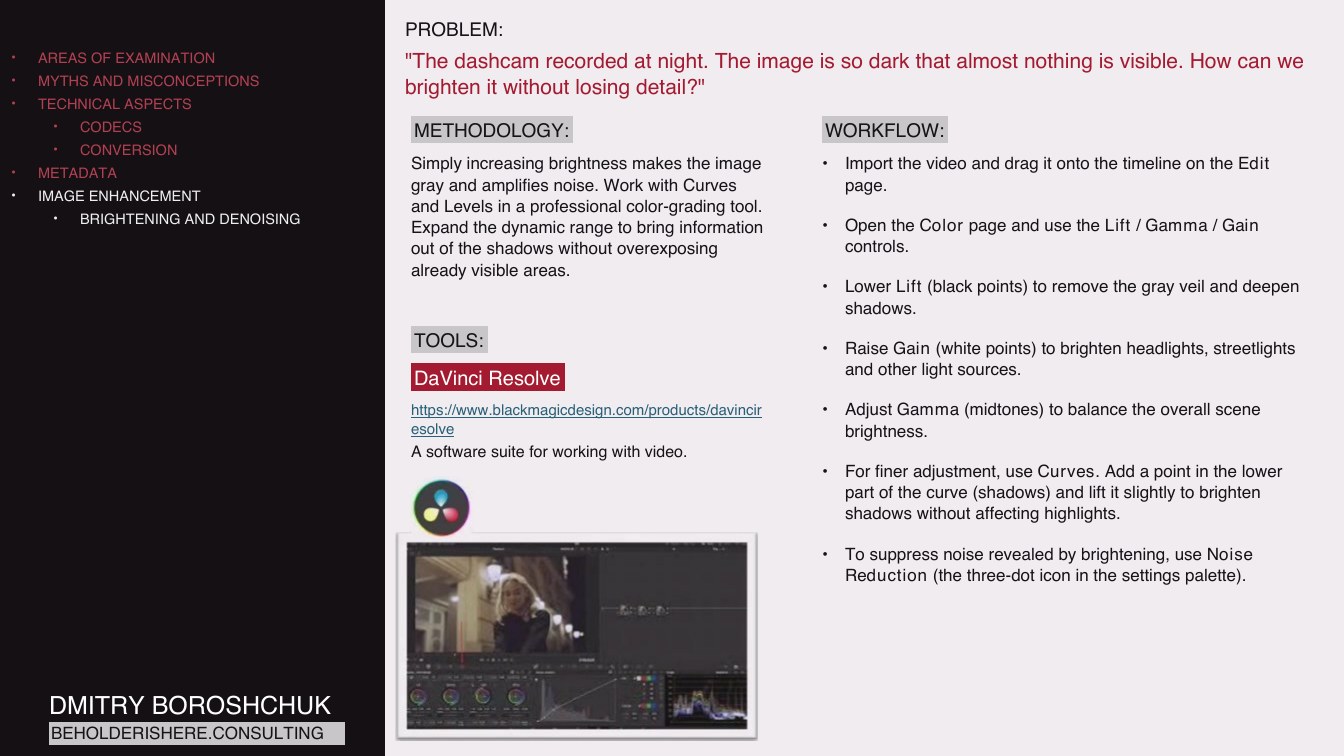
Import the video and drag it onto the timeline on the Edit page.
Open the Color page and use the Lift / Gamma / Gain controls.
Lower Lift (black points) to remove the gray veil and deepen shadows.
TOOLS:
DaVinci Resolve
Raise Gain (white points) to brighten headlights, streetlights and other light sources.
https://www.blackmagicdesign.com/products/davincir esolve
A software suite for working with video.
Adjust Gamma (midtones) to balance the overall scene brightness.
For finer adjustment, use Curves. Add a point in the lower part of the curve (shadows) and lift it slightly to brighten shadows without affecting highlights.
To suppress noise revealed by brightening, use Noise Reduction (the three-dot icon in the settings palette).
DMITRY BOROSHCHUK
BEHOLDERISHERE.CONSULTING
Page 802:02:19 Slide text
AREAS OF EXAMINATION
MYTHS AND MISCONCEPTIONS
TECHNICAL ASPECTS
CODECS
CONVERSION
METADATA
IMAGE ENHANCEMENT
BRIGHTENING AND DENOISING
DEBLURRING
PROBLEM:
"Motion blur makes the vehicle license plate unreadable. How can we read it?"
METHODOLOGY:
WORKFLOW:
Combine several methods:
Open the video in VideoCleaner.
Stabilization to reduce camera shake.
Deblocking to remove block-shaped compression artifacts.
Sharpening using deconvolution when the blur type is known.
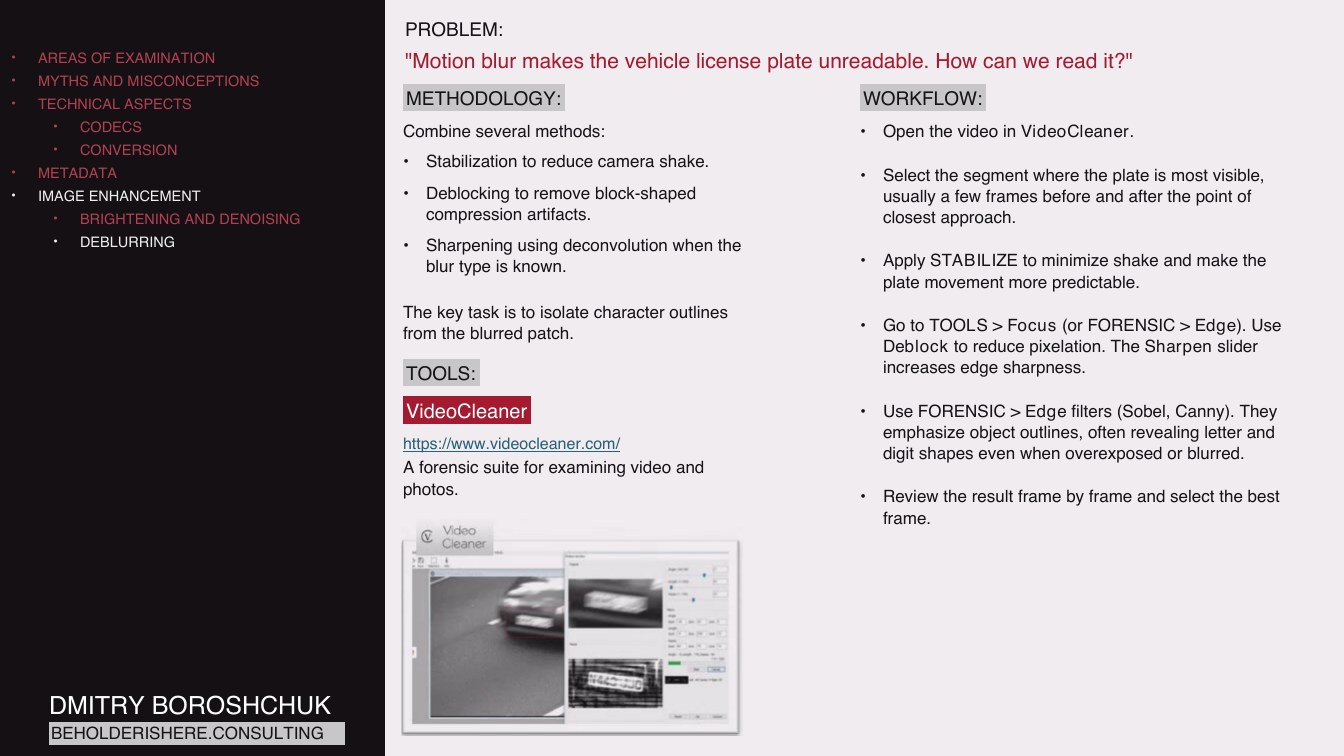
Select the segment where the plate is most visible, usually a few frames before and after the point of closest approach.
Apply STABILIZE to minimize shake and make the plate movement more predictable.
The key task is to isolate character outlines from the blurred patch.
TOOLS:
Go to TOOLS > Focus (or FORENSIC > Edge). Use Deblock to reduce pixelation. The Sharpen slider increases edge sharpness.
VideoCleaner
https://www.videocleaner.com/
A forensic suite for examining video and photos.
Use FORENSIC > Edge filters (Sobel, Canny). They emphasize object outlines, often revealing letter and digit shapes even when overexposed or blurred.
Review the result frame by frame and select the best frame.
DMITRY BOROSHCHUK
BEHOLDERISHERE.CONSULTING
Page 902:04:18 Slide text
AREAS OF EXAMINATION
MYTHS AND MISCONCEPTIONS
TECHNICAL ASPECTS
CODECS
CONVERSION
METADATA
IMAGE ENHANCEMENT
BRIGHTENING AND DENOISING
DEBLURRING
INCREASING RESOLUTION
PROBLEM:
"The suspect's face in CCTV footage is a pixelated patch. Can it be made recognizable for identification?"
METHODOLOGY:
WORKFLOW:
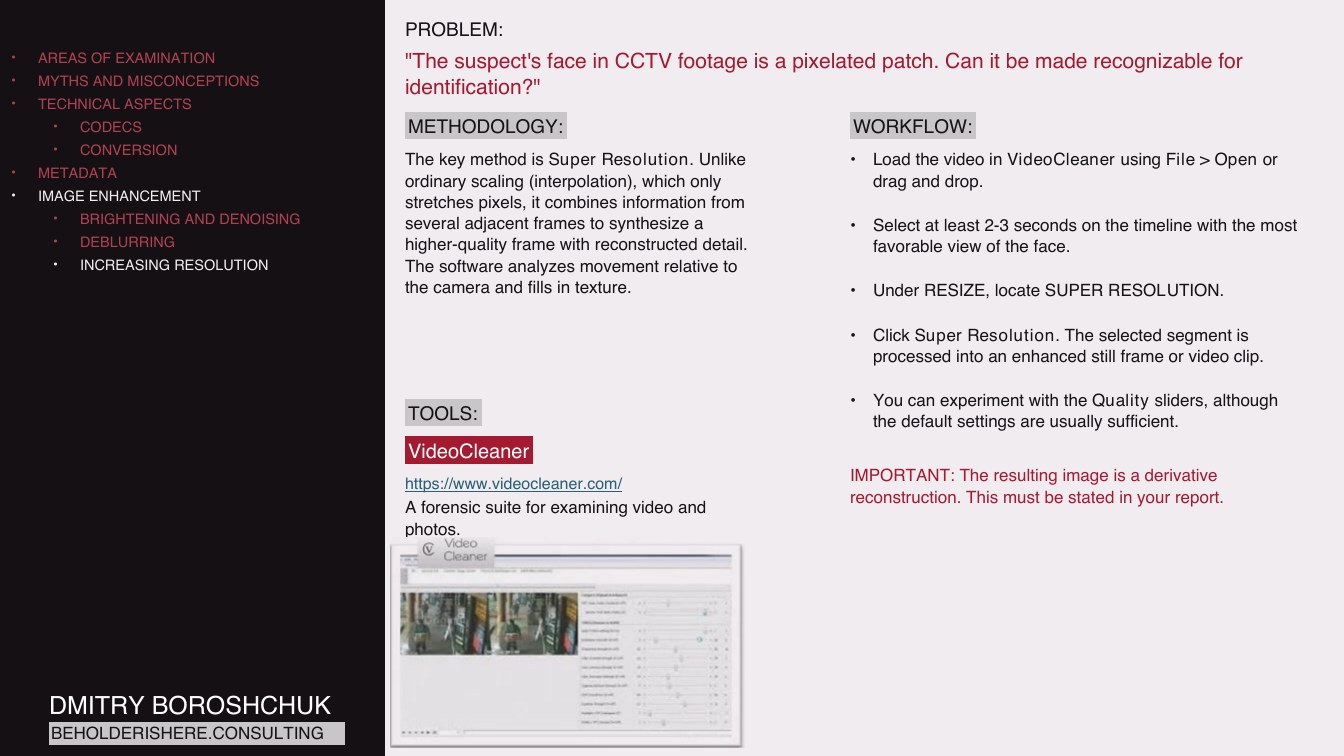
The key method is Super Resolution. Unlike ordinary scaling (interpolation), which only stretches pixels, it combines information from several adjacent frames to synthesize a higher-quality frame with reconstructed detail. The software analyzes movement relative to the camera and fills in texture.
Load the video in VideoCleaner using File > Open or drag and drop.
Select at least 2-3 seconds on the timeline with the most favorable view of the face.
Under RESIZE, locate SUPER RESOLUTION.
Click Super Resolution. The selected segment is processed into an enhanced still frame or video clip.
TOOLS:
VideoCleaner
https://www.videocleaner.com/
A forensic suite for examining video and photos.
You can experiment with the Quality sliders, although the default settings are usually sufficient.
IMPORTANT: The resulting image is a derivative reconstruction. This must be stated in your report.
DMITRY BOROSHCHUK
BEHOLDERISHERE.CONSULTING
Page 1002:05:24 Slide text
AREAS OF EXAMINATION
MYTHS AND MISCONCEPTIONS
TECHNICAL ASPECTS
CODECS
CONVERSION
METADATA
IMAGE ENHANCEMENT
BRIGHTENING AND DENOISING
DEBLURRING
INCREASING RESOLUTION
REFLECTION ANALYSIS
PROBLEM:
"Glare on glass may contain a reflection of the suspect's face. How can we enhance the reflection?"
METHODOLOGY:
WORKFLOW:
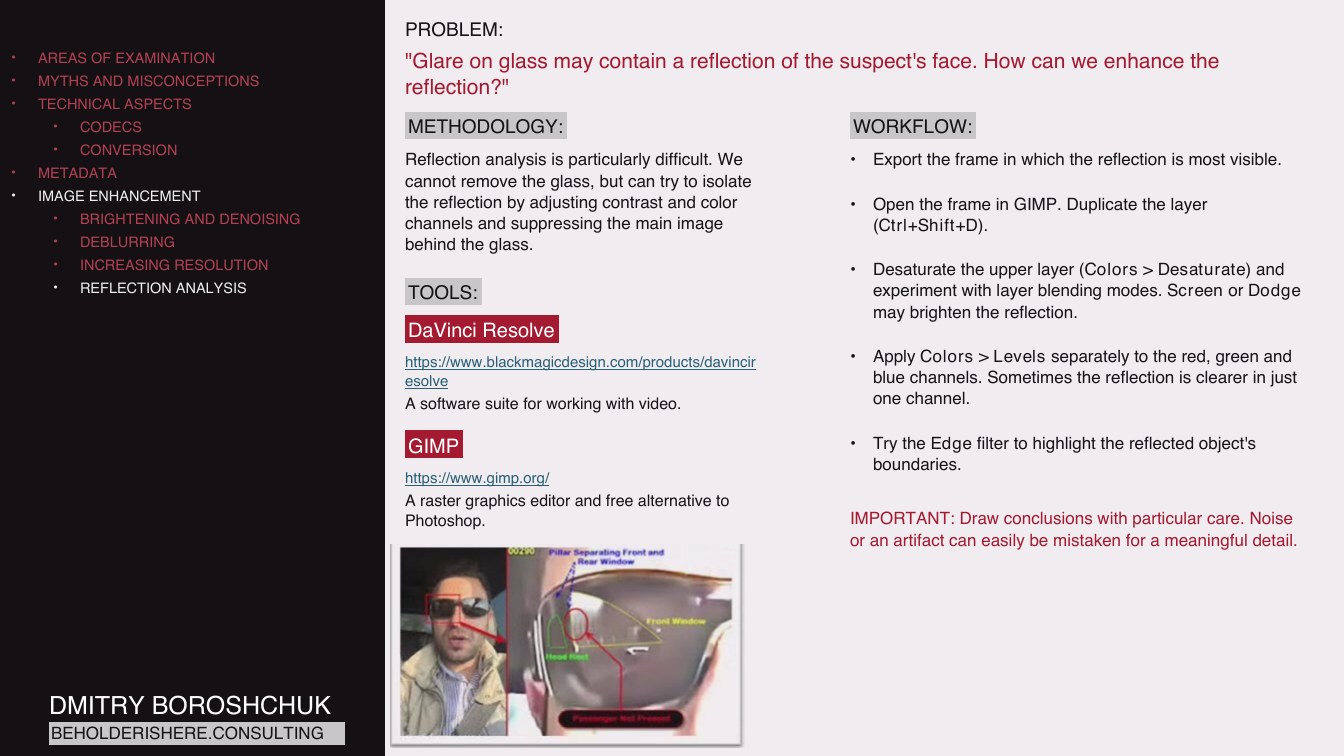
Reflection analysis is particularly difficult. We cannot remove the glass, but can try to isolate the reflection by adjusting contrast and color channels and suppressing the main image behind the glass.
TOOLS:
DaVinci Resolve
https://www.blackmagicdesign.com/products/davincir esolve
A software suite for working with video.
Export the frame in which the reflection is most visible.
Open the frame in GIMP. Duplicate the layer (Ctrl+Shift+D).
Desaturate the upper layer (Colors > Desaturate) and experiment with layer blending modes. Screen or Dodge may brighten the reflection.
Apply Colors > Levels separately to the red, green and blue channels. Sometimes the reflection is clearer in just one channel.
GIMP
https://www.gimp.org/
A raster graphics editor and free alternative to Photoshop.
Try the Edge filter to highlight the reflected object's boundaries.
IMPORTANT: Draw conclusions with particular care. Noise or an artifact can easily be mistaken for a meaningful detail.
DMITRY BOROSHCHUK
BEHOLDERISHERE.CONSULTING
Page 1102:06:45 Slide text
AREAS OF EXAMINATION
MYTHS AND MISCONCEPTIONS
TECHNICAL ASPECTS
CODECS
CONVERSION
METADATA
IMAGE ENHANCEMENT
BRIGHTENING AND DENOISING
DEBLURRING
INCREASING RESOLUTION
REFLECTION ANALYSIS
EVENT RECONSTRUCTION
PROBLEM:
"Several witnesses filmed a fight from different positions. We need a timeline showing who struck blows and who tried to intervene."
METHODOLOGY:
WORKFLOW:
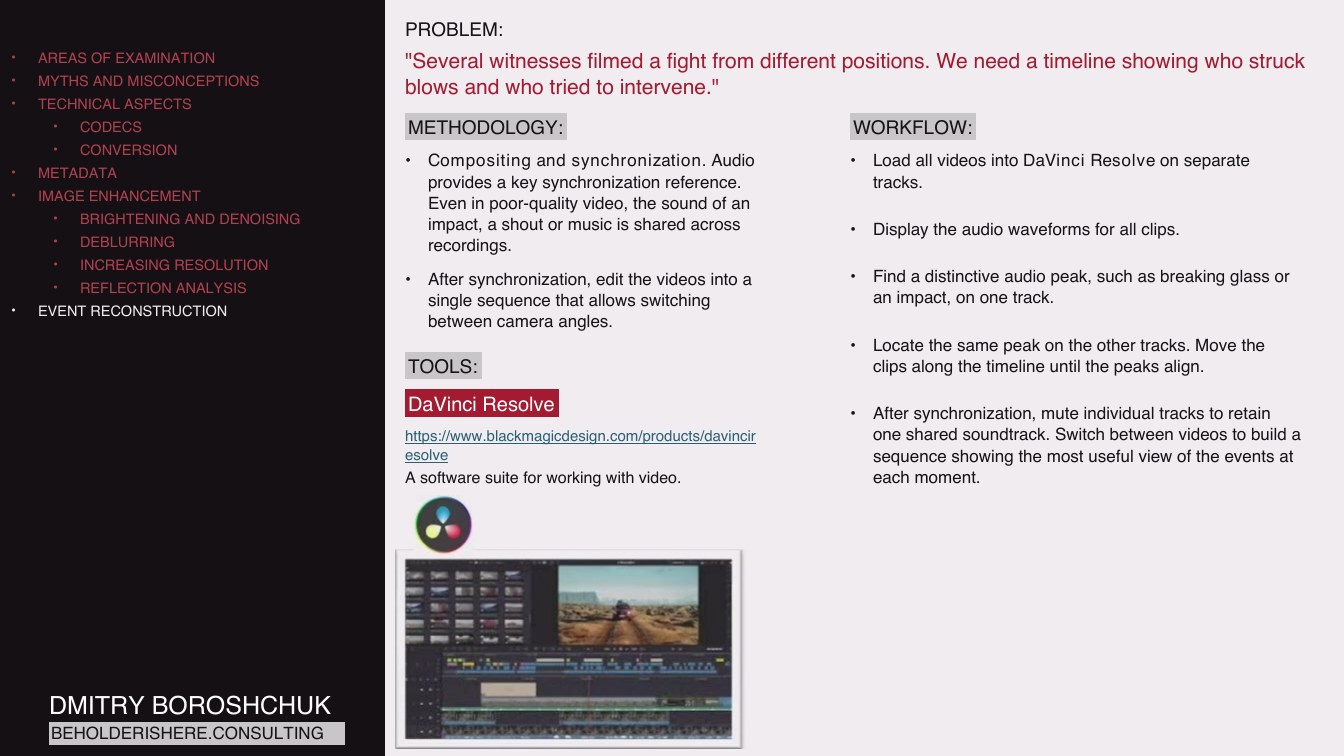
Compositing and synchronization. Audio provides a key synchronization reference. Even in poor-quality video, the sound of an impact, a shout or music is shared across recordings.
Load all videos into DaVinci Resolve on separate tracks.
Display the audio waveforms for all clips.
After synchronization, edit the videos into a single sequence that allows switching between camera angles.
TOOLS:
Find a distinctive audio peak, such as breaking glass or an impact, on one track.
Locate the same peak on the other tracks. Move the clips along the timeline until the peaks align.
DaVinci Resolve
https://www.blackmagicdesign.com/products/davincir esolve
A software suite for working with video.
After synchronization, mute individual tracks to retain one shared soundtrack. Switch between videos to build a sequence showing the most useful view of the events at each moment.
DMITRY BOROSHCHUK
BEHOLDERISHERE.CONSULTING
Page 1202:07:57 Slide text
AREAS OF EXAMINATION
MYTHS AND MISCONCEPTIONS
TECHNICAL ASPECTS
CODECS
CONVERSION
METADATA
IMAGE ENHANCEMENT
BRIGHTENING AND DENOISING
DEBLURRING
INCREASING RESOLUTION
REFLECTION ANALYSIS
EVENT RECONSTRUCTION
AUDIO ENHANCEMENT
TOOLS:
AUDACITY
DMITRY BOROSHCHUK
BEHOLDERISHERE.CONSULTING
https://www.audacityteam.org/
A powerful free audio editor with a wide selection of extensions.
Page 1302:08:29 Slide text
AREAS OF EXAMINATION
MYTHS AND MISCONCEPTIONS
TECHNICAL ASPECTS
CODECS
CONVERSION
METADATA
IMAGE ENHANCEMENT
BRIGHTENING AND DENOISING
DEBLURRING
INCREASING RESOLUTION
REFLECTION ANALYSIS
EVENT RECONSTRUCTION
AUDIO ENHANCEMENT
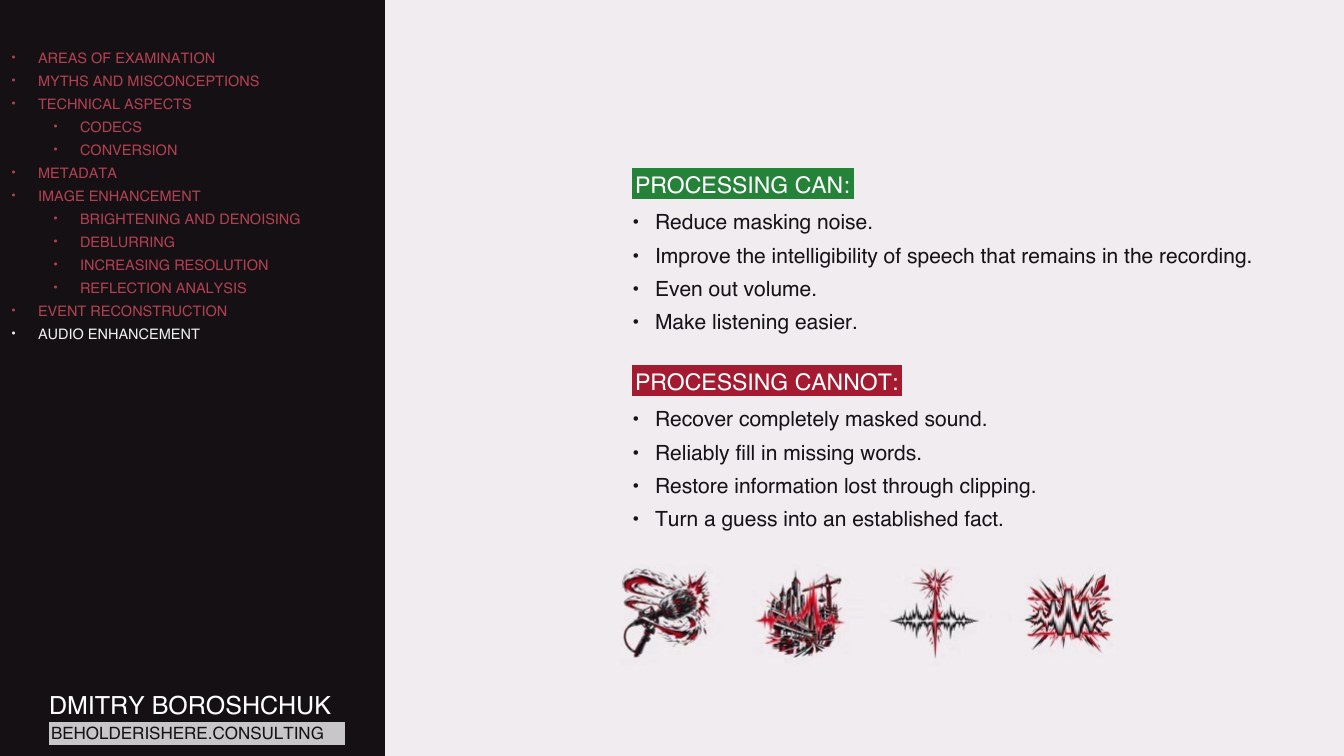
PROCESSING CAN:
• Reduce masking noise.
• Improve the intelligibility of speech that remains in the recording.
• Even out volume.
• Make listening easier.
PROCESSING CANNOT:
• Recover completely masked sound.
• Reliably fill in missing words.
• Restore information lost through clipping.
• Turn a guess into an established fact.
DMITRY BOROSHCHUK
BEHOLDERISHERE.CONSULTING
Page 1402:09:33 Slide text
AREAS OF EXAMINATION
MYTHS AND MISCONCEPTIONS
TECHNICAL ASPECTS
CODECS
CONVERSION
METADATA
IMAGE ENHANCEMENT
BRIGHTENING AND DENOISING
DEBLURRING
INCREASING RESOLUTION
REFLECTION ANALYSIS
EVENT RECONSTRUCTION
AUDIO ENHANCEMENT
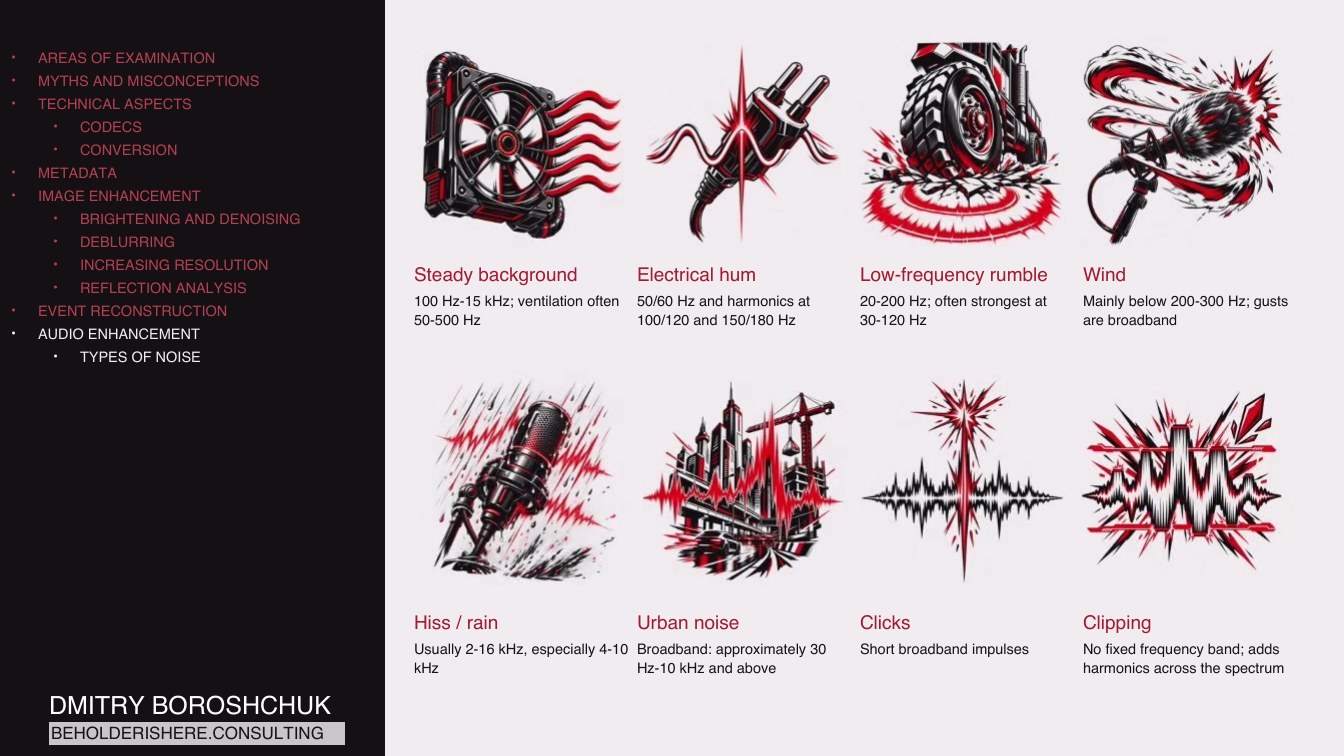
TYPES OF NOISE
Steady background
Electrical hum
100 Hz-15 kHz; ventilation often
50/60 Hz and harmonics at
50-500 Hz
100/120 and 150/180 Hz
Low-frequency rumble
Wind
20-200 Hz; often strongest at
Mainly below 200-300 Hz; gusts
30-120 Hz
are broadband
Hiss / rain
Urban noise
Clicks
Usually 2-16 kHz, especially 4-10 Broadband: approximately 30
Short broadband impulses
kHz
Hz-10 kHz and above
Clipping
No fixed frequency band; adds harmonics across the spectrum
DMITRY BOROSHCHUK
BEHOLDERISHERE.CONSULTING
Page 1502:10:56 Slide text
AREAS OF EXAMINATION
MYTHS AND MISCONCEPTIONS
TECHNICAL ASPECTS
CODECS
CONVERSION
METADATA
IMAGE ENHANCEMENT
BRIGHTENING AND DENOISING
DEBLURRING
INCREASING RESOLUTION
REFLECTION ANALYSIS
EVENT RECONSTRUCTION
AUDIO ENHANCEMENT
TYPES OF NOISE
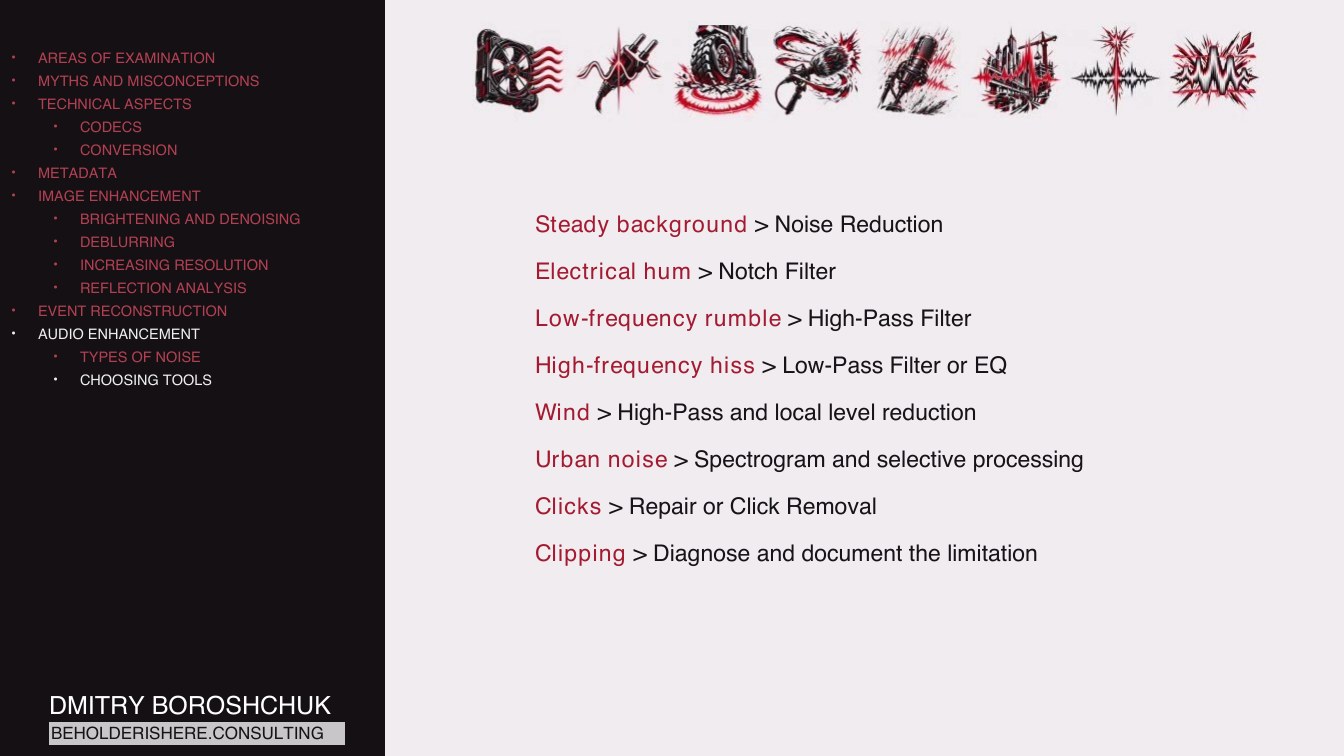
CHOOSING TOOLS
Steady background > Noise Reduction
Electrical hum > Notch Filter
Low-frequency rumble > High-Pass Filter
High-frequency hiss > Low-Pass Filter or EQ
Wind > High-Pass and local level reduction
Urban noise > Spectrogram and selective processing
Clicks > Repair or Click Removal
Clipping > Diagnose and document the limitation
DMITRY BOROSHCHUK
BEHOLDERISHERE.CONSULTING
Page 1602:11:18 Slide text
AREAS OF EXAMINATION
MYTHS AND MISCONCEPTIONS
TECHNICAL ASPECTS
CODECS
CONVERSION
METADATA
IMAGE ENHANCEMENT
BRIGHTENING AND DENOISING
DEBLURRING
INCREASING RESOLUTION
REFLECTION ANALYSIS
EVENT RECONSTRUCTION
AUDIO ENHANCEMENT
TYPES OF NOISE
CHOOSING TOOLS
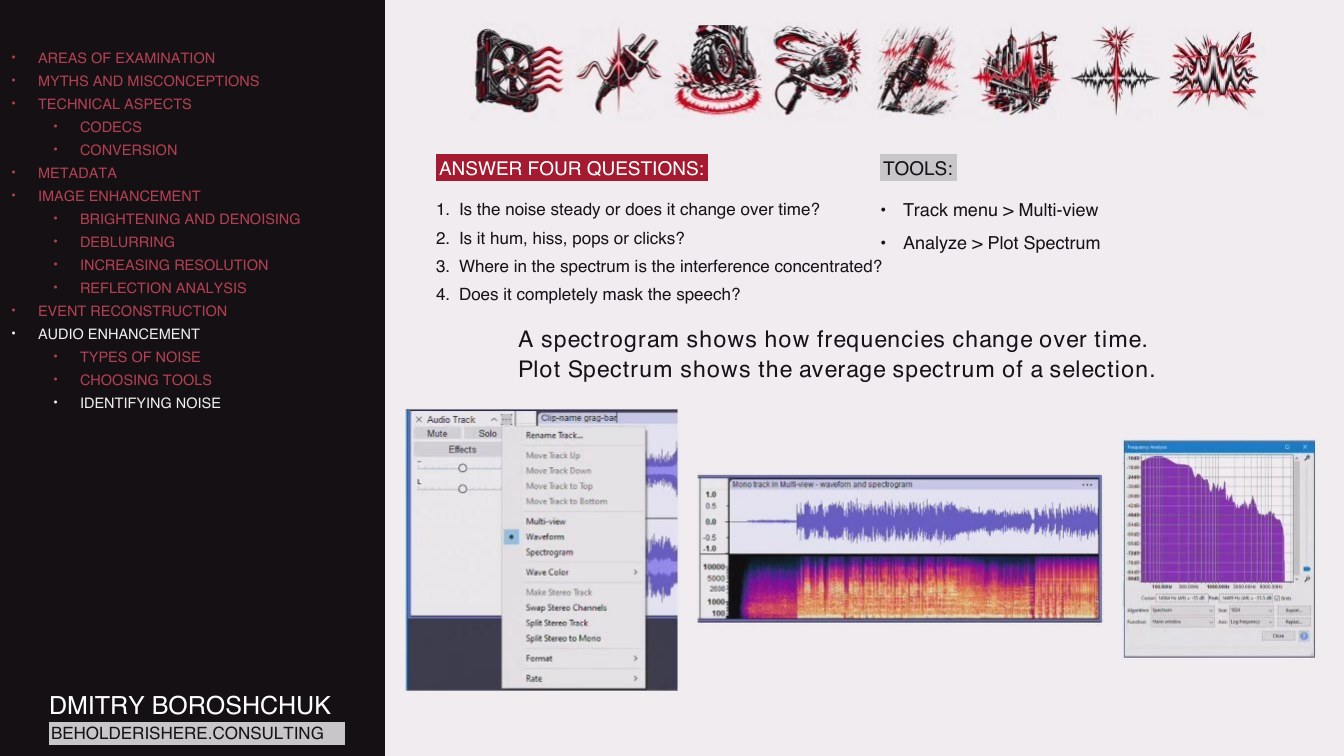
IDENTIFYING NOISE
ANSWER FOUR QUESTIONS:
TOOLS:
1. Is the noise steady or does it change over time?
• Track menu > Multi-view
2. Is it hum, hiss, pops or clicks?
• Analyze > Plot Spectrum
3. Where in the spectrum is the interference concentrated?
4. Does it completely mask the speech?
A spectrogram shows how frequencies change over time. Plot Spectrum shows the average spectrum of a selection.
DMITRY BOROSHCHUK
BEHOLDERISHERE.CONSULTING
Page 1702:12:05 Slide text
AREAS OF EXAMINATION
MYTHS AND MISCONCEPTIONS
TECHNICAL ASPECTS
CODECS
CONVERSION
METADATA
IMAGE ENHANCEMENT
BRIGHTENING AND DENOISING
DEBLURRING
INCREASING RESOLUTION
REFLECTION ANALYSIS
EVENT RECONSTRUCTION
AUDIO ENHANCEMENT
TYPES OF NOISE
CHOOSING TOOLS
IDENTIFYING NOISE
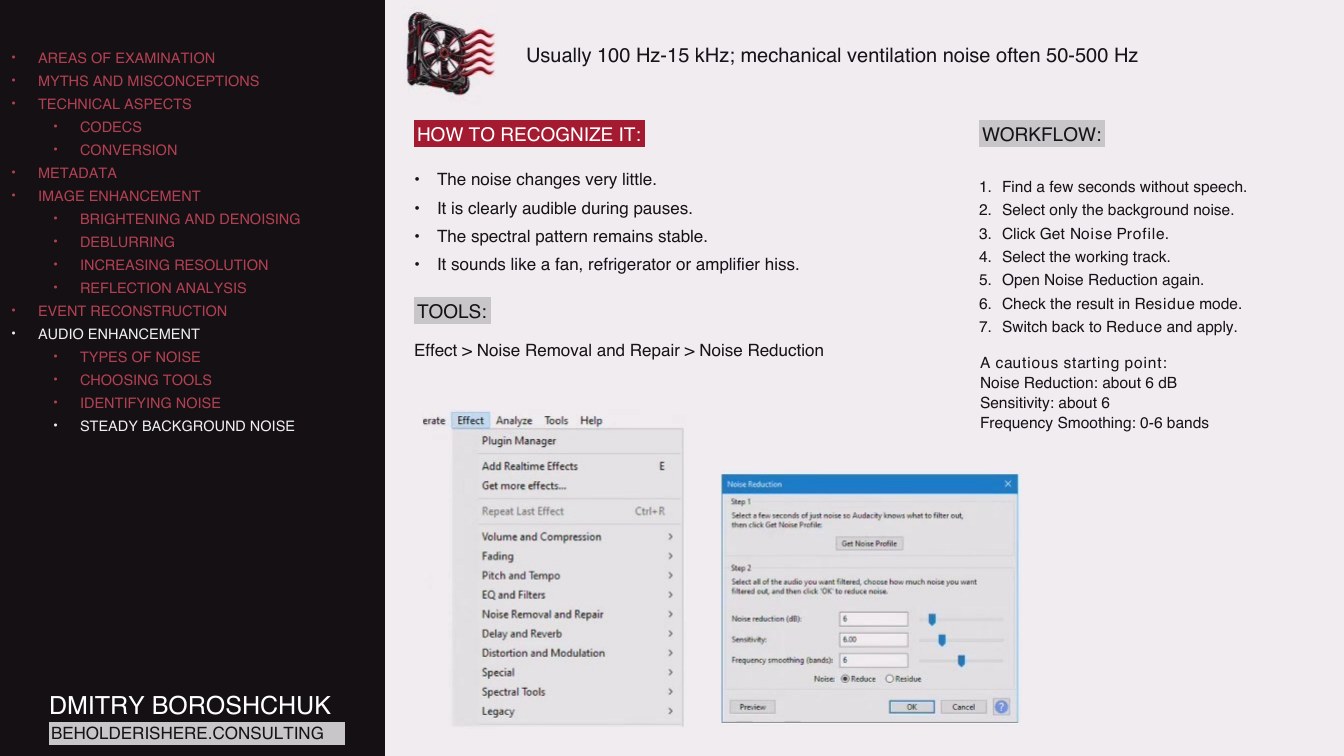
STEADY BACKGROUND NOISE
Usually 100 Hz-15 kHz; mechanical ventilation noise often 50-500 Hz
HOW TO RECOGNIZE IT:
WORKFLOW:
The noise changes very little.
It is clearly audible during pauses.
The spectral pattern remains stable.
It sounds like a fan, refrigerator or amplifier hiss.
TOOLS:
Effect > Noise Removal and Repair > Noise Reduction
1. Find a few seconds without speech.
2. Select only the background noise.
3. Click Get Noise Profile.
4. Select the working track.
5. Open Noise Reduction again.
6. Check the result in Residue mode.
7. Switch back to Reduce and apply.
A cautious starting point: Noise Reduction: about 6 dB Sensitivity: about 6 Frequency Smoothing: 0-6 bands
DMITRY BOROSHCHUK
BEHOLDERISHERE.CONSULTING
Page 1802:12:44 Slide text
AREAS OF EXAMINATION
MYTHS AND MISCONCEPTIONS
TECHNICAL ASPECTS
CODECS
CONVERSION
METADATA
IMAGE ENHANCEMENT
BRIGHTENING AND DENOISING
DEBLURRING
INCREASING RESOLUTION
REFLECTION ANALYSIS
EVENT RECONSTRUCTION
AUDIO ENHANCEMENT
TYPES OF NOISE
CHOOSING TOOLS
IDENTIFYING NOISE
STEADY BACKGROUND NOISE
LOW-FREQUENCY RUMBLE
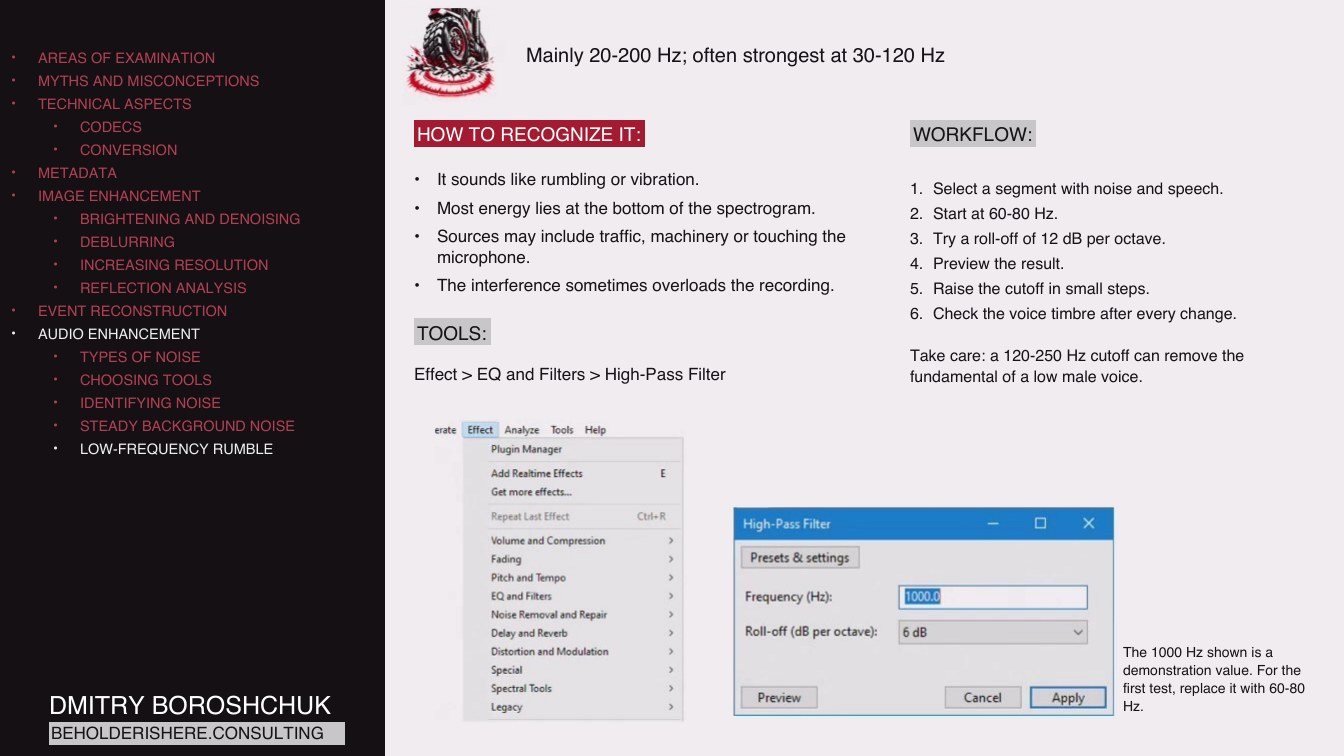
Mainly 20-200 Hz; often strongest at 30-120 Hz
HOW TO RECOGNIZE IT:
WORKFLOW:
It sounds like rumbling or vibration.
Most energy lies at the bottom of the spectrogram.
Sources may include traffic, machinery or touching the microphone.
The interference sometimes overloads the recording.
TOOLS:
Effect > EQ and Filters > High-Pass Filter
1. Select a segment with noise and speech.
2. Start at 60-80 Hz.
3. Try a roll-off of 12 dB per octave.
4. Preview the result.
5. Raise the cutoff in small steps.
6. Check the voice timbre after every change.
Take care: a 120-250 Hz cutoff can remove the fundamental of a low male voice.
DMITRY BOROSHCHUK
BEHOLDERISHERE.CONSULTING
The 1000 Hz shown is a demonstration value. For the first test, replace it with 60-80 Hz.
Page 1902:13:25 Slide text
AREAS OF EXAMINATION
MYTHS AND MISCONCEPTIONS
TECHNICAL ASPECTS
CODECS
CONVERSION
METADATA
IMAGE ENHANCEMENT
BRIGHTENING AND DENOISING
DEBLURRING
INCREASING RESOLUTION
REFLECTION ANALYSIS
EVENT RECONSTRUCTION
AUDIO ENHANCEMENT
TYPES OF NOISE
CHOOSING TOOLS
IDENTIFYING NOISE
STEADY BACKGROUND NOISE
LOW-FREQUENCY RUMBLE
WIND NOISE
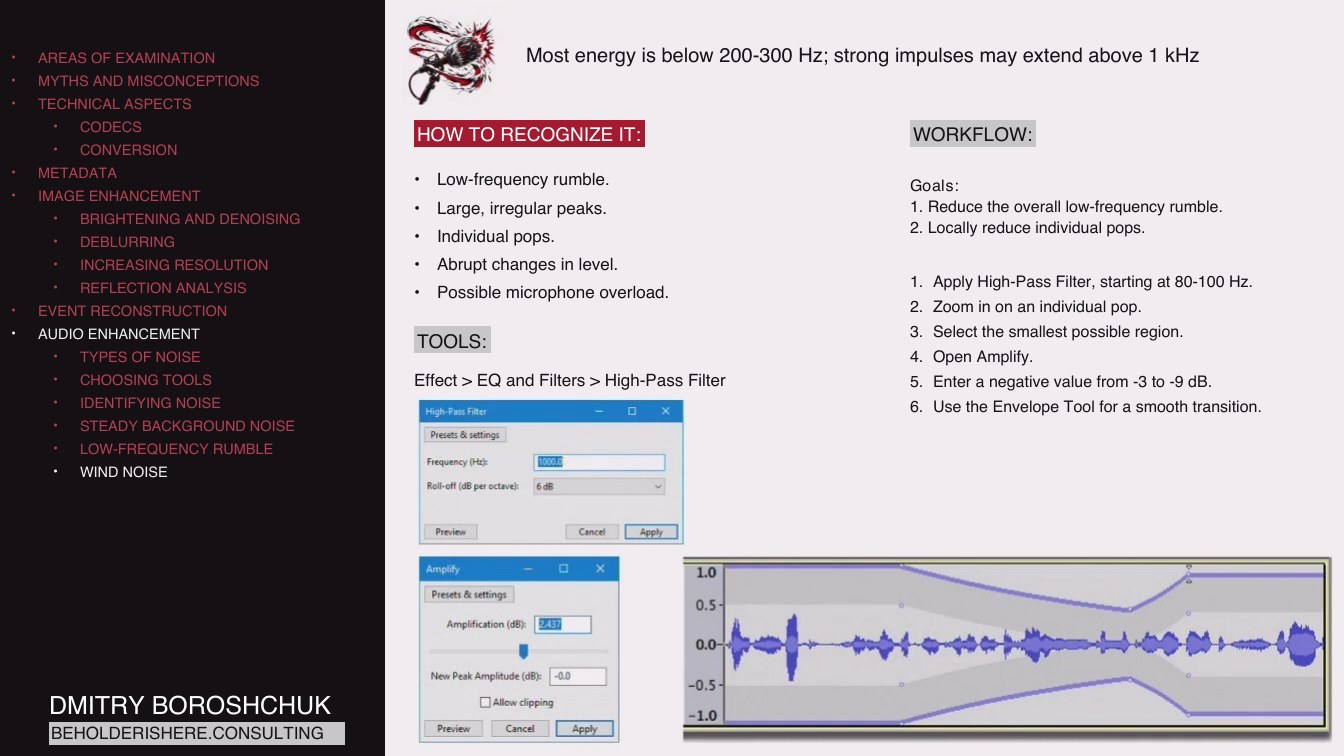
Most energy is below 200-300 Hz; strong impulses may extend above 1 kHz
HOW TO RECOGNIZE IT:
WORKFLOW:
Low-frequency rumble.
Large, irregular peaks.
Individual pops.
Abrupt changes in level.
Possible microphone overload.
TOOLS:
Effect > EQ and Filters > High-Pass Filter
Goals: 1. Reduce the overall low-frequency rumble. 2. Locally reduce individual pops.
1. Apply High-Pass Filter, starting at 80-100 Hz.
2. Zoom in on an individual pop.
3. Select the smallest possible region.
4. Open Amplify.
5. Enter a negative value from -3 to -9 dB.
6. Use the Envelope Tool for a smooth transition.
DMITRY BOROSHCHUK
BEHOLDERISHERE.CONSULTING
Page 2002:13:37 Slide text
AREAS OF EXAMINATION
MYTHS AND MISCONCEPTIONS
TECHNICAL ASPECTS
CODECS
CONVERSION
METADATA
IMAGE ENHANCEMENT
BRIGHTENING AND DENOISING
DEBLURRING
INCREASING RESOLUTION
REFLECTION ANALYSIS
EVENT RECONSTRUCTION
AUDIO ENHANCEMENT
TYPES OF NOISE
CHOOSING TOOLS
IDENTIFYING NOISE
STEADY BACKGROUND NOISE
LOW-FREQUENCY RUMBLE
WIND NOISE
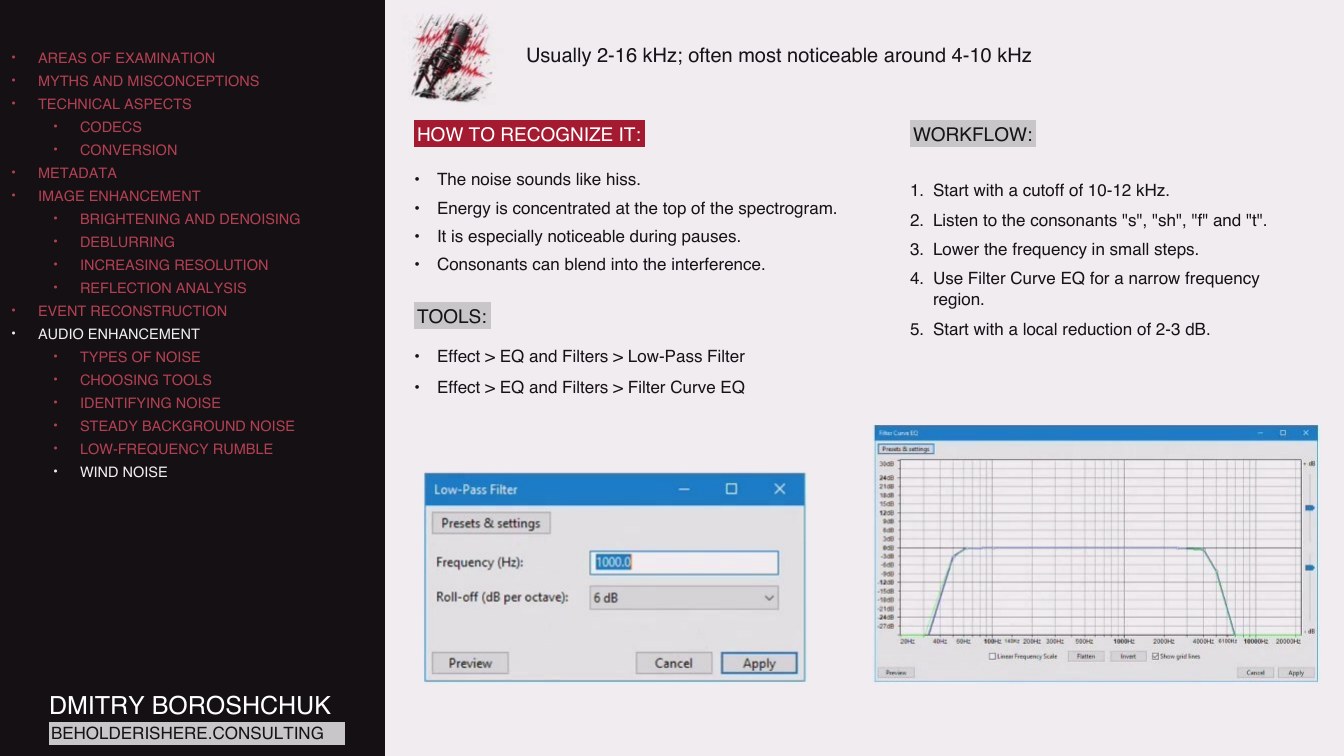
Usually 2-16 kHz; often most noticeable around 4-10 kHz
HOW TO RECOGNIZE IT:
WORKFLOW:
The noise sounds like hiss.
Energy is concentrated at the top of the spectrogram.
It is especially noticeable during pauses.
Consonants can blend into the interference.
TOOLS:
Effect > EQ and Filters > Low-Pass Filter
1. Start with a cutoff of 10-12 kHz.
2. Listen to the consonants "s", "sh", "f" and "t".
3. Lower the frequency in small steps.
4. Use Filter Curve EQ for a narrow frequency region.
5. Start with a local reduction of 2-3 dB.
Effect > EQ and Filters > Filter Curve EQ
DMITRY BOROSHCHUK
BEHOLDERISHERE.CONSULTING
Page 2102:14:07 Slide text
AREAS OF EXAMINATION
MYTHS AND MISCONCEPTIONS
TECHNICAL ASPECTS
CODECS
CONVERSION
METADATA
IMAGE ENHANCEMENT
BRIGHTENING AND DENOISING
DEBLURRING
INCREASING RESOLUTION
REFLECTION ANALYSIS
EVENT RECONSTRUCTION
AUDIO ENHANCEMENT
TYPES OF NOISE
CHOOSING TOOLS
IDENTIFYING NOISE
STEADY BACKGROUND NOISE
LOW-FREQUENCY RUMBLE
WIND NOISE
URBAN NOISE
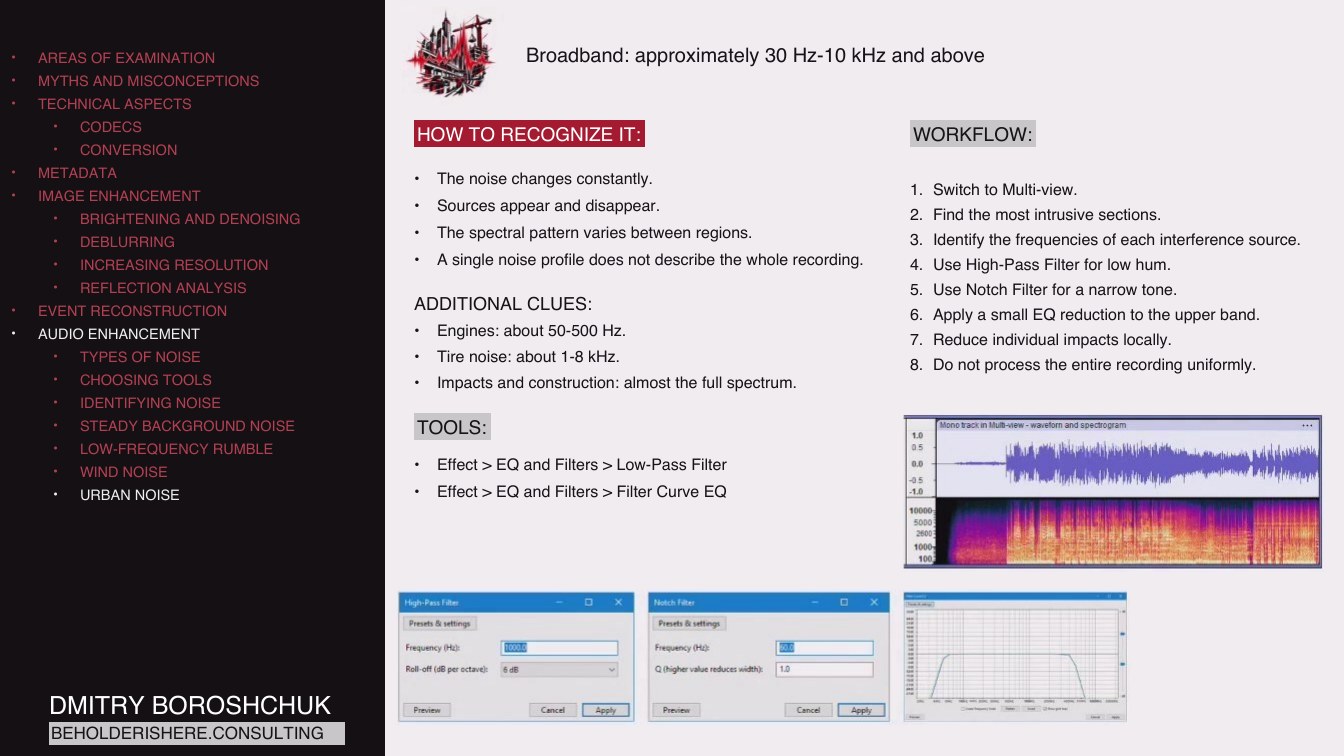
Broadband: approximately 30 Hz-10 kHz and above
HOW TO RECOGNIZE IT:
WORKFLOW:
The noise changes constantly.
Sources appear and disappear.
The spectral pattern varies between regions.
A single noise profile does not describe the whole recording.
ADDITIONAL CLUES:
Engines: about 50-500 Hz.
Tire noise: about 1-8 kHz.
Impacts and construction: almost the full spectrum.
1. Switch to Multi-view.
2. Find the most intrusive sections.
3. Identify the frequencies of each interference source.
4. Use High-Pass Filter for low hum.
5. Use Notch Filter for a narrow tone.
6. Apply a small EQ reduction to the upper band.
7. Reduce individual impacts locally.
8. Do not process the entire recording uniformly.
TOOLS:
Effect > EQ and Filters > Low-Pass Filter
Effect > EQ and Filters > Filter Curve EQ
DMITRY BOROSHCHUK
BEHOLDERISHERE.CONSULTING
Page 2202:14:42 Slide text
AREAS OF EXAMINATION
MYTHS AND MISCONCEPTIONS
TECHNICAL ASPECTS
CODECS
CONVERSION
METADATA
IMAGE ENHANCEMENT
BRIGHTENING AND DENOISING
DEBLURRING
INCREASING RESOLUTION
REFLECTION ANALYSIS
EVENT RECONSTRUCTION
AUDIO ENHANCEMENT
TYPES OF NOISE
CHOOSING TOOLS
IDENTIFYING NOISE
STEADY BACKGROUND NOISE
LOW-FREQUENCY RUMBLE
WIND NOISE
URBAN NOISE
COMPRESSION
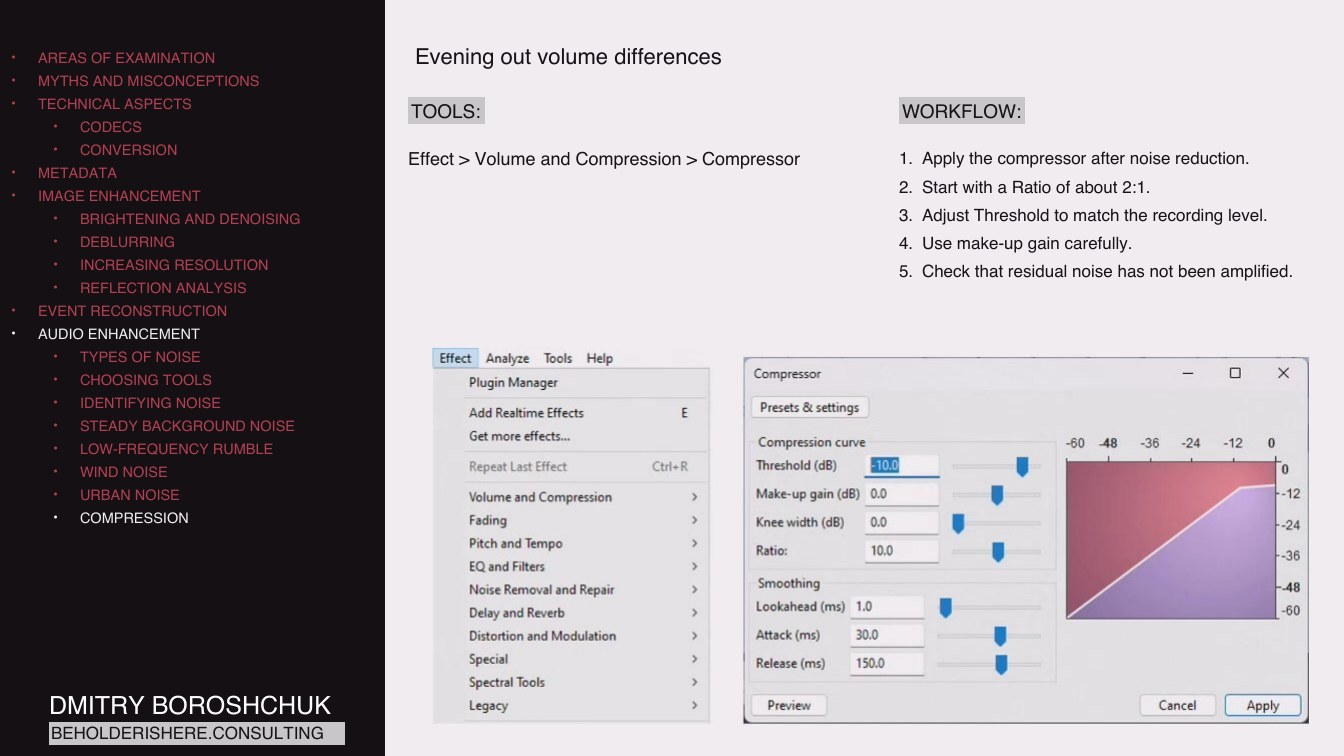
Evening out volume differences
TOOLS:
Effect > Volume and Compression > Compressor
WORKFLOW:
1. Apply the compressor after noise reduction.
2. Start with a Ratio of about 2:1.
3. Adjust Threshold to match the recording level.
4. Use make-up gain carefully.
5. Check that residual noise has not been amplified.
DMITRY BOROSHCHUK
BEHOLDERISHERE.CONSULTING
Page 2302:15:01 Slide text
AREAS OF EXAMINATION
MYTHS AND MISCONCEPTIONS
TECHNICAL ASPECTS
CODECS
CONVERSION
METADATA
IMAGE ENHANCEMENT
BRIGHTENING AND DENOISING
DEBLURRING
INCREASING RESOLUTION
REFLECTION ANALYSIS
EVENT RECONSTRUCTION
AUDIO ENHANCEMENT
TYPES OF NOISE
CHOOSING TOOLS
IDENTIFYING NOISE
STEADY BACKGROUND NOISE
LOW-FREQUENCY RUMBLE
WIND NOISE
URBAN NOISE
COMPRESSION
NORMALIZATION
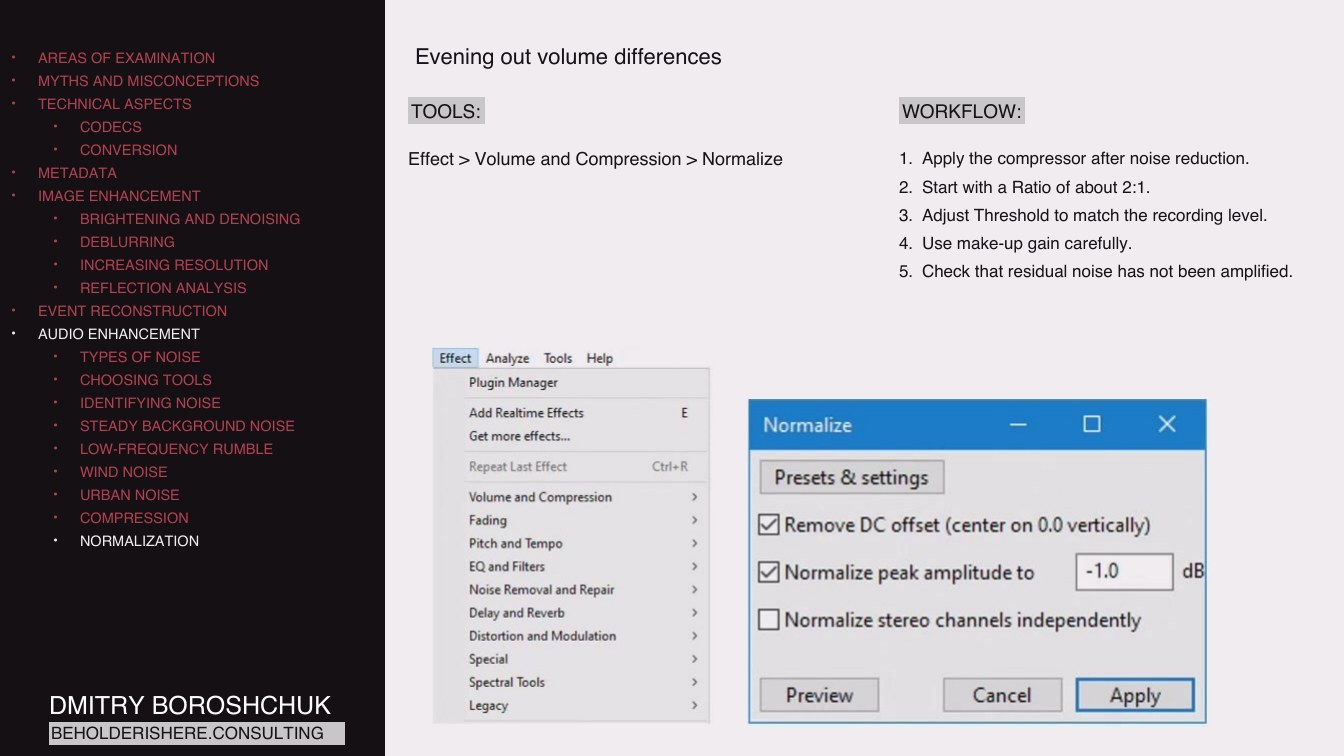
Evening out volume differences
TOOLS:
Effect > Volume and Compression > Normalize
WORKFLOW:
1. Apply the compressor after noise reduction.
2. Start with a Ratio of about 2:1.
3. Adjust Threshold to match the recording level.
4. Use make-up gain carefully.
5. Check that residual noise has not been amplified.
DMITRY BOROSHCHUK
BEHOLDERISHERE.CONSULTING
Page 2402:15:12 Slide text
DMITRY BOROSHCHUK
BEHOLDERISHERE.CONSULTING