Slides / 9 of 9
Talk slides
Examining electronic storage media when information security tools are unavailable
Yuri Pavensky · independent expert
Day 2 — Friday, 4 September 2026 · Scheduled 13:10–13:40 · In the recording 04:09:13–04:46:57 (the recording breaks off mid-sentence)
These slides are an English translation of the Russian deck shown in the recording; the Russian original is on the RU version of this page. Under each slide its text is set out — for word search and for machine reading. It is recognised automatically from the same image shown above: small text inside screenshots is not always recognised, so check anything doubtful against the slide itself.
Page 104:10:22 Slide text
MOSCOW FORENSICS DAY 2026 / 04.09.2026
Forensic Examination
of Digital Storage Media
When Security Tools Are Unavailable
Yuri Alekseevich Pavensky Independent Expert
MFD 2026 / DIGITAL FORENSICS
01
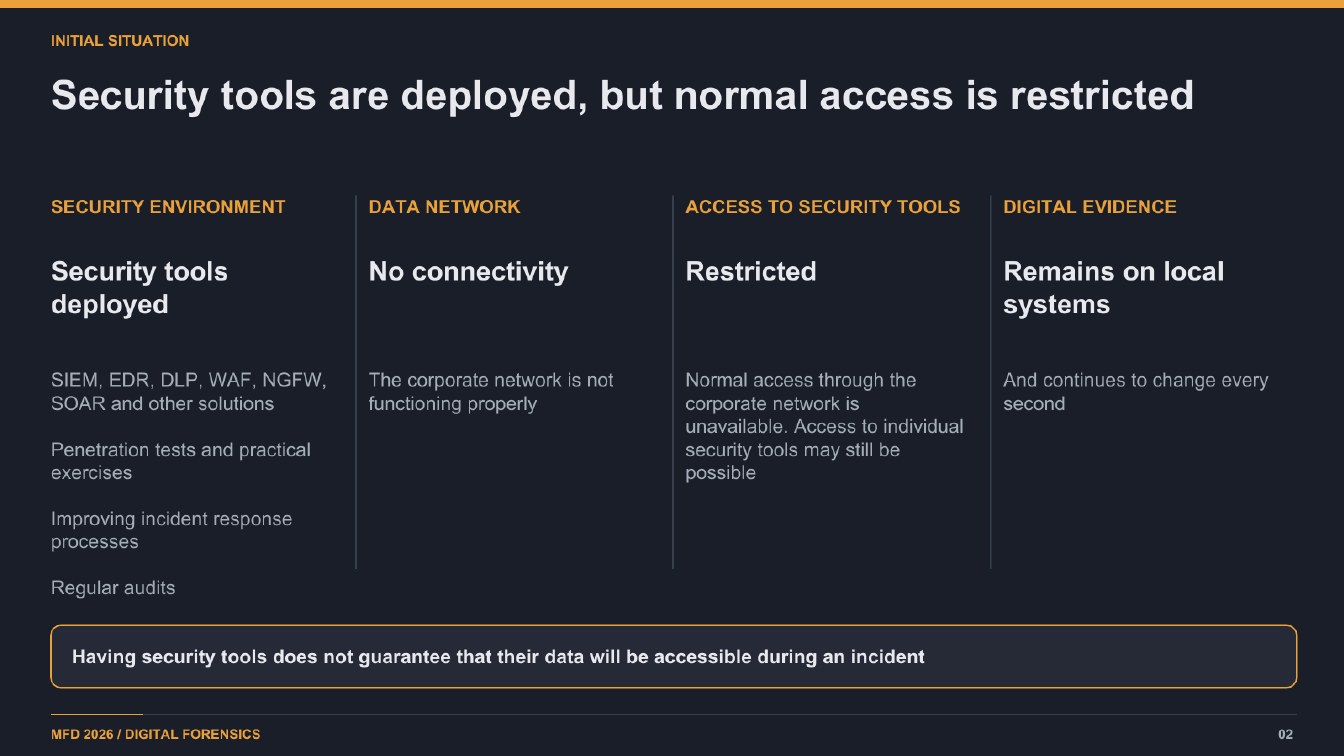
Page 204:10:52 Slide text
INITIAL SITUATION
Security tools are deployed, but normal access is restricted
SECURITY ENVIRONMENT
DATA NETWORK
ACCESS TO SECURITY TOOLS
DIGITAL EVIDENCE
Security tools deployed
No connectivity
Restricted
Remains on local
systems
SIEM, EDR, DLP, WAF, NGFW,
The corporate network is not
SOAR and other solutions
functioning properly
Penetration tests and practical exercises
Normal access through the
And continues to change every
corporate network is
second
unavailable. Access to individual security tools may still be possible
Improving incident response
orocesses
Regular audits
Having security tools does not guarantee that their data will be accessible during an incident
MFD 2026 / DIGITAL FORENSICS
02
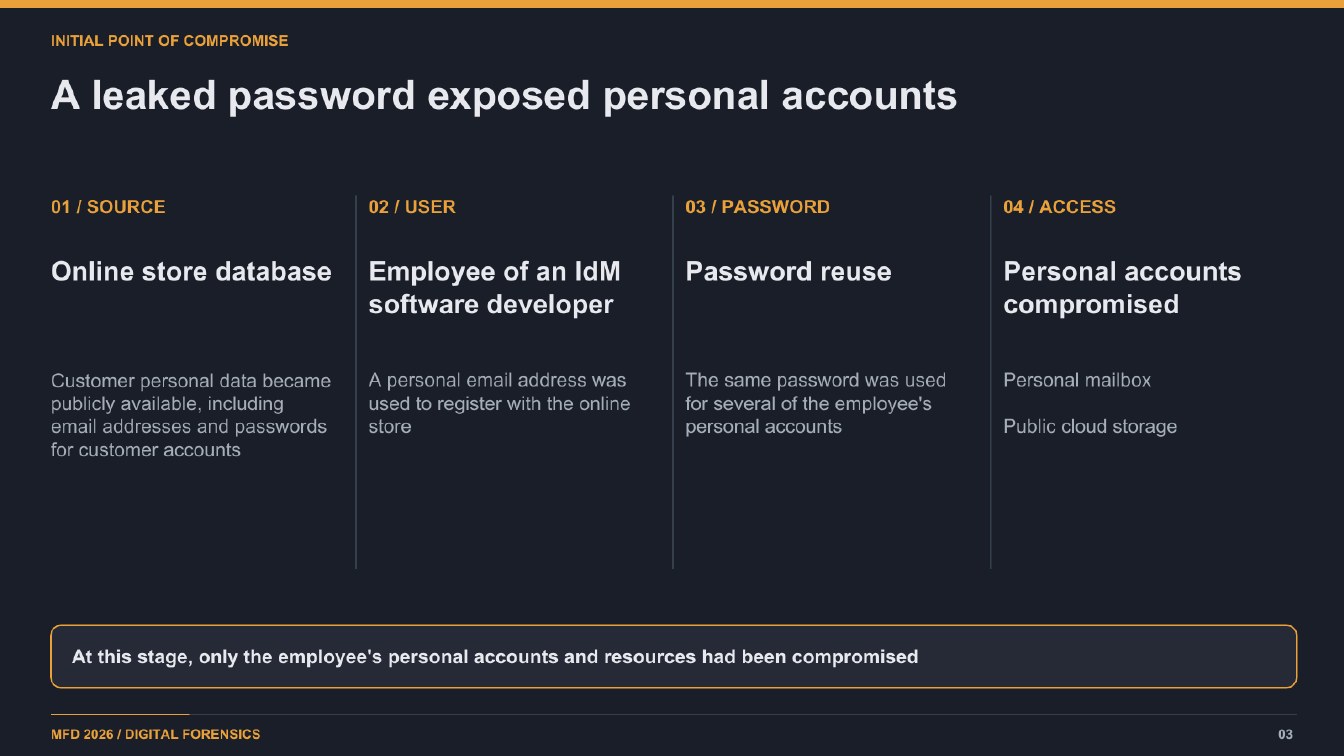
Page 304:12:54 Slide text
INITIAL POINT OF COMPROMISE
A leaked password exposed personal accounts
01 / SOURCE
02 / USER
03 / PASSWORD
04 / ACCESS
Employee of an IdM
Online store database
software developer
Password reuse
Personal accounts compromised
Customer personal data became
A personal email address was
publicly available, including
used to register with the online
email addresses and passwords
store
for customer accounts
The same password was used for several of the employee's
personal accounts
Personal mailbox
Public cloud storage
At this stage, only the employee's personal accounts and resources had been compromised
MFD 2026 / DIGITAL FORENSICS
03
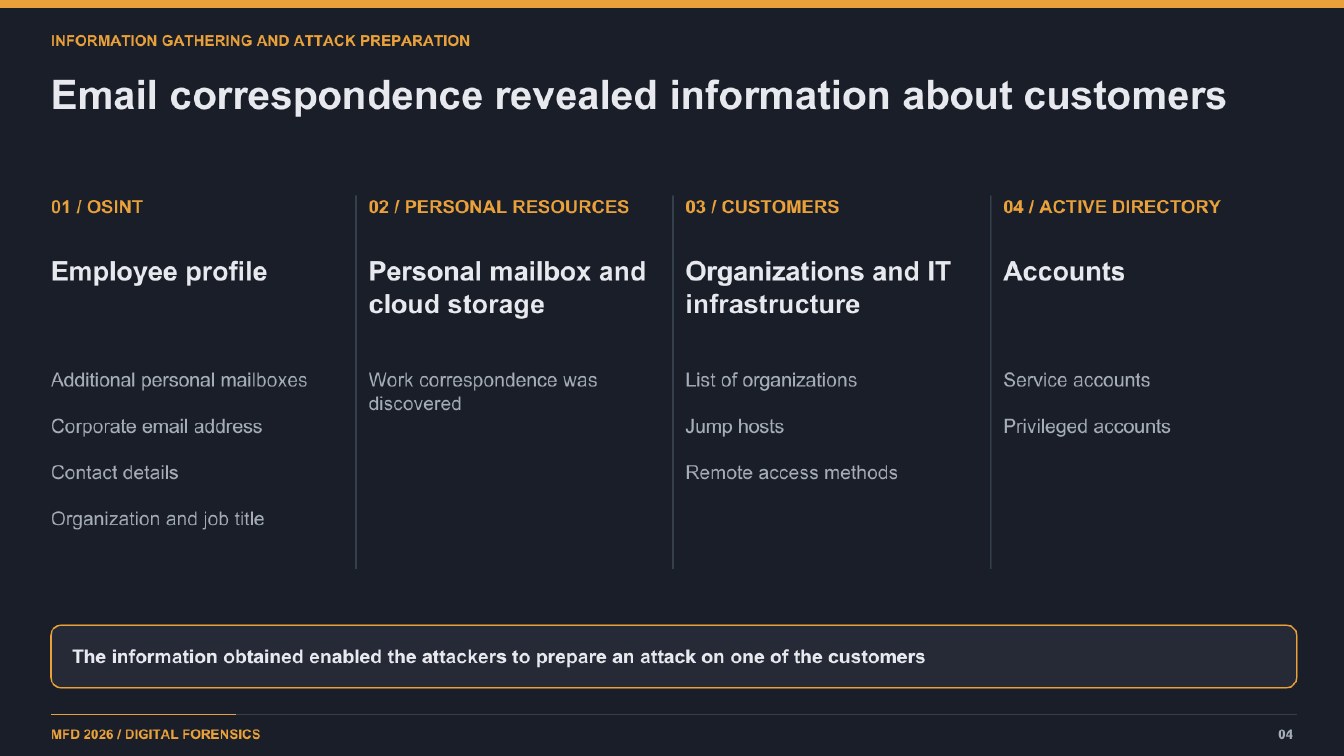
Page 404:13:59 Slide text
INFORMATION GATHERING AND ATTACK PREPARATION
Email correspondence revealed information about customers
01 / OSINT
02 / PERSONAL RESOURCES
03 / CUSTOMERS
04 / ACTIVE DIRECTORY
Employee profile
Personal mailbox and
Organizations and IT
cloud storage
infrastructure
Accounts
Additional personal mailboxes
Corporate email address
Work correspondence was discovered
List of organizations
Jump hosts
Service accounts
Privileged accounts
Contact details
Remote access methods
Organization and job title
The information obtained enabled the attackers to prepare an attack on one of the customers
MFD 2026 / DIGITAL FORENSICS
04
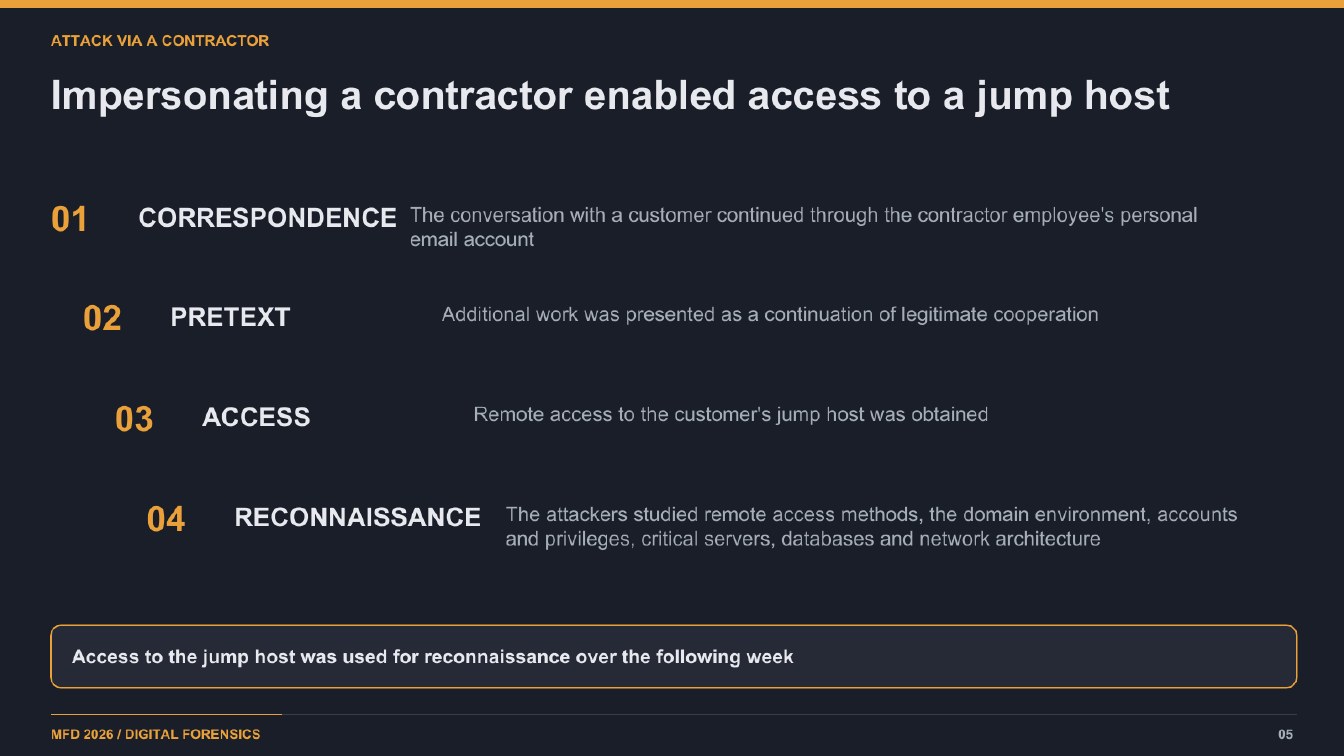
Page 504:14:56 Slide text
ATTACK VIA A CONTRACTOR
Impersonating a contractor enabled access to a jump host
01
CORRESPONDENCE The conversation with a customer continued through the contractor employee's personal
email account
02
PRETEXT
Additional work was presented as a continuation of legitimate cooperation
03
ACCESS
Remote access to the customer's jump host was obtained
04
RECONNAISSANCE
The attackers studied remote access methods, the domain environment, accounts and privileges, critical servers, databases and network architecture
Access to the jump host was used for reconnaissance over the following week
MFD 2026 / DIGITAL FORENSICS
05
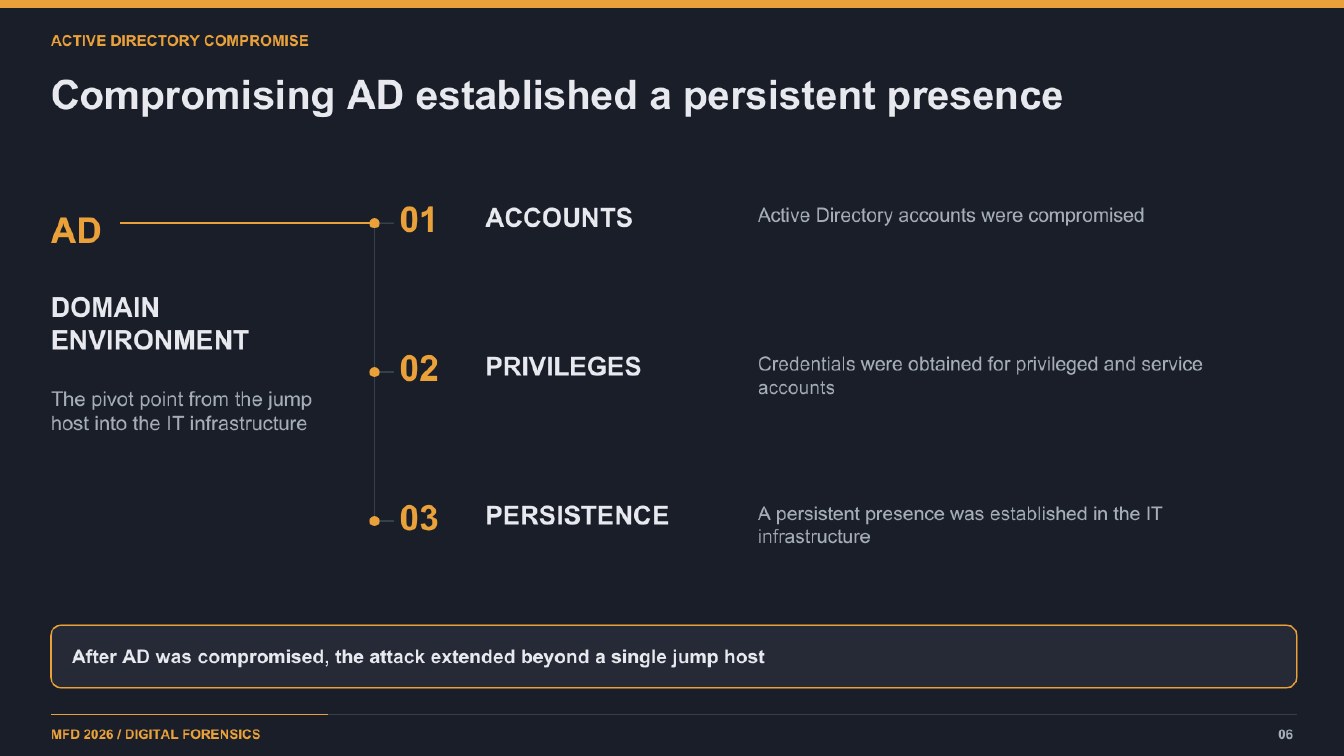
Page 604:15:47 Slide text
ACTIVE DIRECTORY COMPROMISE
Compromising AD established a persistent presence
AD
01
ACCOUNTS
Active Directory accounts were compromised
DOMAIN ENVIRONMENT
The pivot point from the jump host into the IT infrastructure
-02
PRIVILEGES
Credentials were obtained for privileged and service
accounts
• 03
PERSISTENCE
A persistent presence was established in the IT infrastructure
After AD was compromised, the attack extended beyond a single jump host
MFD 2026 / DIGITAL FORENSICS
06
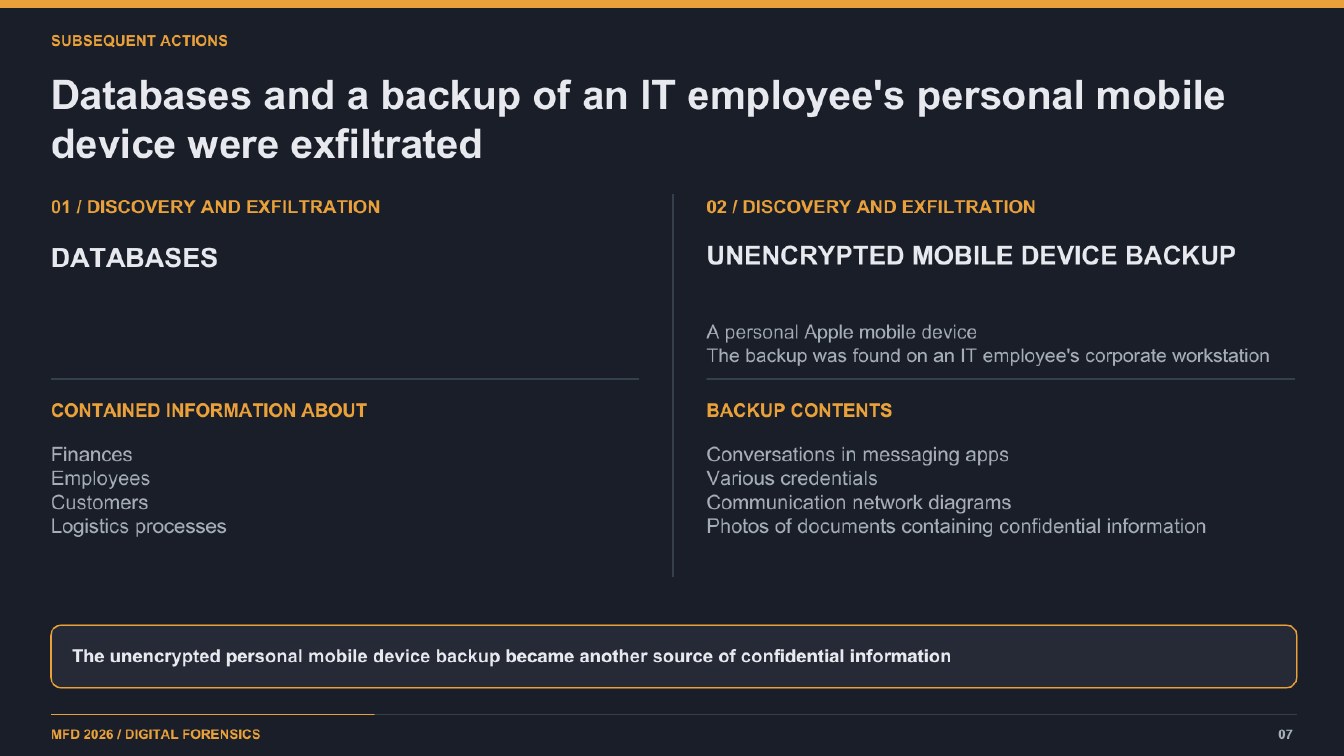
Page 704:16:10 Slide text
SUBSEQUENT ACTIONS
Databases and a backup of an IT employee's personal mobile device were exfiltrated
01 / DISCOVERY AND EXFILTRATION
02 / DISCOVERY AND EXFILTRATION
DATABASES
UNENCRYPTED MOBILE DEVICE BACKUP
A personal Apple mobile device The backup was found on an IT employee's corporate workstation
CONTAINED INFORMATION ABOUT
BACKUP CONTENTS
Finances
Employees Customers Logistics processes
Conversations in messaging apps Various credentials Communication network diagrams Photos of documents containing confidential information
The unencrypted personal mobile device backup became another source of confidential information
MFD 2026 / DIGITAL FORENSICS
07
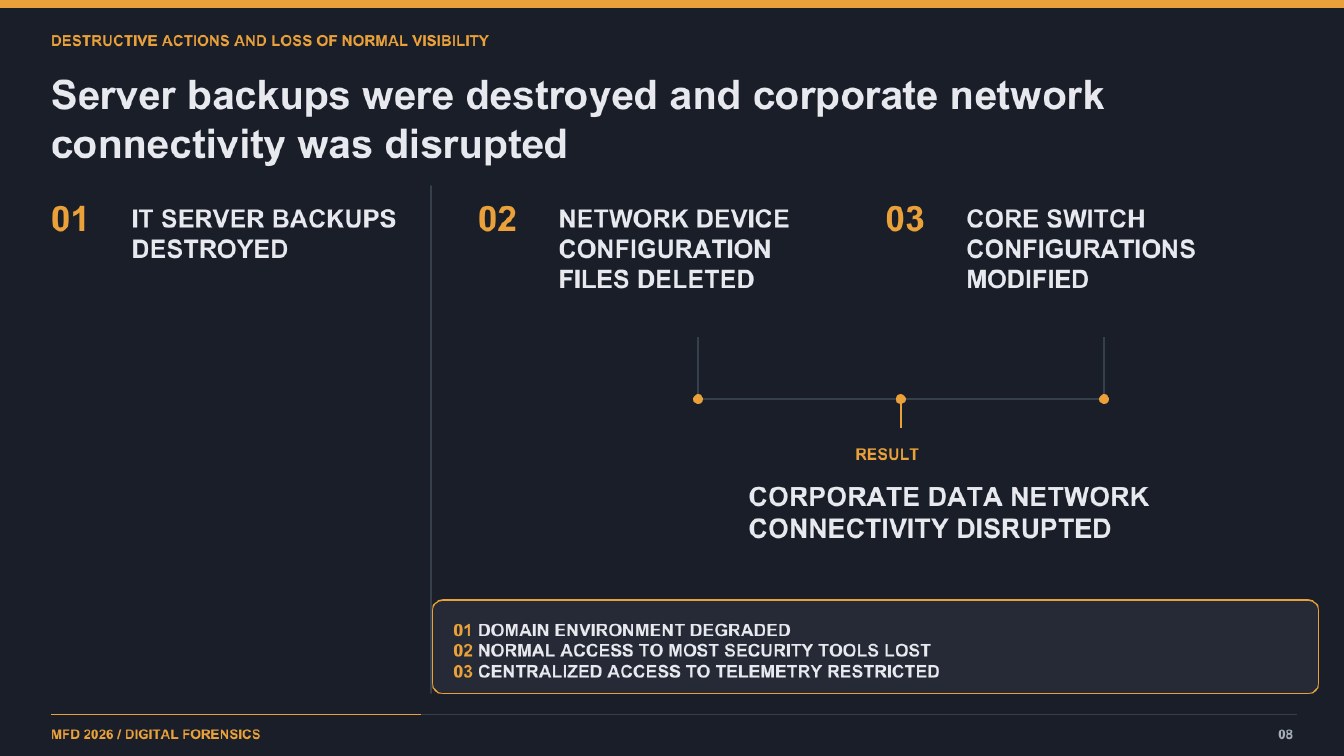
Page 804:17:20 Slide text
DESTRUCTIVE ACTIONS AND LOSS OF NORMAL VISIBILITY
Server backups were destroyed and corporate network connectivity was disrupted
01
IT SERVER BACKUPS DESTROYED
02
NETWORK DEVICE CONFIGURATION FILES DELETED
03
CORE SWITCH CONFIGURATIONS MODIFIED
RESULT
CORPORATE DATA NETWORK CONNECTIVITY DISRUPTED
01 DOMAIN ENVIRONMENT DEGRADED 02 NORMAL ACCESS TO MOST SECURITY TOOLS LOST 03 CENTRALIZED ACCESS TO TELEMETRY RESTRICTED
MFD 2026 / DIGITAL FORENSICS
08
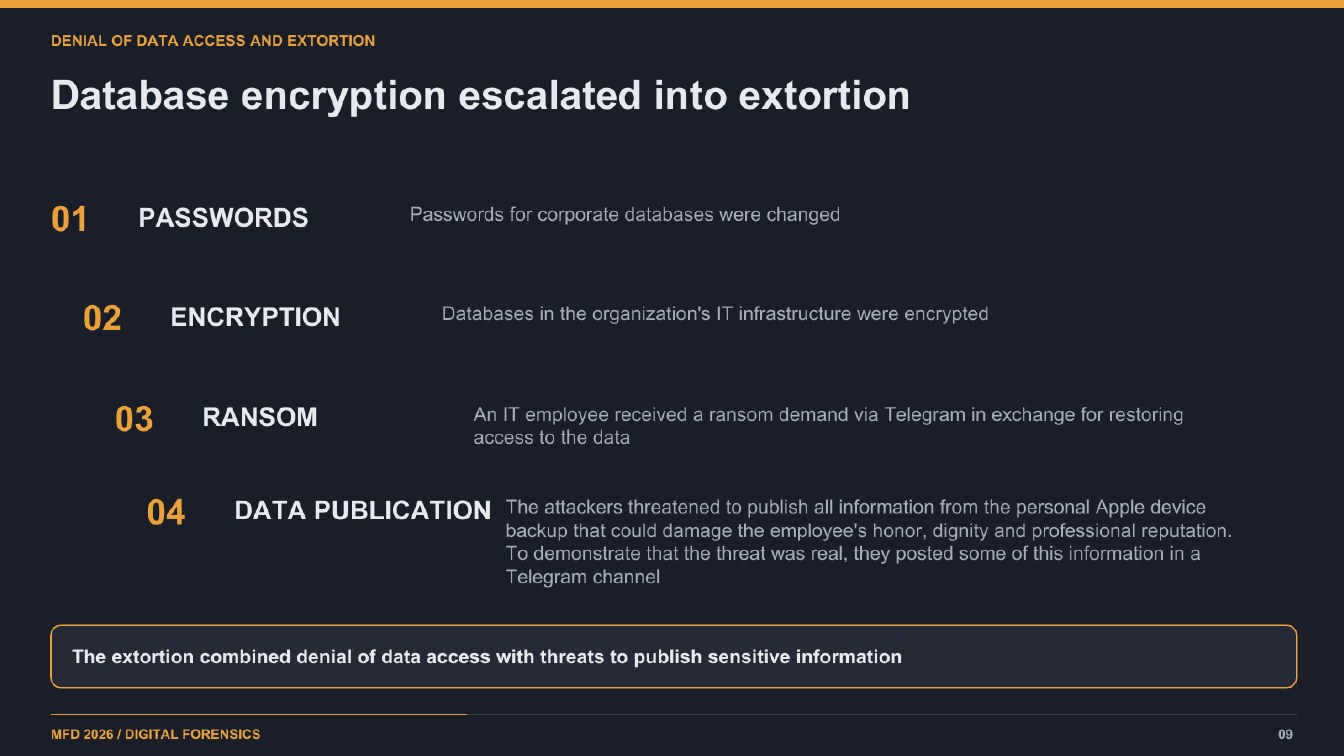
Page 904:18:25 Slide text
DENIAL OF DATA ACCESS AND EXTORTION
Database encryption escalated into extortion
01
PASSWORDS
Passwords for corporate databases were changed
02
ENCRYPTION
Databases in the organization's IT infrastructure were encrypted
03
RANSOM
An IT employee received a ransom demand via Telegram in exchange for restoring
access to the data
04
The attackers threatened to publish all information from the personal Apple device
DATA PUBLICATION
backup that could damage the employee's honor, dignity and professional reputation. To demonstrate that the threat was real, they posted some of this information in a Telegram channel
The extortion combined denial of data access with threats to publish sensitive information
MFD 2026 / DIGITAL FORENSICS
09
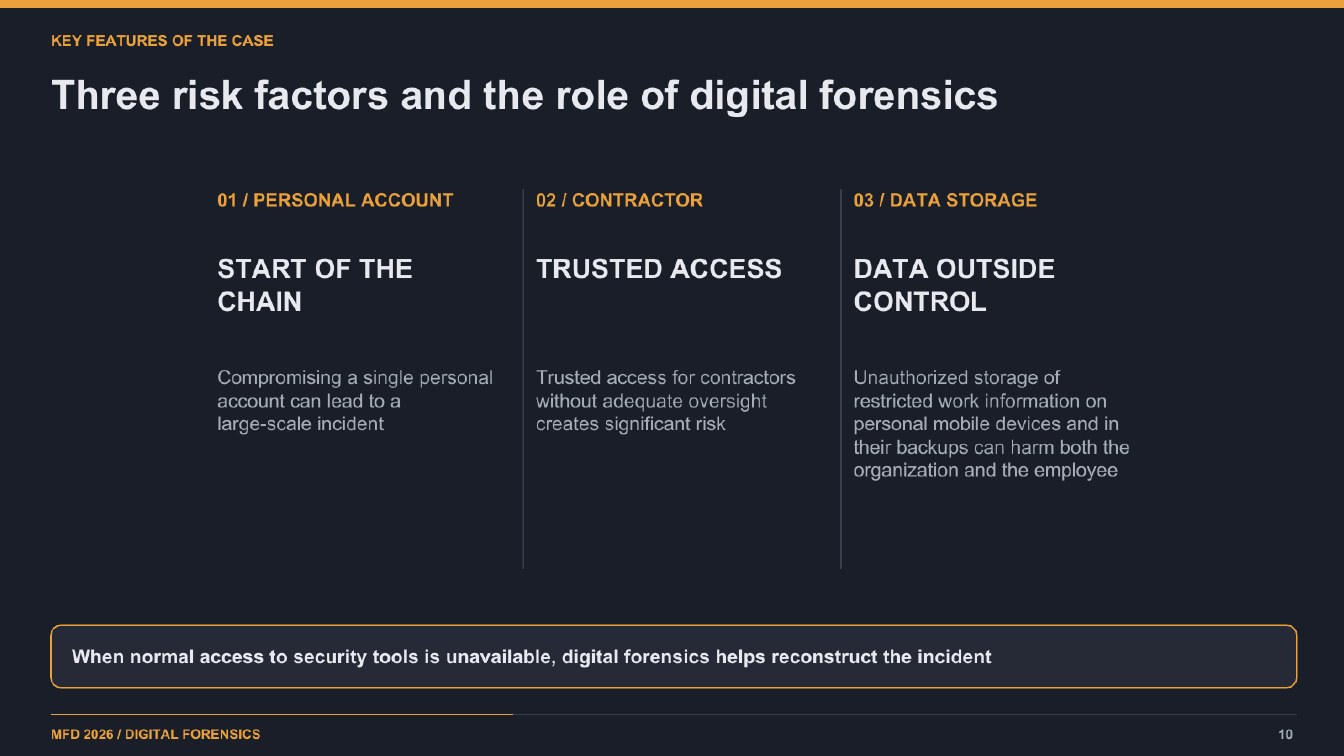
Page 1004:19:52 Slide text
KEY FEATURES OF THE CASE
Three risk factors and the role of digital forensics
01 / PERSONAL ACCOUNT
02 / CONTRACTOR
03 / DATA STORAGE
START OF THE CHAIN
TRUSTED ACCESS
DATA OUTSIDE
CONTROL
Compromising a single personal
Trusted access for contractors
account can lead to a
without adequate oversight
large-scale incident
creates significant risk
Unauthorized storage of restricted work information on personal mobile devices and in their backups can harm both the organization and the employee
When normal access to security tools is unavailable, digital forensics helps reconstruct the incident
MFD 2026 / DIGITAL FORENSICS
10
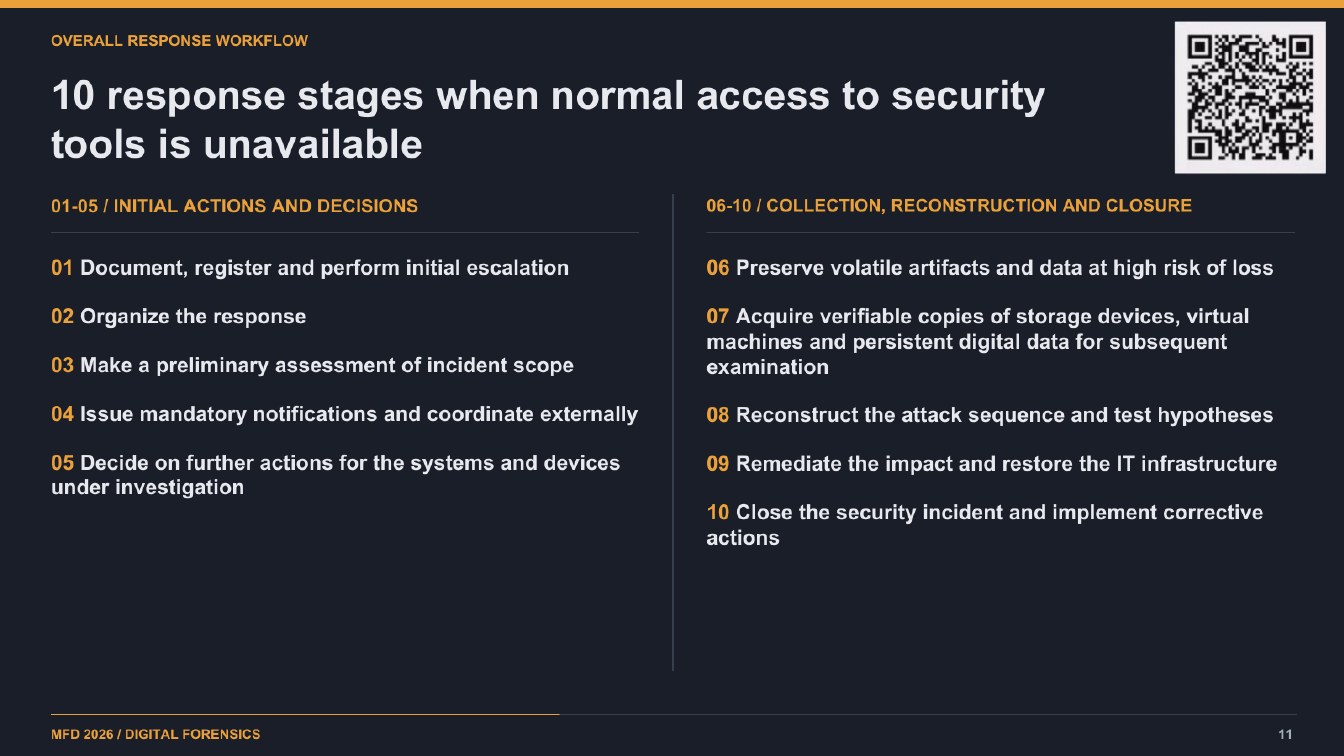
Page 1104:21:13 Slide text
OVERALL RESPONSE WORKFLOW
10 response stages when normal access to security tools is unavailable
01-05 / INITIAL ACTIONS AND DECISIONS
06-10 / COLLECTION, RECONSTRUCTION AND CLOSURE
01 Document, register and perform initial escalation
06 Preserve volatile artifacts and data at high risk of loss
02 Organize the response
03 Make a preliminary assessment of incident scope
07 Acquire verifiable copies of storage devices, virtual machines and persistent digital data for subsequent examination
04 Issue mandatory notifications and coordinate externally
08 Reconstruct the attack sequence and test hypotheses
05 Decide on further actions for the systems and devices under investigation
09 Remediate the impact and restore the IT infrastructure
10 Close the security incident and implement corrective actions
MFD 2026 / DIGITAL FORENSICS
11
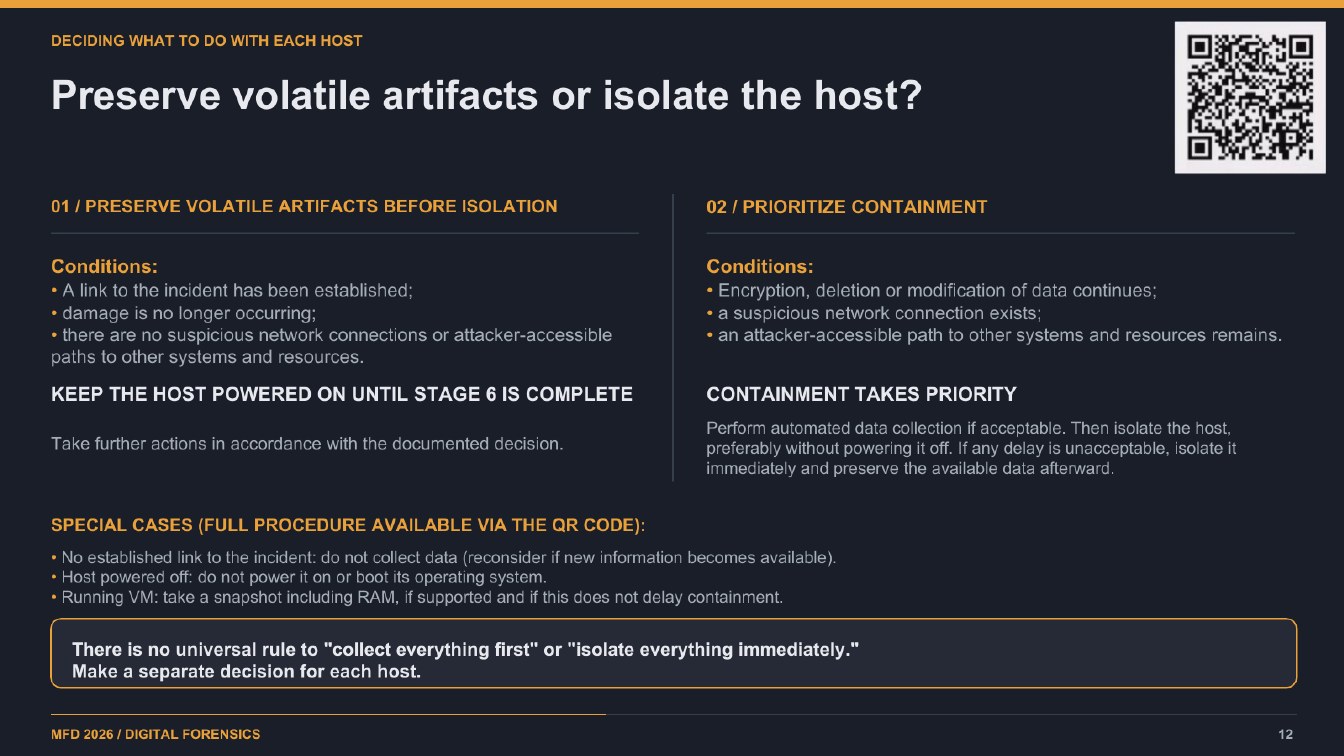
Page 1204:22:38 Slide text
DECIDING WHAT TO DO WITH EACH HOST
Preserve volatile artifacts or isolate the host?
01 / PRESERVE VOLATILE ARTIFACTS BEFORE ISOLATION
02 / PRIORITIZE CONTAINMENT
Conditions: • A link to the incident has been established; • damage is no longer occurring; • there are no suspicious network connections or attacker-accessible paths to other systems and resources.
Conditions: • Encryption, deletion or modification of data continues; • a suspicious network connection exists; • an attacker-accessible path to other systems and resources remains.
KEEP THE HOST POWERED ON UNTIL STAGE 6 IS COMPLETE
CONTAINMENT TAKES PRIORITY
Take further actions in accordance with the documented decision.
Perform automated data collection if acceptable. Then isolate the host, preferably without powering it off. If any delay is unacceptable, isolate it immediately and preserve the available data afterward.
SPECIAL CASES (FULL PROCEDURE AVAILABLE VIA THE QR CODE):
• No established link to the incident: do not collect data (reconsider if new information becomes available). • Host powered off: do not power it on or boot its operating system. • Running VM: take a snapshot including RAM, if supported and if this does not delay containment.
There is no universal rule to "collect everything first" or "isolate everything immediately." Make a separate decision for each host.
MFD 2026 / DIGITAL FORENSICS
12
Page 1304:34:49 Slide text
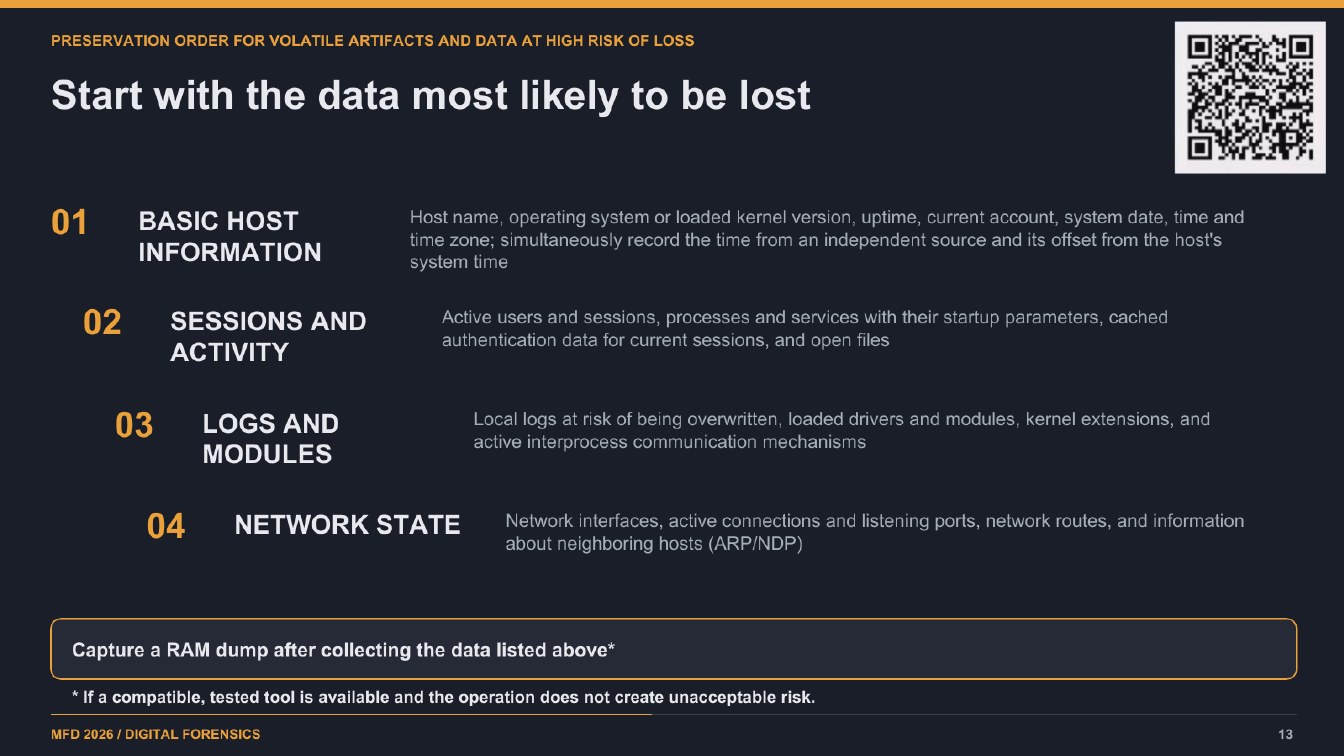
PRESERVATION ORDER FOR VOLATILE ARTIFACTS AND DATA AT HIGH RISK OF LOSS
Start with the data most likely to be lost
01
BASIC HOST INFORMATION
Host name, operating system or loaded kernel version, uptime, current account, system date, time and time zone; simultaneously record the time from an independent source and its offset from the host's system time
02
SESSIONS AND ACTIVITY
Active users and sessions, processes and services with their startup parameters, cached authentication data for current sessions, and open files
03
LOGS AND MODULES
Local logs at risk of being overwritten, loaded drivers and modules, kernel extensions, and active interprocess communication mechanisms
04
NETWORK STATE
Network interfaces, active connections and listening ports, network routes, and information about neighboring hosts (ARP/NDP)
Capture a RAM dump after collecting the data listed above*
* If a compatible, tested tool is available and the operation does not create unacceptable risk.
MFD 2026 / DIGITAL FORENSICS
13
Page 1404:40:22 Slide text
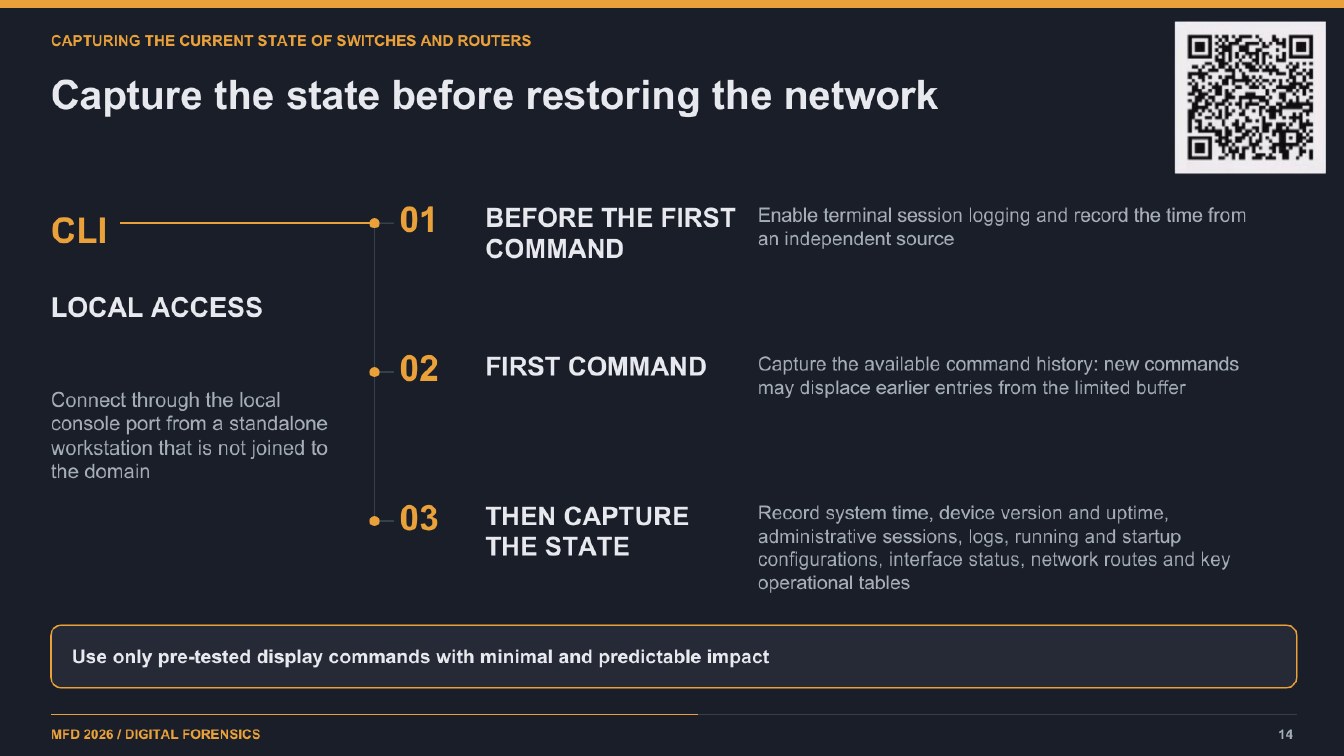
CAPTURING THE CURRENT STATE OF SWITCHES AND ROUTERS
Capture the state before restoring the network
CLI
01
BEFORE THE FIRST
Enable terminal session logging and record the time from
an independent source
COMMAND
LOCAL ACCESS
• 02
Connect through the local console port from a standalone workstation that is not joined to the domain
FIRST COMMAND
Capture the available command history: new commands
may displace earlier entries from the limited buffer
• 03
THEN CAPTURE THE STATE
Record system time, device version and uptime, administrative sessions, logs, running and startup configurations, interface status, network routes and key operational tables
Use only pre-tested display commands with minimal and predictable impact
MFD 2026 / DIGITAL FORENSICS
14
Page 1504:45:55 Slide text
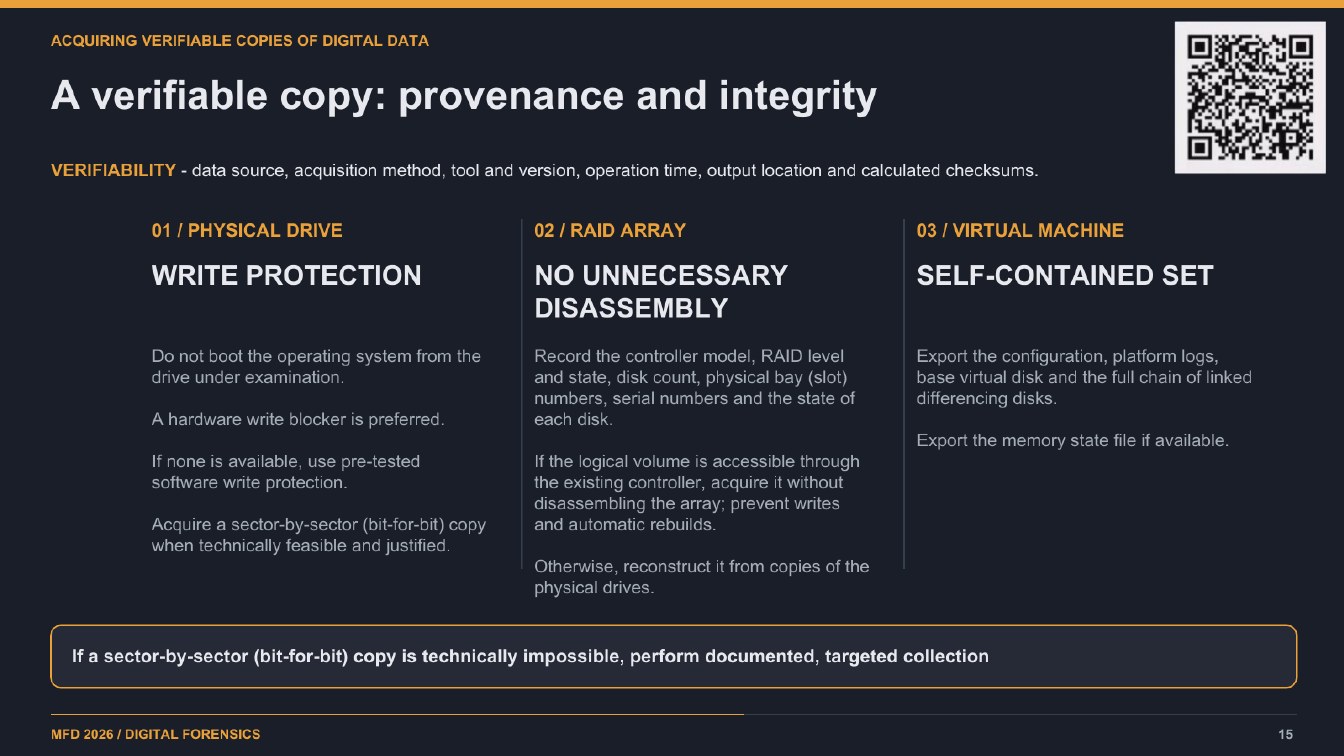
ACQUIRING VERIFIABLE COPIES OF DIGITAL DATA
A verifiable copy: provenance and integrity
VERIFIABILITY - data source, acquisition method, tool and version, operation time, output location and calculated checksums.
01 / PHYSICAL DRIVE
02 / RAID ARRAY
03 / VIRTUAL MACHINE
WRITE PROTECTION
NO UNNECESSARY DISASSEMBLY
SELF-CONTAINED SET
Do not boot the operating system from the
drive under examination.
A hardware write blocker is preferred.
If none is available, use pre-tested software write protection.
Acquire a sector-by-sector (bit-for-bit) copy when technically feasible and justified.
Record the controller model, RAID level and state, disk count, physical bay (slot) numbers, serial numbers and the state of each disk.
If the logical volume is accessible through the existing controller, acquire it without disassembling the array; prevent writes
and automatic rebuilds.
Otherwise, reconstruct it from copies of the physical drives.
Export the configuration, platform logs, base virtual disk and the full chain of linked differencing disks.
Export the memory state file if available.
If a sector-by-sector (bit-for-bit) copy is technically impossible, perform documented, targeted collection
MFD 2026 / DIGITAL FORENSICS
15