Have you ever heard of NetScaler ADC or Gateway? If you have worked in large organizations, the answer is almost certainly yes.
It is a "hardware box" — and, later on, also a "virtual box" (a so-called appliance, i.e. a deployable virtual machine image that requires only minimal configuration by the customer to get started) — designed to "deliver" web applications to users (Application Delivery Controller, or ADC for short), to protect web applications (Web Application Firewall, WAF) and to balance load (Load Balancer, LB); it can also be used as a tool for adding authentication, authorization and auditing to existing web applications (Authentication, Authorization, and Accounting, or simply AAA), and even as an access gateway into the corporate network (Gateway, used to provide virtual desktops through the widely known product stack called Citrix Virtual Desktop Infrastructure, or simply Citrix VDI).
Although there are plenty of free and open-source alternatives for application delivery and load balancing, NetScaler remains popular in the enterprise segment. Add domain (Active Directory-based) authentication to a web application without touching its code? Sure, that is just a few settings. Set up smart load balancing so that the same client (meaning an HTTP client, i.e. a browser) always lands on the same backend (web server)? One checkbox in the settings, and there is no longer any need to synchronize state between backends (and the user no longer gets "kicked out" of some personal account area just because the second backend does not yet know that authentication and authorization have already been completed on the first one).
As a product for organizing remote access for employees, it is a good alternative to Microsoft's solutions, Remote Desktop Protocol (RDP) and Remote Desktop Gateway (RDG): users can work with single-use or reusable virtual machines (depending on the settings and permissions) and can also "launch" just a single work application (for example, an email client or a browser with intranet access, without having to work in a full-fledged terminal session: the user gets a window with the required application and nothing else).
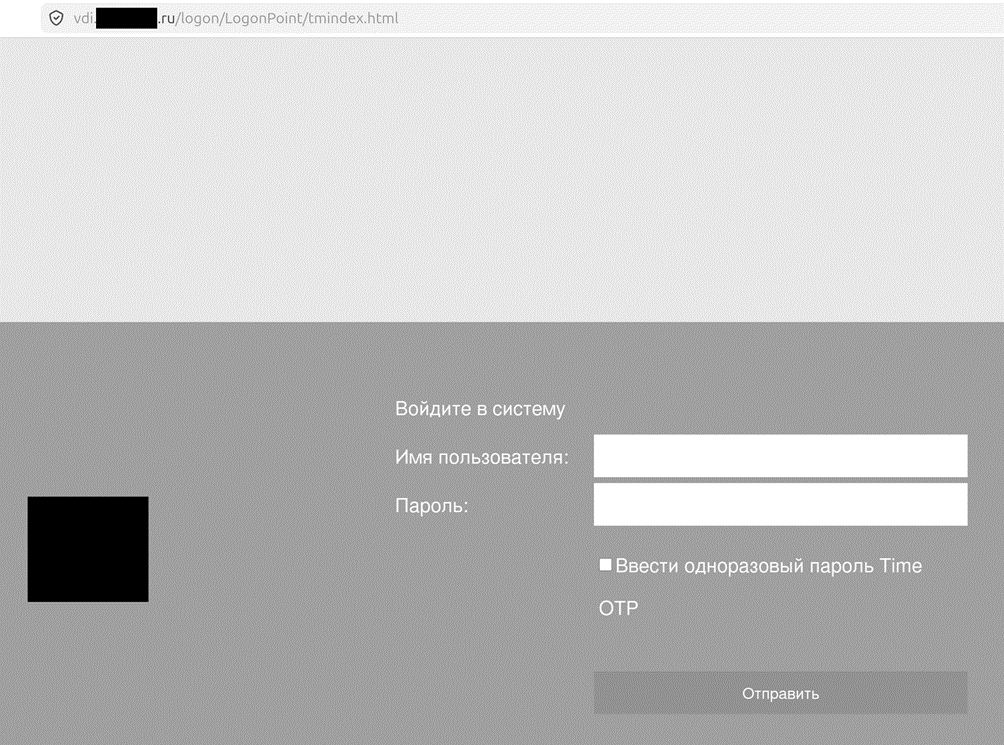
If you scan the Russian segment of the internet (Runet) for NetScaler, such devices are commonly found in the following sectors: telecom operators, banks, "oil and gas" and even "government agencies".
The 2000s vibe
NetScaler as a product appeared in the late 1990s; it was then acquired by Citrix, and now, following a merger, the vendor is called Cloud Software Group.
When you dig into the cybersecurity issues that quite often arise only after NetScaler has been deployed, you get the feeling that the product's code came to us straight out of, say, 2004. Or thereabouts.
A simple illustration: NetScaler is a frequent guest in the Known Exploited Vulnerabilities (KEV) catalog [1]. As of the first half of June 2026, the catalog contains (all-time) 12 vulnerabilities whose exploitation has been recorded "in the wild", 3 of which were used to spread ransomware. In reality, there are far more vulnerabilities — it is just that not all of them get recorded in real-world attacks (not all of them are exploited in real attacks, and not all real attacks get "put on the books").
For instance, one of the trending vulnerabilities (among those used in ransomware attacks), CitrixBleed 2 (CVE-2025-5777), is a banal case of uninitialized bytes from the stack being written into the response to a specially crafted request from the client [2], which makes it possible to read what should be hidden from prying eyes (the contents of someone else's cookie, session identifiers, and so on). This is exactly what is, with a certain degree of irony, called a C mistake (a bug that would not exist had the code not been written in C).
On top of all this, it should be added that NetScaler in its VPX ("virtual box") and MPX ("hardware box") editions runs on an old version of the FreeBSD operating system (11.4), which lacks a number of mitigations — for example, Address Space Layout Randomization (ASLR).
Exploiting "binary" vulnerabilities here is the genuine 2000s vibe (incidentally, in earlier versions of NetScaler things were even worse: the stack was executable, address space was not randomised, there were no stack canaries [3] — but now, in the NetScaler 14.1 branch, stack protection is present after all).
For comparison, Cisco ASA (a different class of solution, but the same nature: a "box" closed off from prying eyes) has had ASLR for many years now. The presence of a large number of potential C mistakes and the absence of modern mitigations turn NetScaler into a very weak link.
NetScaler's expansion into the cloud has not improved matters: cloud providers (for example, Google Cloud Platform) offer by default a NetScaler configuration in which the management interface (and that is a separate attack surface!) is reachable directly from the Internet (in corporate networks this interface is moved to a separate network with heavily restricted access). Why am I drawing attention to this? For authentication over SSH and from the physical console, NetScaler uses its own authentication library, pam_nsauth.so! What for? If the NetScaler operating system suddenly fails to boot, this library makes it possible to log into a shell (bash) with the login nsrecover and the password nsroot — but only from the physical console (not remotely). A feature like that already calls for a separate authentication library…
When I "fed" this library to an AI (Claude Opus 4.6), it almost immediately found a use-after-free bug (data received from an unauthenticated SSH client being used after it had been freed). The bug cannot be exploited (since the SSH server uses a single thread in this section of code and the data is not modified by anything after being freed), but it leaves a bad aftertaste — the codebase does not seem to be audited at all (a bug like this can be spotted by any modern code analyzer).
But then, who was doing audits like that back in the 2000s? Exactly. Almost a quarter of a century has passed, and for some, things have not moved an inch since.
Classification of vulnerabilities
In practice, NetScaler vulnerabilities fall into one of two categories:
1. "Breaching" a web application through a vulnerability in NetScaler (for example, "stealing" a Citrix VDI session allows one to enter the corporate network under someone else's account — the attacker simply gains access to the virtual machine serving someone else's access session, see [2]).
2. Compromising the device itself (for example, the attacker uploads a webshell and uses it to execute code in the NetScaler operating system, see [3]).
Approaches to monitoring and investigation
It is important to distinguish between the approaches to monitoring and to launching an investigation: a "breach" of a web application through a vulnerability in NetScaler calls, first and foremost, for an examination of that web application's logs. In general, the logs should be searched for signs of session (cookie) "hijacking": for example, a sudden change in the source IP address for an existing session — say, there was legitimate access from a mobile network in Russia, and then the source IP address started belonging to a hosting provider in another country; another sign would be a large number of sessions from a single source IP address (i.e. we are talking about the "hijacking" of a large number of sessions at once).
Understandably, session "hijacking" is hard to tell apart from a situation where the user changes the way they connect to the Internet: first it was a home network, then a mobile one, then the user turned on a tool for bypassing internet blocks and got a foreign IP address — yet it is the same user all along (and not an attacker). Situations where many users work from a single IP address (for example, from the same office or coworking space) also pose a challenge.
Monitoring for Citrix VDI session "hijacking" is built on the same principles [4][5]. It should be noted that a NetScaler working in tandem with Citrix VDI or in AAA mode (not to be confused with its use in WAF and LB modes) keeps very detailed application-level activity logs in the /var/log/ and /var/nslog/ directories (these logs cover anywhere from a few hours to a few days and run to gigabytes in size).
Listing 1. A log line (/var/log/ns.log*) containing information about a Citrix VDI session (some information has been removed)

On the other hand, a compromise of NetScaler itself leads to a task that is difficult from an investigative point of view: examining the current state of the device. The operating system of this "box" is based on a stripped-down variant of FreeBSD (for example, it lacks the stat utility, which complicates collecting timestamps from the file system). Moreover, the contents of some directories exist only in RAM, so a significant part of the work has to focus on examining the running device.
One popular way for an attacker to execute code remotely is to upload a webshell as a script with a .php extension [3]. This gives defenders a quick win, which consists in identifying webshell files by keywords in their content (a fairly standard task for anyone who regularly deals with web application compromises) — webshells are often uploaded into directories inside /var/vpn/ and /var/netscaler/.
Notably, the vendor now ships, as part of NetScaler, a script for checking the integrity of files in the directory where a password-stealing backdoor (in the form of a JS script) may be placed — /netscaler/portal_core_checksum_check.pl. This script is not mentioned in the documentation, so it may well exist for the eyes of official technical support staff. This works in defenders' favor — it is a ready-made script for quickly testing one hypothesis (compromise of the LogonPoint portal by installing a JS backdoor).
An attacker may also move on to running their own compiled executables, for which the vendor has provided yet another protective measure — hash verification of executable files, ported from the NetBSD operating system (the veriexec subsystem).
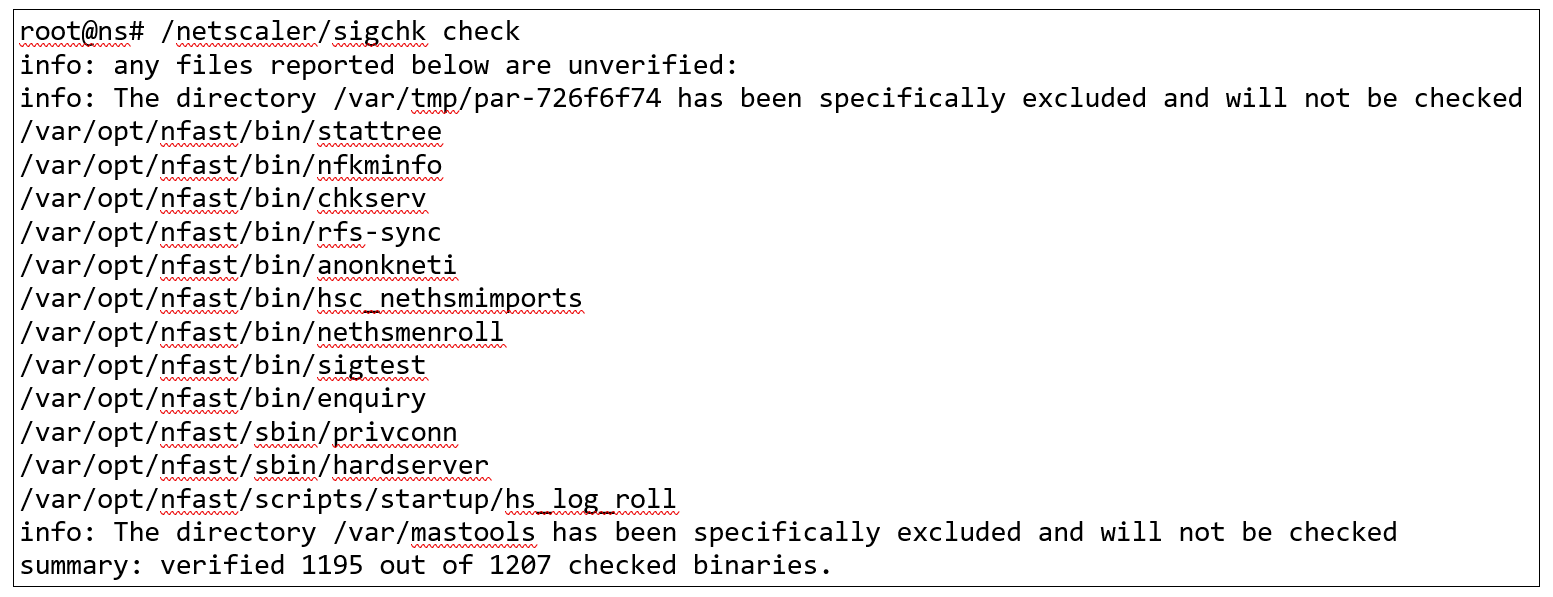
This check is active in "warning only" mode (running unsigned executables is allowed). The utility for verifying the integrity of executables is run like this: /netscaler/sigchk check. Naturally, the check argument is not mentioned in the documentation.
Listing 2. Sample output of the /netscaler/sigchk check command
Another way to find suspicious executables is to search for the string MAC/veriexec: no fingerprint or MAC/veriexec: fingerprint does not match loaded value in the /var/log/messages* files. Admittedly, legitimate files sometimes end up in these lines too, so do not treat the discovery of a couple of such lines as a critical event (instead, calmly look into each hit).
Listing 3. Sample entry in the /var/log/messages file

The manifests themselves, which contain the reference hashes, reside in files at the following paths: /netscaler/.signedexe.manifest, /var/python/.signedexe.manifest and /var/perl5/.signedexe.manifest.
Are you surprised by this many undocumented features aimed at detecting a successful compromise of the device? So am I.
It is also important to collect the crash dumps from the /var/core/ directory for further examination. Since a significant share of NetScaler vulnerabilities are "binary" ones, failed attempts to exploit them will leave crash dumps behind. The main weak spot is the packet processing engine (NetScaler Packet Processing Engine, NSPPE); its executable is /netscaler/nsppe.
If you are considering bringing NetScaler under cybersecurity event monitoring, it would also be useful to collect the output of the nscli -U %%:.:. show system session command. This command shows the list of sessions active in the device's management interface.
It should be noted that NetScaler allows creating administrative accounts with different access rights — up to and including prohibiting certain commands from being executed in the shell (i.e. in the nscli interface, not to be confused with the operating system shell, bash); this restriction is implemented with regular expressions, so you can, for instance, forbid a network administrator from deleting web server configurations while allowing them to create new ones.
Of particular interest here is the built-in account #nsinternal# (yes, that really is its name). This account is used by one NetScaler to log into another NetScaler (this happens, for example, in High Availability mode, where incoming requests are handled by a pair of "boxes": requests go to the primary device, while the secondary device merely pings the primary several times a second; if the primary stops responding, the secondary takes over the traffic and continues processing). This account has superuser privileges, and its password is rarely changed (probably only once after the initial setup, or never at all).
If a NetScaler has been compromised, the attacker will be able to come back over SSH using the #nsinternal# account, provided its password has not been changed (in the NetScaler configuration file ns.conf this account is dubbed rpcNode, and a deobfuscator for passwords from the configuration file has long been publicly available [6]).
Be especially careful if you are replacing (reinstalling) only one compromised NetScaler out of a High Availability pair. You need to make sure that, after the replacement, a new password for the #nsinternal# account is set on both devices (this password will be the same on both devices).
If you need to quickly collect data from a NetScaler because of a suspected compromise, use the easy_triage_fbsd.sh script [7]. Do not use other scripts, as they fail to account for many of NetScaler's inner workings.
Conclusions
If you use NetScaler, stick to the latest version in the latest branch. Install updates immediately (no later than a week after release) and keep an eye on the KEV catalog.
Remember that not all fixed vulnerabilities receive CVE identifiers (yes, Cloud Software Group does have such a practice). Do not forget that not all vulnerabilities are described in vendor advisories. Do not assume that the vendor backports fixes for all vulnerabilities to earlier supported branches (for example, from 14.1 to 13.1) — it does not.
References
- https://www.cisa.gov/known-exploited-vulnerabilities-catalog?search=netscaler&field_date_added_wrapper=all&field_cve=&sort_by=field_date_added&items_per_page=All&url=
- https://labs.watchtowr.com/how-much-more-must-we-bleed-citrix-netscaler-memory-disclosure-citrixbleed-2-cve-2025-5777/
- https://www.assetnote.io/resources/research/finding-and-exploiting-citrix-netscaler-buffer-overflow-cve-2023-3519-part-3
- https://cloud.google.com/blog/topics/threat-intelligence/session-hijacking-citrix-cve-2023-4966/
- https://www.netscaler.com/blog/news/evaluating-netscaler-logs-for-indicators-of-attempted-exploitation-of-cve-2025-5777/
- https://github.com/rapid7/metasploit-framework/blob/master//modules/auxiliary/admin/citrix/citrix_netscaler_config_decrypt.rb
- https://github.com/msuhanov/easy_triage/blob/main/easy_triage_fbsd.sh