Today it is hard to imagine any organization operating without email. Classic attacks on email typically rely on social engineering and compromised mailboxes. But what can happen if an attacker is already inside the perimeter and has access to email archives?
Access to the archives makes it possible to alter and delete individual messages. Could this be useful to an attacker? It very much could. Business processes are cyclical: for example, when renewing old contracts, an employee turns to the archive and finds a message with payment details that may have been deliberately altered by an attacker. Or another example: static archives often serve as an "alibi" or, conversely, as proof of involvement in internal investigations. The attacker simply appends to an employee's old email threads phrases that give away trade secrets, or "consents" to dubious deals. Or the reverse situation: they completely clean out or delete incriminating messages. If an audit begins, the archive will show activity that never happened or, conversely, fail to show activity that did, which will send the security team down a false trail or clear the real insider of suspicion.
As experience investigating such incidents shows, modifications to email messages do not always leave traces, and detecting this kind of interference is very difficult, especially under conditions where information is constantly being overwritten. When the investigation of a cyber incident reaches the email client, the computer forensic examiner inevitably encounters both individual messages and email archives. But what is to be done if they have been altered?
Let us examine the situation using the example of the popular email client Microsoft Outlook and its PST archive. PST — this is not a protected log of email messages but a structured container holding a set of messages in MSG format, with minimal integrity control. What is more, PST archive password protection can be removed in 2 minutes with freely distributed software. Specialized utilities, or even scripts, are perfectly capable of substituting a message's subject, date, attached file, or sender. And an ordinary email client gives no signal whatsoever of the interference.
In this article, we will walk through a real-world method of forging an email message inside a PST archive.
First, let us define what an email message consists of. An email message can be divided into two main parts: the technical headers (Internet headers) and the message body.
The technical headers contain service information about the creation, transmission, and receipt of a specific message, for example:
- routing information (the chain of servers through which the message was transmitted);
- the date the message was created/received, the sender, the recipient, and the subject;
- technical parameters: encoding, data format (MIME version), and priority.
The message body, in turn, contains the text of the message and any attachments (for example, documents, logos, and so on).
Let us look at editing an already existing message in an archive, using the most popular email solution, Microsoft Outlook, as our example. We will create a test message in the Mail.ru email service and, through the web version of the email client, send it to a Hotmail address to be received through the Outlook application.
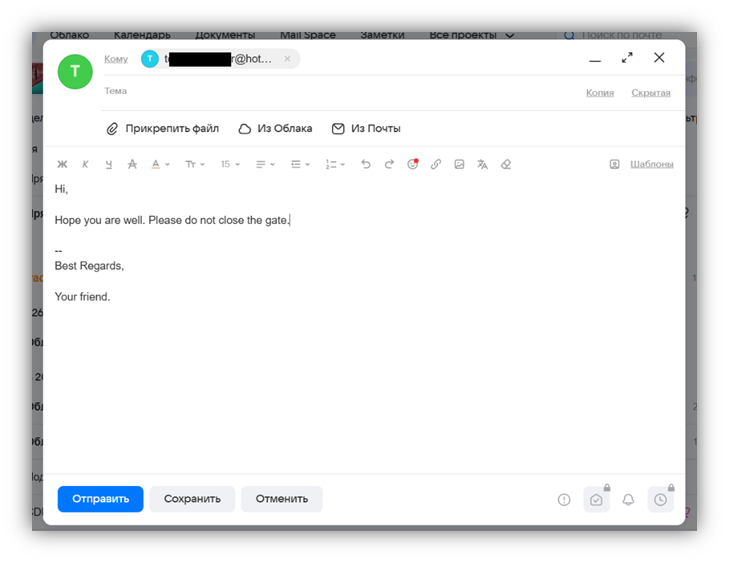
Preparing the message in the Mail.ru service.
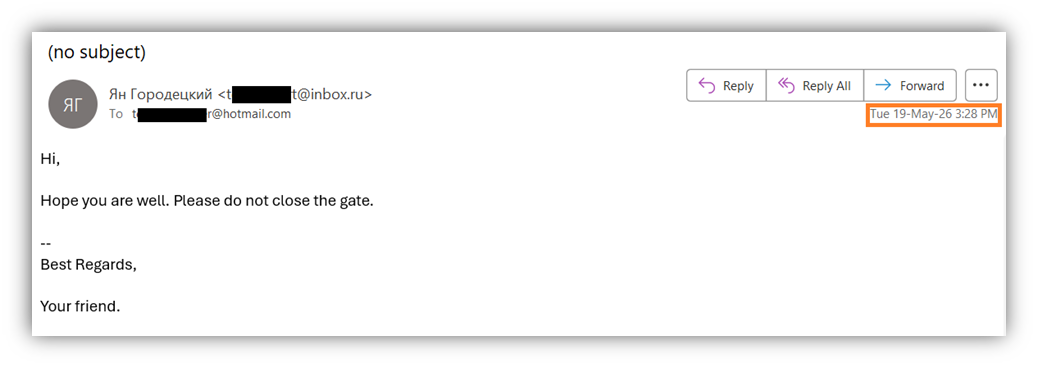
The message has been successfully received and opened in Outlook.
Let us take note of the date and time of receipt. This will come in handy later.
Here is what we see in the message's technical headers inside Outlook:
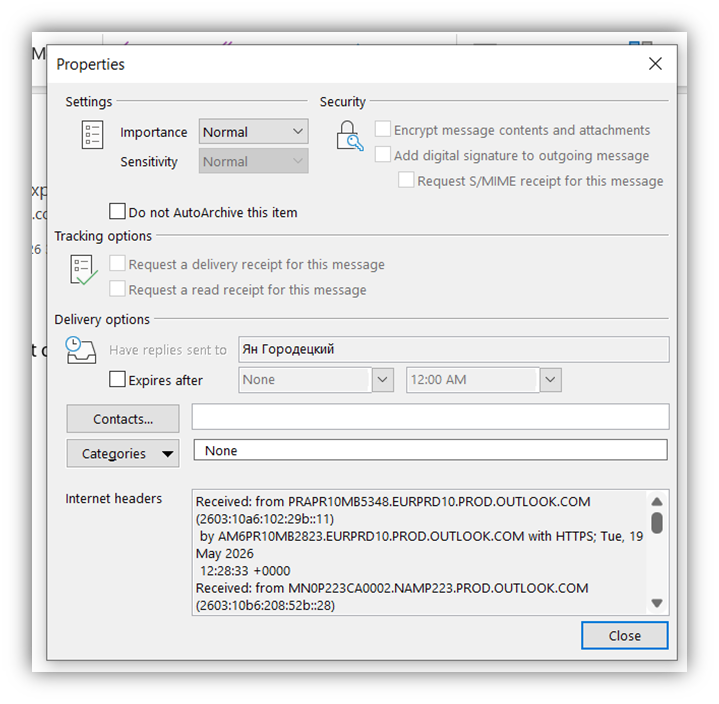
We see the properties and service information about the creation, transmission, and receipt of this message.
Let us create a PST archive for testing, into which the message we have just received will be placed:
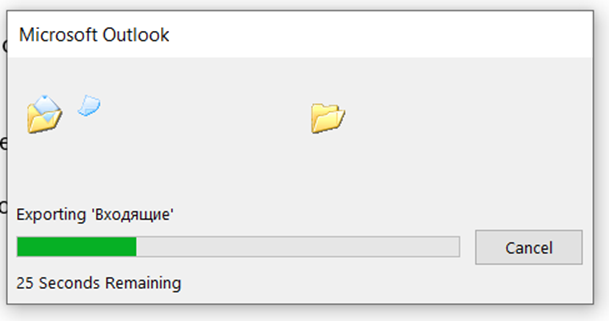
Let us export the received message in MSG format from Outlook using File — Save As and examine it with the Notepad++ text editor:
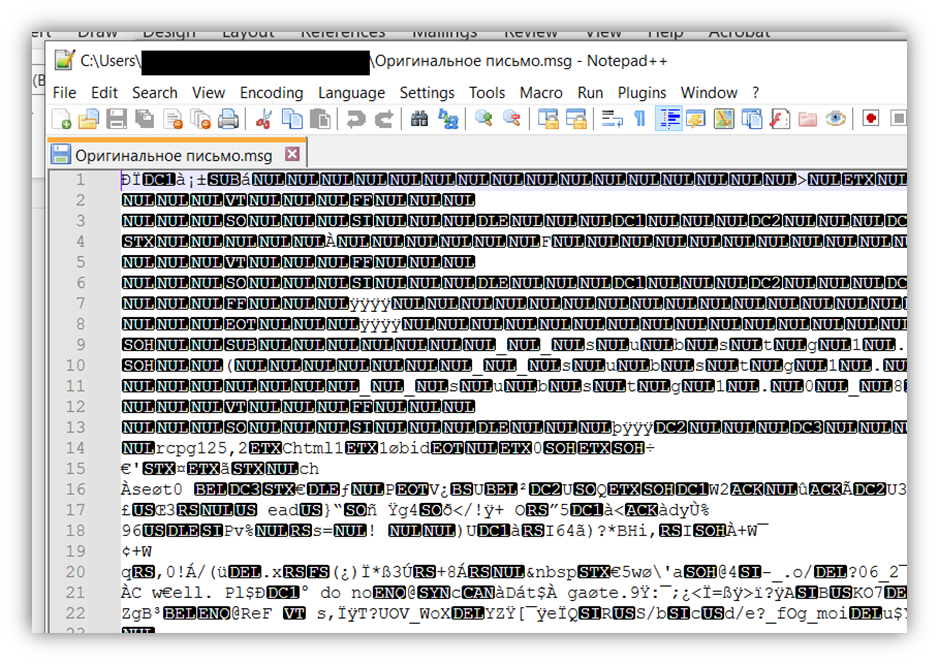
We see strings that are understandable only to proprietary software (for example, Microsoft Outlook) but not to a user. An MSG file consists of binary data that cannot be edited in the usual way with text editors.
In order to be able to edit the message, we need to convert it into a human-readable format: EML. The EML format is plain text, which can be opened and read with the ordinary Windows Notepad.
There are many online services for converting MSG to EML, but we will do it with a Python script using standard modules for working with the Windows OS (os, sys, win32com.client).
Here is what we see in the message's technical headers after converting it to EML:
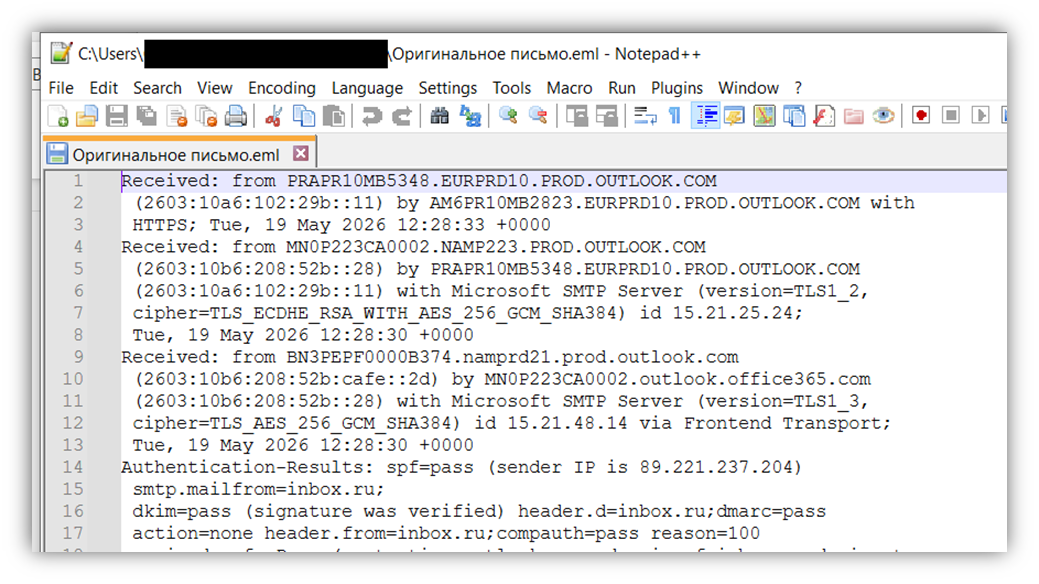
The service information about the message has become readable and available for editing.
Let us edit the body (the message text) of the resulting EML file.
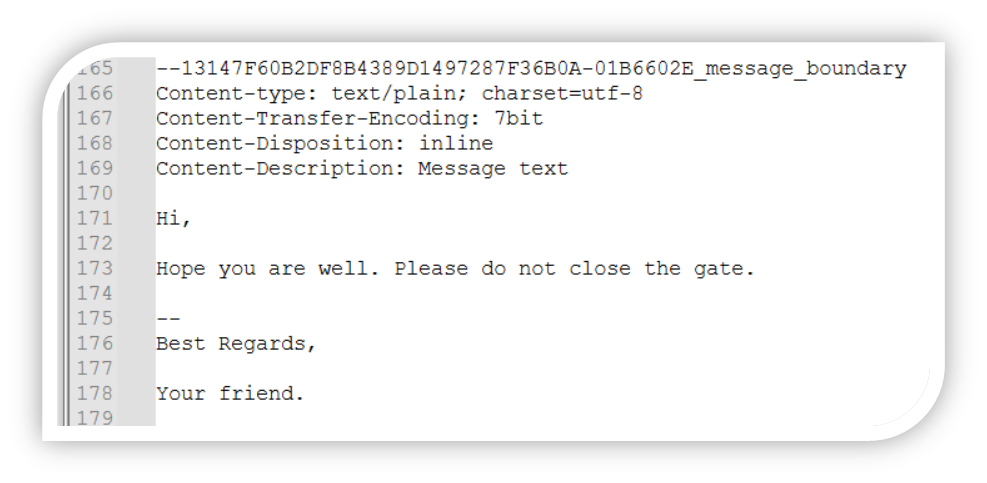
Before.
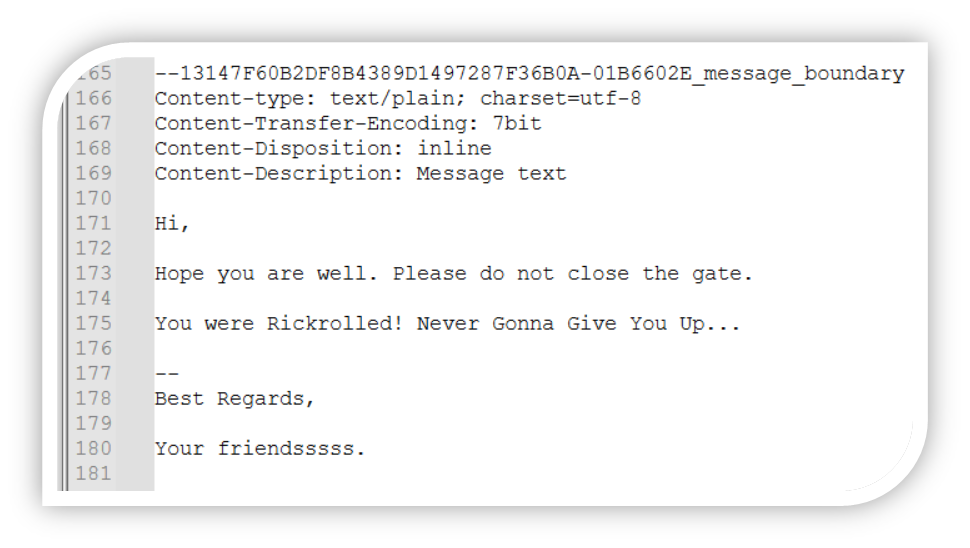
After.
Now we need to substitute our modified EML for the original MSG file in the PST. Using Outlook, the modified EML can be converted back into MSG format and then inserted into the PST. The easiest way to replace the original MSG in the PST is to use dedicated online converters (MSG to PST) or even specialized utilities (MSG2PST, MFCMAPI, and others). But we will take the path of scripts and running all the processes locally.
To do this, we will use the combination "Outlook ↔ Python script ↔ Redemption.dll library".
Redemption.dll is a library for software developers that makes it convenient and safe to work with the Outlook programming interface (MAPI). This library is also frequently used to bypass Outlook security when sending emails in bulk or accessing the address book, because working through it does not "trigger" Outlook's protection systems.
The entire substitution process can be roughly divided into four parts:
- finding the original MSG in the test PST;
- deleting the original MSG in the test PST;
- inserting the forged MSG into the test PST;
- writing the original timestamps into the metadata of the forged MSG.
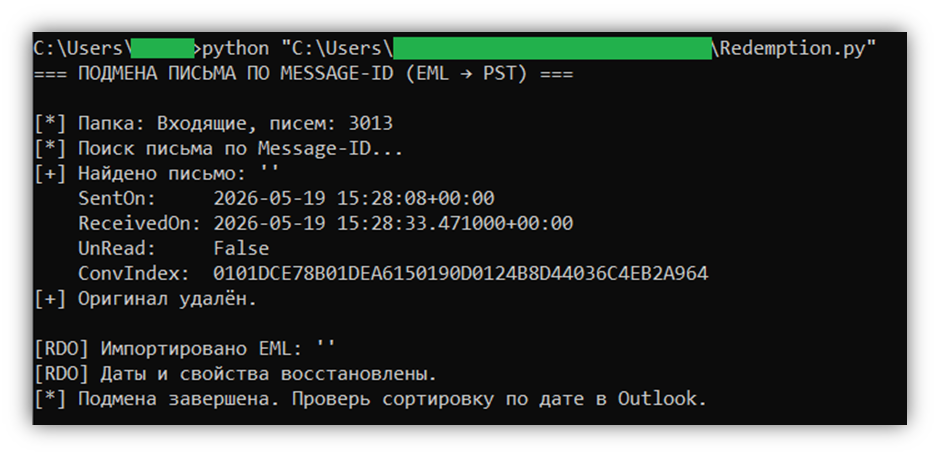
The script performs the first three steps using access to the installed copy of Outlook. Through it, the original message is located by the unique identifier Message-ID or EntryID, which we can view in the original MSG or the EML we created. The original message is then deleted, and our forgery is inserted in its place. In the course of these manipulations, the script itself uses Outlook to convert the EML into MSG.
It would seem that everything is ready, but there is a catch: if we perform only these three steps and leave everything as is, then even with the timestamps changed in the technical headers and in the file itself, the message will be displayed at the very top of the list in Outlook. This happens because the software environment treats the moving of the message as a new event and assigns it the actual system time.
In order for the message to take the chronological place of its original predecessor, the original attributes must be overwritten at a low level. This is exactly where Redemption.dll helps, in the fourth step of the script. Let us run the script:
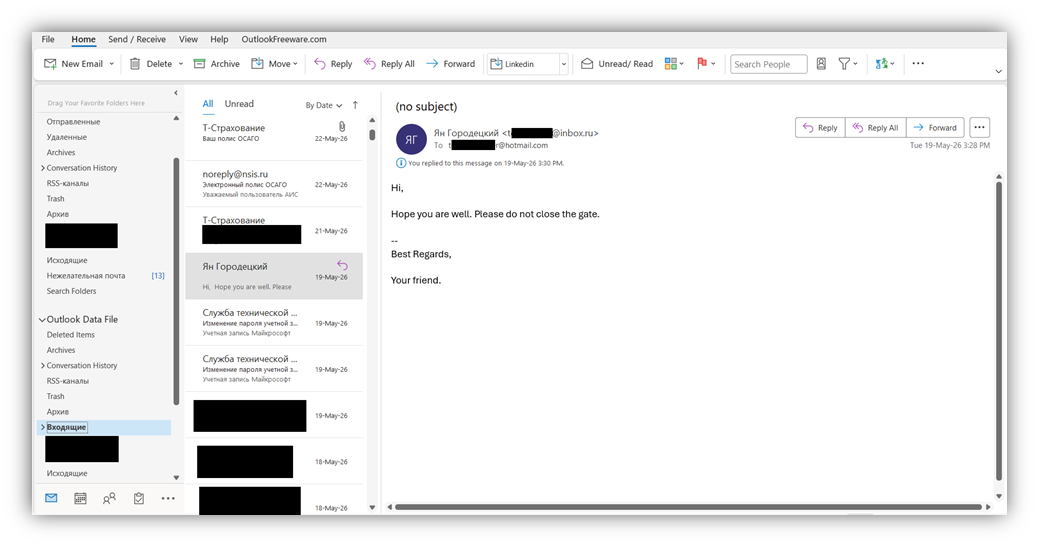
Here is how the original message in the test PST looked before the replacement:
Here is how the message looks now:
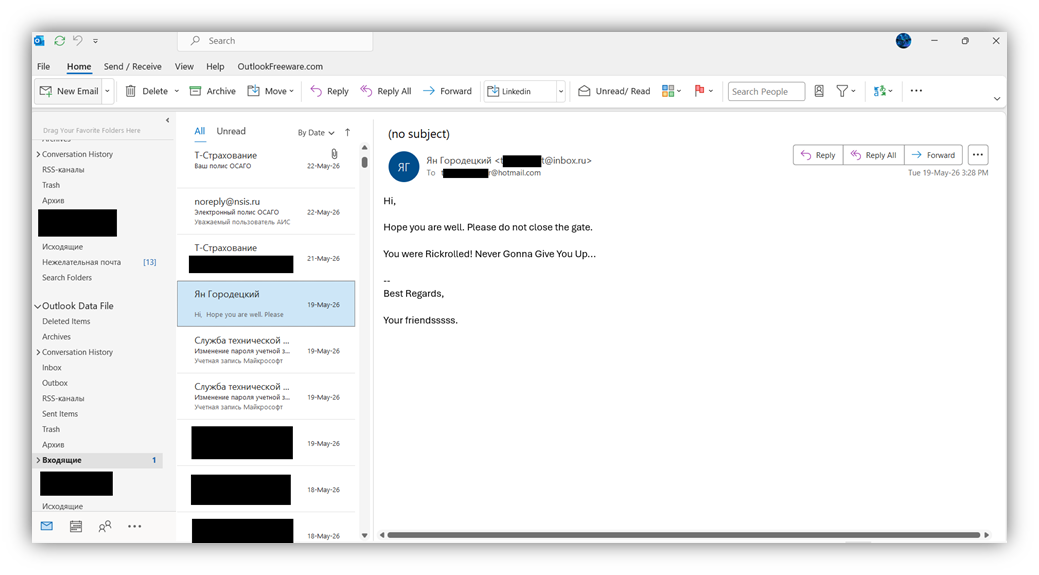
As a result, the body has been successfully substituted and the original values of the following attributes have been restored: subject, sent date, delivery date, read status, flags (importance, categories), chronological order, and position in the conversation thread.
In this way, any edits can be made to an existing message. But that is only half the job. For an attacker, editing the message is not enough: it must be done so that no traces of the changes remain. In this case, the only sign of editing will be the timestamps of the PST archive.
There are several ways to return the timestamps to their state before the MSG substitution: use the OS's scripting languages (PowerShell, Bash, and so on), dedicated software (for example, GhostWrite or NewFileTime), or edit the metadata directly in a Hex editor.
Forensic traces of such tampering
The metadata of the MAPI properties (for example, modified dates) in the PST itself may differ. If desired, they can be adjusted using Redemption.dll. It is difficult to achieve an absolutely "seamless" replacement at the level of the PST file structure, but visually, for the user and under standard viewing, everything will look like the original.
There are several points that cannot be fixed by the method described above. For example, the MAPI property PR_CREATION_TIME will always contain the time the MSG was imported. And the PR_LAST_MODIFICATION_TIME property will be updated with any interaction with the message in Outlook. If an information security (infosec) specialist has the opportunity to compare the message with the original, many MAPI properties will show discrepancies (for example, EntryID), thereby confirming the fact of forgery.
In conclusion, let us note that the topic of writing the original timestamps of the MSG and the PST archive deserves a detailed analysis in a separate article. In addition, some details of the process have been deliberately left outside the scope of this material to keep it from turning into a how-to guide for aspiring villains.